

How Ecommerce Brands Can Scale Using Meta Ads in 2026
Scaling Meta Ads in 2026 Is Not What It Used to Be
If you’re running Meta Ads for ecommerce, 2026 probably feels harder than before.
You might be experiencing:
- Rising CPMs
- ROAS fluctuations
- Creatives that work for 2–3 weeks and then die
- Audiences that stop scaling
- Budget increases that don’t translate into revenue
Many founders say:
“Pehle Meta Ads easily scale ho jaati thi. Ab bahut unstable hai.”
They’re right but not for the reasons they think.
👉 Meta Ads in 2026 are not broken. Old scaling methods are.
This blog explains how ecommerce brands can scale Meta Ads in 2026, specifically in the Indian D2C context, using systems that actually work today.
Struggling with ROAS Fluctuations?
Get a strategy that works in the 2026 landscape.
- Why Scaling Meta Ads Feels Harder in 2026
- The Biggest Myth: “Scaling = Increasing Budget”
- What Actually Drives Scaling on Meta Ads in 2026
- Pillar 1: Creative Systems
- Pillar 2: Funnel-Based Meta Ads
- Pillar 3: Signal Quality
- Scaling Framework: ₹50K → ₹5L → ₹50L per Month
- Common Meta Ads Scaling Mistakes in 2026
- How Landing Pages Decide Whether Scaling Works
- What Scaling Meta Ads Actually Looks Like in 2026
- How Digi Suggest Helps Ecommerce Brands Scale Meta Ads
Why Scaling Meta Ads Feels Harder in 2026
Before we talk about solutions, let’s understand the problem.
1️⃣ Less Data, More Automation
- Privacy changes reduced user-level data
- Meta relies more on modeled conversions
- Algorithm needs stronger signals
2️⃣ Everyone Is Advertising
- Every D2C brand runs Meta Ads
- Competition is intense
- CPM inflation is real
3️⃣ Creative Saturation
- Audiences see hundreds of ads daily
- Scroll speed is faster
- Attention span is shorter
👉 Scaling now requires better inputs, not more budget.
The Biggest Myth: “Scaling = Increasing Budget”
This is the most dangerous belief in 2026.
Many brands try to scale by:
- Increasing daily budgets
- Duplicating ad sets
- Expanding audiences blindly
What happens?
- CPA spikes
- ROAS crashes
- Learning phase resets
👉 In 2026, budget follows performance not the other way around.
What Actually Drives Scaling on Meta Ads in 2026
Scaling today is controlled by three pillars:
- Creative systems
- Funnel clarity
- Signal quality
Targeting is no longer the main lever. Let’s break each one down.
Pillar 1: Creative Systems (The #1 Scaling Lever in 2026)
Meta Ads in 2026 are creative-first, not targeting-first.
Why Creatives Matter More Than Ever
Meta’s algorithm now:
- Tests creatives aggressively
- Pushes spend toward high-engagement ads
- Kills fatigue faster
If your creatives are weak:
- No audience will save you
- No budget increase will help
What “Creative Systems” Mean (Not Just Good Creatives)
Most brands think: “Creative acha bana lo, scale ho jayega.” That’s incomplete.
A creative system means:
- Multiple angles
- Multiple formats
- Continuous testing
- Planned refresh cycles
Creative Angles That Scale in 2026 (India-Focused)
Winning ecommerce brands test:
- Problem-solution angles
- Before/after results
- Founder or brand story
- UGC & reviews
- Comparison & myth-busting
Indian audiences respond strongly to:
- Authentic faces
- Relatable problems
- Trust & social proof
👉 Polished ads ≠ converting ads.
Creative Fatigue Is Faster in 2026
In 2026:
- Creatives fatigue in 10–21 days
- High spend accelerates fatigue
Brands that scale plan for:
- Weekly creative testing
- Monthly creative refresh
- Always-on testing budget
👉 Scaling stops when testing stops.
Pillar 2: Funnel-Based Meta Ads (Not One-Campaign Strategy)
Most ecommerce Meta Ads accounts still look like:
- One campaign
- One objective
- Mixed audiences
This kills scalability.
Why Funnels Matter More in 2026
Meta Ads now work best when:
- The algorithm understands user stage
- Messaging matches intent
- Signals are consistent
A funnel does exactly that.
The Ideal Meta Ads Funnel for Ecommerce
1️⃣ Cold Traffic (Discovery)
- Objective: Awareness / Traffic / Sales
- Audience: Broad / Lookalikes
- Creatives: Problem-focused, curiosity-driven
- Goal: 👉 Introduce the brand, not force a sale.
2️⃣ Warm Traffic (Consideration)
- Objective: Sales
- Audience: Video viewers, website visitors
- Creatives: Reviews, benefits, comparisons
- Goal: 👉 Build trust & intent.
3️⃣ Hot Traffic (Conversion)
- Objective: Sales
- Audience: Cart viewers, product viewers
- Creatives: Offers, urgency, reassurance
- Goal: 👉 Close the sale.
👉 Brands that skip funneling try to sell to strangers which is expensive.
Build a Funnel That Actually Converts
Stop wasting budget on one-campaign strategies.
Pillar 3: Signal Quality (The Hidden Scaling Killer)
In 2026, Meta doesn’t just look at Conversions. It looks at Conversion quality.
What Hurts Signal Quality (India-Specific)
- COD fake orders
- High RTO
- Low-intent traffic
- Poor landing page experience
If Meta receives bad signals:
- It optimizes for wrong users
- Scaling becomes unstable
How to Improve Signal Quality
- Track real purchase events
- Optimize for value where possible
- Improve landing page conversion rate
- Reduce fake or low-quality orders
👉 Better signals = better scaling.
Scaling Framework: ₹50K → ₹5L → ₹50L per Month
Let’s make this practical.
Stage 1: ₹50K–₹1L / Month
Focus:
- Finding winning creatives
- Understanding ICP
- Basic funnel setup
Do NOT:
- Chase scale
- Use too many audiences
Goal: 👉 Consistency, not volume.
Stage 2: ₹1L–₹5L / Month
Focus:
- Creative volume
- Audience expansion
- Retargeting optimization
Introduce:
- Creative testing systems
- Clear funnel separation
Goal: 👉 Stable ROAS at higher spend.
Stage 3: ₹5L+ / Month
Focus:
- Creative velocity
- Fatigue management
- Value-based optimization
Add:
- UGC pipeline
- Creator collaborations
- Landing page CRO
Goal: 👉 Predictable, scalable growth.
Common Meta Ads Scaling Mistakes in 2026
- ❌ Scaling without creative testing
- ❌ Using old interest stacking hacks
- ❌ One-campaign approach
- ❌ Ignoring landing page performance
- ❌ Blindly trusting automation
Most brands don’t fail because Meta Ads don’t work. They fail because they don’t adapt.
How Landing Pages Decide Whether Scaling Works
Meta Ads can send massive traffic. But if your landing pages:
- Load slow
- Lack trust
- Don’t match ad promise
Scaling will fail. In 2026: 👉 Ads + CRO work together.
What Scaling Meta Ads Actually Looks Like in 2026
Successful ecommerce brands:
- Test more than they scale
- Rotate creatives continuously
- Use funnels, not hacks
- Focus on signal quality
- Think long-term
Scaling is no longer aggressive. It’s systematic.
How Digi Suggest Helps Ecommerce Brands Scale Meta Ads
At Digi Suggest, we don’t just run Meta Ads. We build scalable Meta Ads systems for ecommerce brands.
Our Approach:
- Creative-first Meta Ads strategy
- Funnel-based campaign structures
- Continuous creative testing
- Signal-quality optimization
- CRO-aligned scaling
🎯 Our goal is not short spikes.
🎯 Our goal is sustainable, profitable scaling.
Scale Meta Ads the Right Way
Struggling with Meta Ads? Get a clear scaling roadmap.
Final Thought
Meta Ads in 2026 reward:
- Creativity over targeting
- Systems over hacks
- Signals over spend
Brands that adapt will scale faster than ever. Brands that don’t will burn money.
The choice is yours.
FAQs
Yes. Ecommerce brands can scale using Meta Ads in 2026, but scaling now depends more on creative systems, funnel structure, and signal quality rather than aggressive targeting or budget increases.
Scaling feels harder due to higher competition, reduced user-level data, faster creative fatigue, and Meta’s heavy reliance on automation and modeled conversions.
No. In 2026, increasing budget without strong creatives and a stable funnel often leads to higher CPA and lower ROAS instead of growth.
Creatives are the biggest scaling lever in 2026. Meta’s algorithm prioritizes ads that generate engagement, watch time, and quality signals.
Most ecommerce brands see stable scaling after 6–12 weeks of consistent creative testing, funnel optimization, and signal improvement.
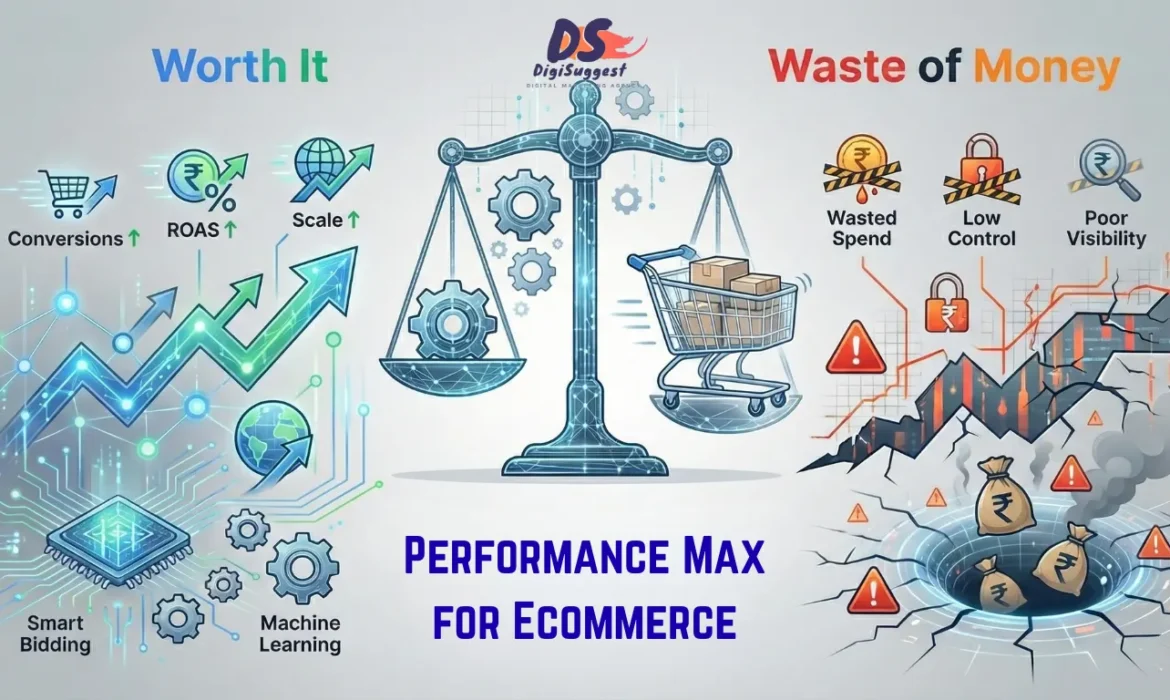
Performance Max for Ecommerce: Worth It or Waste of Money?
“PMax Chalaya… Shuru Mein Sale Aayi, Phir ROAS Gir Gaya”
Performance Max (PMax) is probably the most confusing Google Ads product for ecommerce brands right now.
Almost every Indian D2C founder says one of these:
- “Google ne bola PMax best hai”
- “Agency ne Shopping band karke PMax chala diya”
- “Shuru mein ROAS acha tha, ab bilkul gir gaya”
- “Samajh hi nahi aa raha PMax ka paisa kahan ja raha hai”
Some founders love PMax.
Some hate it.
So, what’s the truth?
👉 Performance Max is neither magic nor useless.
👉 It’s powerful when used correctly and extremely expensive when used blindly.
This blog will give you an honest, non-Google-sales answer to:
- Is Performance Max worth it for ecommerce?
- When does it actually work?
- When does it burn money?
- How Indian ecommerce brands should really use it
- What Performance Max Actually Is
- Why Google Pushes Performance Max So Hard
- Why Performance Max Sometimes Looks Amazing (Initially)
- When Performance Max ACTUALLY Works
- When Performance Max Becomes a Waste of Money
- Performance Max vs Shopping Ads (Reality Check)
- How Indian Ecommerce Brands Should Use PMax
- India-Specific Performance Max Problems
- So… Is Performance Max Worth It?
- How Digi Suggest Uses Performance Max Profitably
First, What Performance Max Actually Is (Without Marketing Talk)
Google positions Performance Max as:
“One campaign to run across Search, Shopping, Display, YouTube, Discover, Gmail.”
But here’s what that really means:
Performance Max:
- Uses your Shopping feed
- Uses your creatives
- Uses your conversion data
- Uses automation heavily
- Decides placements on its own
👉 You don’t choose keywords.
👉 You don’t choose placements.
👉 You don’t control channel-level spend.
You are giving Google maximum control. That can be good or dangerous.
Why Google Pushes Performance Max So Hard
Let’s be honest. Google pushes PMax because:
- It increases automation adoption
- It uses more inventory (YouTube, Display, Discover)
- It simplifies account management
- It often increases spend
This does NOT automatically mean:
- Better ROAS
- Better profitability
- Better control for advertisers
Google optimizes for:
👉 Conversions, not your margins. That difference matters a lot in ecommerce.
Why Performance Max Sometimes Looks Amazing (Initially)
Many Indian ecommerce brands report: “PMax launch ke baad ROAS 3x aa gaya.” This usually happens because:
1️⃣ Brand Traffic Is Being Counted as “Success”
PMax often:
- Shows ads on brand searches
- Shows ads to people already searching for you
- Retargets existing users
So conversions that would have happened anyway: 👉 Get credited to PMax.
ROAS looks great. Incremental growth is questionable.
2️⃣ Low-Hanging Fruit Phase
In the beginning:
- Google targets easiest converters
- Uses warm audiences
- Plays safe
Once that’s exhausted:
- PMax expands aggressively
- CPA rises
- ROAS drops
👉 Early success ≠ long-term profitability.
Is your PMax ROAS dropping after a strong start?
Don't let automation burn your budget.
When Performance Max ACTUALLY Works for Ecommerce
Let’s be very clear. Performance Max does work but only under specific conditions.
✅ 1️⃣ You Already Have Stable Search & Shopping Campaigns
PMax works best when:
- Search Ads are structured
- Shopping Ads are optimized
- Feed quality is strong
- Conversion tracking is clean
In this case:
- PMax adds incremental volume
- Doesn’t replace core campaigns
- Scales reach safely
👉 PMax should be an expansion layer, not the foundation.
✅ 2️⃣ Your Product Feed Is High Quality
Performance Max is feed-driven for ecommerce. PMax works well if:
- Product titles are optimized
- Categories are accurate
- Images are high quality
- Pricing is competitive
- Availability is correct
Bad feed = bad PMax. No amount of ecommerce SEO or automation can fix poor feed data.
✅ 3️⃣ You Have Enough Conversion Data
PMax needs data to learn. It works best when:
- 30–50+ conversions/month
- Clean conversion tracking
- No duplicate or missing events
Without data: PMax guesses. Guessing is expensive.
✅ 4️⃣ You Don’t Need Micro-Level Control
If your goal is:
- Scale volume
- Expand reach
- Find new pockets of demand
PMax can help.
If your goal is:
- Strict CPA control
- Keyword-level optimization
- Tight intent targeting
PMax will frustrate you.
When Performance Max Becomes a Waste of Money
Now the important part.
❌ 1️⃣ Replacing Search & Shopping With PMax
This is the biggest Indian ecommerce mistake. Many agencies do this:
- Pause Shopping
- Pause Search
- Launch only PMax
Why? Because it’s easier to manage.
Result:
- Loss of control
- Brand traffic cannibalization
- ROAS confusion
- CPA instability
👉 PMax should never replace Search & Shopping completely.
❌ 2️⃣ New Ecommerce Brands Using PMax Too Early
If your brand is:
- New
- Low data
- No brand searches
- No stable conversions
PMax will:
- Spend on low-quality placements
- Chase cheap but bad traffic
- Burn budget
New ecommerce brands need:
PMax removes all three.
❌ 3️⃣ No Asset Optimization (Very Common)
Most Indian brands:
- Upload few images
- Add generic headlines
- Ignore videos
- Never refresh assets
Google then:
- Reuses poor creatives
- Shows low-engagement ads
- Pushes spend to low-quality inventory
Automation without quality inputs = waste.
❌ 4️⃣ No Visibility = No Accountability
With PMax:
- You don’t know where money goes
- You don’t know which keyword converts
- You don’t know which placement works
For many founders, this creates:
- Trust issues
- Panic decisions
- Blind spending
If you don’t track incrementality:
👉 PMax can silently waste money.
Performance Max vs Shopping Ads (Reality Check)
Many people think: “PMax = upgraded Shopping Ads”. That’s incorrect.
| Factor | Shopping Ads | Performance Max |
|---|---|---|
| Control | Medium | Very Low |
| Keyword visibility | Limited | None |
| Placement clarity | High | Low |
| Brand protection | Possible | Weak |
| CPA stability | Higher | Volatile |
| Best use | Core revenue | Expansion |
👉 Shopping Ads are foundational.
👉 PMax is experimental & scalable.
How Indian Ecommerce Brands Should Use Performance Max (Best Practice)
Here’s the safest, most profitable way to use PMax in India.
Step 1️⃣ Stabilize Search & Shopping First
Before PMax:
- Brand Search active
- Non-brand Search structured
- Shopping Ads optimized
- Feed cleaned
Step 2️⃣ Launch PMax as a Separate Layer
- Dedicated budget
- Not stealing core spend
- Clear performance expectations
Step 3️⃣ Exclude Brand Where Possible
- Use brand exclusions (where available)
- Monitor brand search trends
- Compare incremental lift
Step 4️⃣ Optimize Assets Aggressively
- Add multiple creatives
- Use real product visuals
- Refresh assets every 30–45 days
- Add videos (even simple ones)
Step 5️⃣ Judge PMax by Incremental Value, Not ROAS Alone
Ask:
- Did total revenue increase?
- Did blended CPA improve?
- Did brand searches grow?
Not just: “PMax ka ROAS kya hai?” See how to maximize ROI with PPC.
Want a Strategy that Scales Profitably?
We build foundations before enabling automation.
India-Specific Performance Max Problems (Very Important)
1️⃣ Cheap Display Traffic Problem
PMax often pushes spend to:
- Display
- YouTube
- Low-quality inventory
This brings:
- Low-intent clicks
- Poor conversion rate
- Fake engagement
2️⃣ COD & RTO Distortion
PMax optimizes for:
- Conversion event
Not for: - Delivered orders
So:
- Low-quality COD orders
- High RTO
- Artificial ROAS
Similar issues are seen with low ROAS on Meta Ads.
3️⃣ Marketplace Cannibalization
PMax can:
- Show ads on brand searches
- Compete with your own Shopping/Search
- Steal credit from better campaigns
So… Is Performance Max Worth It?
Here’s the honest answer:
👉 Performance Max is worth it IF:
- You already have a strong Google Ads foundation
- You want incremental scale
- You can afford some volatility
- You monitor performance carefully
👉 Performance Max is a waste of money IF:
- You replace Search & Shopping with it
- You’re a new brand
- You want strict control
- You don’t optimize feeds & assets
PMax is not bad. Blind PMax is.
According to Search Engine Land, automation requires strategic inputs to function correctly.
How Digi Suggest Uses Performance Max Profitably
At Digi Suggest, we don’t treat PMax as a shortcut. We treat it as a controlled expansion tool.
Our PMax Approach:
- Foundation-first (Search + Shopping)
- Feed & asset optimization
- Brand cannibalization checks
- Incrementality-based evaluation
- CPA & ROAS stability focus
🎯 Our goal is not to “use PMax”.
🎯 Our goal is profitable Google Ads growth.
🚀 Confused About Performance Max?
If PMax is spending your money but you’re unsure whether it’s actually helping your business, you need clarity not guesses. Get profitable Google Ads managed by Digi Suggest.
Final Thought
Performance Max is not the future of ecommerce advertising.
Controlled automation is.
Brands that:
- Use PMax blindly
- Lose money.
Brands that:
- Use PMax strategically
- Scale profitably
The difference is not the tool.
The difference is the strategy behind it.
FAQs
Yes, but only as an expansion tool. In 2026, Performance Max works best when layered on top of strong Search and Shopping campaigns.
Performance Max often captures brand and retargeting traffic early, which inflates ROAS before expanding to colder audiences.
No. Performance Max should not fully replace Shopping Ads in 2026, as it offers less control and higher volatility.
Yes, especially for brands with COD-heavy orders, weak feeds, or low data volume. Without control, PMax can burn money.
Brands should measure incremental revenue, blended CPA, and long-term impact not just reported ROAS.

Best Google Ads Structure for Ecommerce Brands (India)
“Ads Chal Rahi Hain… Par Control Kyun Nahi Hai?”
Most ecommerce founders don’t fail at Google Ads because:
- Their product is bad
- Google Ads don’t work
- Competition is too high
They fail because of poor account structure.
You’ll often hear:
- “CPA kabhi sahi hota hai, kabhi bigad jaata hai”
- “Budget badhate hi performance gir jaati hai”
- “Samajh hi nahi aa raha kaunsa campaign kaam kar raha hai”
- “Agency report deti hai, par clarity nahi hoti”
👉 In 90% of cases, the problem is how the Google Ads account is structured, not the platform itself.
Google Ads rewards clarity, separation of intent and clean data.
Bad structure mixes everything and kills profitability.
This blog breaks down the best Google Ads structure for ecommerce brands, especially for Indian D2C businesses, step by step.
- First, Understand This: Structure > Bids > Creatives
- Why Most Ecommerce Google Ads Accounts Are Messy
- The 5 Core Principles of a Profitable Google Ads Structure
- The Ideal Google Ads Structure for Ecommerce (Overview)
- 1️⃣ Brand Search Campaign (Non-Negotiable)
- 2️⃣ Non-Brand Search Campaigns (Segmented by Intent)
- 3️⃣ Google Shopping Campaign Structure
- 4️⃣ Remarketing Campaigns (Your CPA Reducer)
- 5️⃣ Performance Max (Use With Caution)
- Budget Distribution Framework (India-Focused)
- Why Structure Directly Controls CPA & ROAS
- Signs Your Google Ads Structure Is Broken
- How Digi Suggest Builds Google Ads Structures That Scale
First, Understand This: Structure > Bids > Creatives
Many brands obsess over:
- Bids
- Budgets
- Headlines
- Offers
But ignore structure.
Here’s the reality:
👉 If structure is wrong, no bid or creative can save performance.
Structure decides:
- How Google learns
- Which traffic goes where
- How budgets are prioritized
- How CPA stays stable
Think of structure as the foundation of your house. Everything else sits on top of it.
Is your Google Ads structure killing your profitability?
Get a professional audit today.
Why Most Ecommerce Google Ads Accounts Are Messy
Typical Indian ecommerce Google Ads account looks like:
- One Shopping campaign
- One Search campaign
- One Performance Max campaign
- Same budget logic everywhere
All traffic mixed. All intent mixed. All products treated equally.
This causes:
- High CPA
- No scalability
- Confusing reports
- Panic decisions
👉 Ecommerce Google Ads needs segmentation, not shortcuts.
The 5 Core Principles of a Profitable Google Ads Structure
Before we get tactical, understand these principles.
- 1️⃣ Separate by Intent, Not Just Campaign Type
- 2️⃣ Protect High-Intent Traffic at All Costs
- 3️⃣ Give Each Campaign One Clear Job
- 4️⃣ Let Data Flow Cleanly (No Overlap)
- 5️⃣ Scale Winners, Isolate Losers
Everything else flows from these rules.
The Ideal Google Ads Structure for Ecommerce (Overview)
A strong ecommerce Google Ads account usually has:
- Brand Search Campaign
- Non-Brand Search Campaigns (Segmented)
- Google Shopping Campaigns (Segmented)
- Remarketing Campaigns
- Performance Max (Optional, Controlled)
Let’s break each one down properly.
1️⃣ Brand Search Campaign (Non-Negotiable)
This is the cheapest and highest-ROAS campaign in most accounts.
What Goes Here
- Your brand name
- Brand + product name
- Brand misspellings
Why This Campaign Must Be Separate
- Brand searches convert best
- CPC is very low
- ROAS is highest
- Must not be polluted by generic traffic
Common Indian Mistake
Brands either:
- Don’t run brand ads
- Mix brand keywords with generic keywords
This allows:
- Competitors to hijack traffic
- Marketplaces to steal conversions
- CPA to rise unnecessarily
👉 Brand Search is your defensive wall. Always isolate it.
2️⃣ Non-Brand Search Campaigns (Segmented by Intent)
This is where most CPA leakage happens.
❌ What Most Brands Do
- One search campaign
- All keywords inside
- Broad match everywhere
This mixes:
- High intent
- Medium intent
- Research intent
Google gets confused. CPA explodes.
✅ Correct Search Structure
Split non-brand search into intent-based campaigns.
a) High-Intent Search Campaign
Keywords like:
- “buy ___ online”
- “___ price in india”
- “___ official website”
Features:
- Phrase & Exact match
- Higher bids allowed
- Direct product or category landing pages
This campaign:
- Converts best
- Deserves budget protection
b) Category / Generic Search Campaign
Keywords like:
- “protein powder”
- “face serum”
- “running shoes”
Features:
- Controlled broad + phrase
- Lower bids
- Strong negatives
- Category pages as landing pages
This campaign:
- Discovers demand
- Needs strict monitoring
👉 Never mix these two intents.
3️⃣ Google Shopping Campaign Structure (Most Important for Ecommerce)
Shopping Ads drive scale but only when structured well.
❌ Common Indian Setup
- One Shopping campaign
- All products inside
- Same bid for everything
Result:
- Google pushes low-margin products
- Winners subsidize losers
- CPA becomes unpredictable
✅ Ideal Shopping Structure
Segment Shopping Ads based on business logic, not convenience.
Option 1: By Product Category
- Skincare
- Supplements
- Apparel
- Accessories
Useful when:
- Categories have different margins
- Different buyer behavior
Option 2: By Performance Tier (Best Practice)
Create Shopping campaigns like:
- Top Sellers
- Medium Performers
- Testing / New Products
Benefits:
- Budget control
- CPA stability
- Easier scaling
👉 Never let low-performing products eat budget meant for winners.
4️⃣ Remarketing Campaigns (Your CPA Reducer)
Remarketing is often ignored or misused.
What Remarketing Should Do
- Convert warm users cheaply
- Reduce overall CPA
- Support Search & Shopping
Smart Remarketing Audiences
- Product viewers
- Cart abandoners
- Brand search visitors
- Past purchasers (upsell)
Common Mistakes
- High frequency
- Long duration
- No exclusions
Remarketing should close deals, not annoy users.
Struggling to scale your Ecommerce brand?
Let us structure your ads for predictable growth.
5️⃣ Performance Max (Use With Caution)
Performance Max is powerful but dangerous if misused.
When PMax Fits Well
- You already have stable Search & Shopping
- Feed quality is strong
- Conversion tracking is clean
- You want incremental scale
When PMax Burns Money
- New accounts
- Poor feed
- No structure
- Blind trust in automation
Best Way to Use PMax
- Separate from core campaigns
- Control assets
- Monitor brand cannibalization
- Use for expansion, not foundation
👉 PMax is an accelerator, not a base.
Budget Distribution Framework (India-Focused)
A healthy ecommerce Google Ads budget split often looks like:
- 30–40% Shopping Ads
- 20–30% Search Ads (Non-Brand)
- 10–15% Brand Search
- 10–15% Remarketing
- Optional: 10–20% PMax
This changes based on:
- Brand maturity
- Category competition
- Margins
But never put 80–100% budget into one campaign type.
Why Structure Directly Controls CPA & ROAS
Good structure:
- Feeds Google clean data
- Protects high-intent traffic
- Limits waste
- Makes scaling predictable
Bad structure:
- Confuses algorithms
- Hides poor performers
- Causes sudden crashes
- Forces guesswork
👉 Stable ROAS is always the result of stable structure.
Signs Your Google Ads Structure Is Broken
You likely need restructuring if:
- CPA fluctuates wildly
- Budget increase kills performance
- You can’t identify top campaigns
- Shopping Ads dominate everything
- PMax eats all spend
- Reports feel confusing
How Digi Suggest Builds Google Ads Structures That Scale
At Digi Suggest, we don’t “just run ads”. We design ecommerce Google Ads systems.
Our Structure-First Approach:
- Intent-based campaign separation
- Margin-aware Shopping setup
- Search hygiene & negatives
- Controlled automation (PMax)
- CPA & ROAS stability focus
🎯 Our goal is not more campaigns.
🎯 Our goal is predictable, profitable growth.
🚀 Google Ads Not Scaling Profitably?
👉 Get profitable Google Ads managed by Digi Suggest.
Final Thought
Most ecommerce brands don’t need:
- New offers
- New creatives
- More budget
They need:
- Clean structure
- Clear intent separation
- Controlled scaling
Fix the structure and Google Ads starts working with you, not against you.
FAQs
Yes. In 2026, structure matters more than ever due to automation. Clear intent separation is required to prevent algorithm confusion.
Yes. In 2026, poor structure cannot be fixed by bidding alone. Structure directly controls how Google learns and allocates budget.
Absolutely. Brand protection remains critical in 2026 as marketplaces and competitors aggressively bid on brand terms.
In 2026, Shopping Ads should be segmented by performance, margin, or category instead of running all products in one campaign.
Yes. In 2026, automation amplifies structural mistakes faster, leading to higher CPA and unstable ROAS.
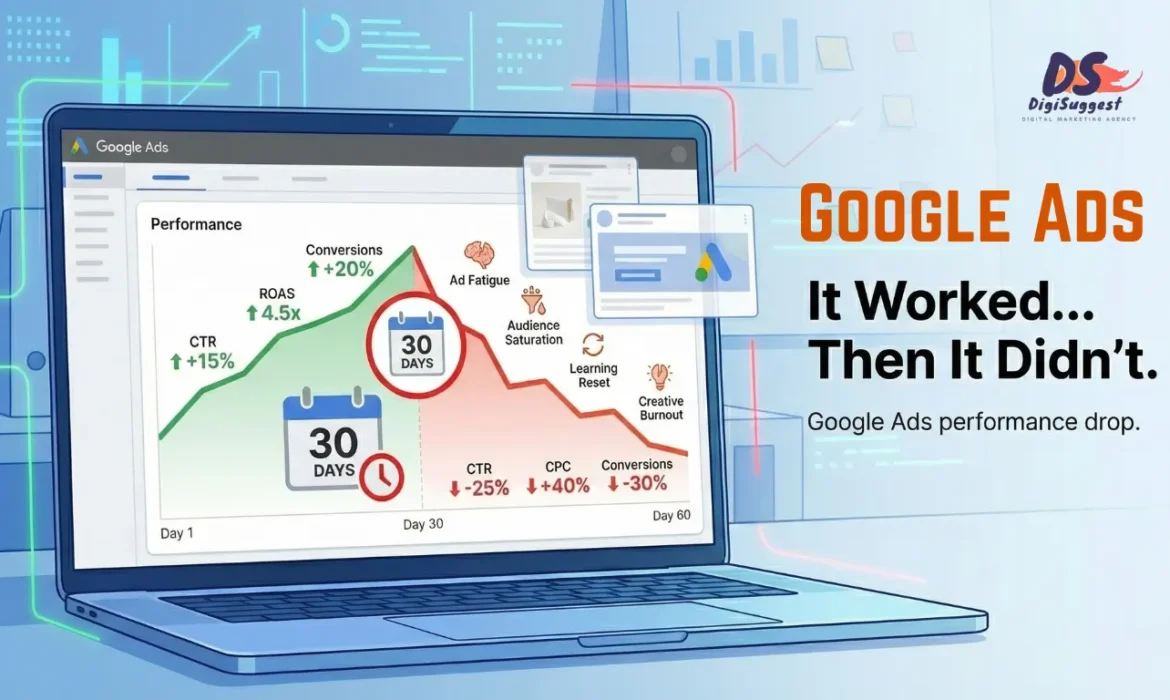
Why Your Google Ads Work for 30 Days & Then Die
“Pehle Sale Aa Rahi Thi… Ab Achaanak Sab Down Hai”
If you’re running Google Ads for ecommerce, this situation will feel painfully familiar:
First 2–4 weeks:
- ✅ Orders coming
- ✅ ROAS looks healthy
- ✅ Team feels confident
After 30–45 days:
- ❌ CPA shoots up
- ❌ ROAS crashes
- ❌ Same budget, fewer orders
- ❌ Ads feel “dead”
Most founders react by saying:
“Google Ads kaam nahi karti.”
“Market hi kharab ho gaya.”
“Algorithm change ho gaya.”
Here’s the truth:
👉 Your ads didn’t die.
Your system stopped supporting them.
Google Ads performance doesn’t collapse randomly. It collapses due to predictable, fixable reasons, especially in Indian ecommerce.
Let’s break down why Google Ads work initially and then fail, and exactly how to prevent or recover performance.
Ads stopped performing after the first month?
- Introduction
- First, Understand Why Ads Perform Well Initially
- Reason 1️⃣ Learning Phase Ends & Reality Begins
- Reason 2️⃣ Creative & Feed Fatigue
- Reason 3️⃣ Over-Reliance on Broad Traffic
- Reason 4️⃣ Budget or Bid Shock
- Reason 5️⃣ Shopping Feed Not Optimized
- Reason 6️⃣ Search Terms Pollution
- Reason 7️⃣ Performance Max Used Too Early
- Reason 8️⃣ Conversion Tracking Decay
- Reason 9️⃣ Landing Pages Stop Converting
- Reason 🔟 No Stabilization Strategy
- How to Stop Google Ads From “Dying”
- What a Healthy Google Ads Account Looks Like
- How Digi Suggest Recovers & Stabilizes Google Ads
First, Understand Why Ads Perform Well Initially
This part is important.
When you launch new Google Ads campaigns, Google gives you a temporary performance boost.
Why This Happens
- Fresh creatives & feeds
- Unsaturated audiences
- Broad learning signals
- Exploration phase advantage
Google is trying to:
- Understand your account
- Test different queries
- Find potential converters
This phase feels great but it’s not sustainable by default.
👉 Early performance is testing success, not scaling success.
Reason 1️⃣ Learning Phase Ends & Reality Begins
In the first few weeks:
- Google explores broadly
- Shows ads to many segments
- Tries different placements
After ~30 days:
- Google starts optimizing strictly
- Bad data hurts harder
- Structural weaknesses surface
What Goes Wrong
If your account has:
- Weak conversion tracking
- Poor keyword hygiene
- Low-quality traffic
Google “learns” the wrong patterns.
Result:
- CPA increases
- Traffic quality drops
- Performance collapses
👉 Bad learning = bad long-term performance.
Reason 2️⃣ Creative & Feed Fatigue (Most Common Cause)
Indian ecommerce brands rarely refresh:
- Shopping feeds
- Ad creatives
- Images
- Headlines
What Happens
- Same product images
- Same titles
- Same offers
Users see the same ads repeatedly.
Signals Google reads:
- CTR drops
- Engagement declines
- Relevance score weakens
Google responds by:
- Increasing CPC
- Reducing impressions
- Lowering priority
👉 Ads don’t die. Creatives get ignored.
Reason 3️⃣ Over-Reliance on Broad Traffic
Many accounts start with:
- Broad keywords
- Generic Shopping queries
- Wide Performance Max coverage
Initially:
- Volume is high
- Some conversions happen
Over time:
- Low-intent users dominate
- CPC rises
- Conversion rate drops
Why This Happens in India
- High comparison behavior
- Price-sensitive clicks
- Marketplace-driven searches
If you don’t tighten targeting:
👉 CPA explodes.
Is your CPA exploding while sales drop?
Reason 4️⃣ Budget or Bid Shock
A very common founder move:
“Ads chal rahi hain, budget double kar dete hain.”
What Google Hates
- Sudden budget jumps
- Aggressive bid changes
- Target CPA set too low
This:
- Resets learning
- Forces Google to re-test
- Pushes ads into unstable traffic
Result:
- 30 days good
- Next 30 days chaos
👉 Scaling without stability kills performance.
Reason 5️⃣ Shopping Feed Not Optimized After Launch
Most Indian ecommerce brands:
- Upload feed
- Start Shopping Ads
- Never touch feed again
Problem
Google Shopping is feed-driven, not keyword-driven.
If:
- Titles are generic
- Categories are wrong
- Images are weak
- Pricing changes aren’t reflected
Google loses confidence in your products.
👉 Shopping Ads quietly stop prioritizing you.
Reason 6️⃣ Search Terms Pollution
This is silent but deadly.
Many brands don’t:
- Check search term reports
- Add negative keywords
- Control match types
Over time:
- Ads trigger for irrelevant queries
- Clicks increase
- Conversions don’t
Example:
Selling premium shoes
Ad triggers for “cheap shoes under 500”
Early phase hides this.
Later phase exposes it.
👉 Wasted clicks slowly poison performance.
Reason 7️⃣ Performance Max Used Too Early (Or Blindly)
Performance Max is powerful but dangerous if misused.
Common Indian mistakes:
- Launch PMax without stable Search/Shopping
- No asset optimization
- No feed segmentation
- No conversion clarity
Initially:
- PMax finds easy conversions
Later:
- Expands aggressively
- Burns budget
- Steals brand traffic
- Kills ROAS
👉 PMax amplifies problems faster than it fixes them.
Reason 8️⃣ Conversion Tracking Decay
Over time:
- Website changes
- Checkout updates
- Apps are added
- Pages slow down
But tracking is never re-checked.
Result:
- Missed conversions
- Double counting
- Delayed signals
Google starts optimizing on bad data.
👉 When tracking breaks, performance follows.
Reason 9️⃣ Landing Pages Stop Converting at Scale
Early traffic:
- Smaller volume
- More intent-heavy
Later traffic:
- Broader
- More skeptical
- More price-conscious
If landing pages:
- Load slow on mobile
- Lack trust signals
- Don’t match intent
Conversion rate drops as traffic scales.
👉 Ads bring traffic. Pages convert traffic.
Reason 🔟 No Stabilization Strategy (Only Launch & Scale)
Most accounts have:
- Launch plan
- Scaling plan
But no stabilization plan.
Stabilization means:
- Refreshing creatives
- Cleaning queries
- Adjusting bids gradually
- Protecting ROAS
Without this, performance always collapses after early success.
How to Stop Google Ads From “Dying”
Here’s what actually works.
1️⃣ Control the Learning Phase
- Don’t rush smart bidding
- Keep data clean
- Start structured, not broad
2️⃣ Refresh Creatives & Feeds Regularly
- New images every 2–4 weeks
- Title & feed optimization monthly
- Seasonal angle updates
3️⃣ Tighten Traffic Over Time
- Add negatives weekly
- Shift from broad → phrase/exact
- Separate high-intent campaigns
4️⃣ Scale Slowly & Intentionally
- Increase budgets 15–25%
- Duplicate winners
- Avoid bid shocks
5️⃣ Use Performance Max Strategically
- Only after stable Search & Shopping
- Control assets
- Monitor brand cannibalization
6️⃣ Monitor Delivered ROAS (India-Specific)
- Factor COD & RTO
- Optimize for quality orders
- Exclude bad pincodes
What a Healthy Google Ads Account Looks Like After 90 Days
- Stable CPA
- Predictable daily spend
- Clear campaign roles
- Regular optimizations
- No sudden crashes
Ads don’t “die” here.
They mature.
How Digi Suggest Recovers & Stabilizes Google Ads
At Digi Suggest, we specialize in Google Ads recovery & stabilization for ecommerce brands.
What We Fix:
- Learning phase damage
- Feed & creative fatigue
- Search term pollution
- Bad PMax usage
- Tracking issues
- CPA & ROAS instability
🎯 We don’t chase short spikes.
🎯 We build stable, scalable Google Ads systems.
Recover Your Google Ads Performance
Google Ads Worked… Then Crashed? Book a free audit.
Final Thought
Google Ads don’t suddenly stop working.
They stop working when:
- Structure isn’t maintained
- Data gets messy
- Scaling is rushed
- Optimization is ignored
Fix the system and performance returns.
FAQs
In 2026, early performance often comes from Google’s learning phase. Ads fail later due to fatigue, bad data, poor structure, or aggressive scaling.
Yes. With higher ad frequency and automation, creative and feed fatigue is one of the biggest reasons Google Ads stop working in 2026.
Automation improves performance only when supported by clean structure, data, and creatives. Blind automation causes volatility in 2026.
Most ecommerce brands should refresh creatives, feeds, and search terms every 30–45 days in 2026 to maintain stability.
Yes. By fixing structure, refreshing feeds, cleaning keywords, and stabilizing budgets, ecommerce Google Ads can be recovered even in 2026.

How to Reduce Cost Per Purchase in Google Ads for Ecommerce
“Google Ads Chal Rahi Hain… Par CPA Bahut High Hai”
This is one of the most common complaints we hear from Indian ecommerce founders:
- “Sales aa rahi hain, par cost per purchase control mein nahi hai”
- “ROAS 1.5–2 ke beech atka hua hai”
- “Budget badhate hi performance gir jaati hai”
- “Google Ads pe kaafi paisa ja raha hai”
Here’s the uncomfortable truth:
👉 High cost per purchase is rarely a Google problem.
It’s almost always a structure, targeting or conversion issue. Most ecommerce brands try to reduce CPA by:
- Lowering bids
- Reducing budget
- Pausing campaigns randomly
That usually makes things worse. To reduce CPA sustainably, you need to understand why it is high in the first place - especially in the Indian ecommerce context.
High Cost Per Purchase on Google Ads?
Get a profitable structure for your campaigns today.
- Understand What Actually Controls Cost Per Purchase
- 1️⃣ Wrong Campaign Mix
- 2️⃣ Poor Keyword Strategy in Search Ads
- 3️⃣ Weak Product Feed = Expensive Shopping Ads
- 4️⃣ Sending Traffic to the Wrong Landing Pages
- 5️⃣ Conversion Rate Is Ignored (Biggest Miss)
- 6️⃣ COD & RTO Reality (India-Specific CPA Problem)
- 7️⃣ Smart Bidding Used Without Enough Data
- 8️⃣ Budget Scaling Without Stability
- 9️⃣ Remarketing Is Either Missing or Misused
- 🔟 No Clear KPI Beyond CPA
- What Brands Should Fix First
- How Digi Suggest Reduces CPA
First, Understand What Actually Controls Cost Per Purchase
CPA is not one metric. It’s the outcome of multiple layers working together.
Cost Per Purchase Depends On:
- Click cost (CPC)
- Traffic quality
- Conversion rate
- Offer & pricing
- COD & RTO impact
- Account structure
If you try to “fix CPA” at only one layer, results won’t last.
1️⃣ Wrong Campaign Mix (Most Common CPA Killer)
Many Indian ecommerce brands run Google Ads like this:
- One Shopping campaign
- One Search campaign
- Same budget distribution
- Same bidding logic
This creates imbalance.
Why This Increases CPA
Different campaign types have different jobs:
- Shopping Ads → volume & discovery
- Search Ads → intent & efficiency
- Brand Search → cheap conversions
- Remarketing → conversion booster
If you over-invest in:
- Generic Shopping → CPA rises
- Broad Search → CPC rises
What Works Better
A healthy CPA-friendly mix looks like:
- Shopping Ads for scale
- Search Ads for high-intent keywords
- Brand Search always ON
- Remarketing capturing warm users
👉 Reducing CPA often starts with fixing campaign roles, not bids.
2️⃣ Poor Keyword Strategy in Search Ads
Search Ads are one of the biggest CPA leak points.
Common Indian Ecommerce Mistakes
- Using only broad match keywords
- Not separating brand vs non-brand
- Targeting generic keywords like “protein powder”
- Ignoring search term reports
Why This Blows Up CPA
Broad keywords:
- Trigger irrelevant searches
- Bring comparison traffic
- Attract non-buyers
How to Fix It
To reduce CPA:
- Separate brand, category, and product campaigns
- Use phrase & exact match for high-intent terms
- Add negative keywords aggressively
- Kill keywords that bring clicks but no conversions
👉 CPA drops fastest when wasted clicks are removed.
3️⃣ Weak Product Feed = Expensive Shopping Ads
For Shopping Ads, your feed is your targeting. Most Indian brands:
- Upload feeds once
- Never optimize titles
- Use generic descriptions
- Ignore attributes
How Feed Issues Increase CPA
- Ads trigger on wrong queries
- CTR drops
- Google charges higher CPC
- Low-quality traffic clicks
Feed Optimization That Reduces CPA
- Keyword-rich, structured product titles
- Correct Google product categories
- High-quality images (white background)
- Accurate pricing & availability
- Custom labels for margin-based bidding
👉 A strong feed alone can reduce CPA by 20–30%.
Is your CPA leaking due to bad structure?
Book a free Google Ads audit and find out.
4️⃣ Sending Traffic to the Wrong Landing Pages
This is a silent CPA killer. Many brands send:
- All traffic to homepage
- Generic category pages
- Slow product pages
Google Ads traffic is transactional, not exploratory.
Result: Click happens → User gets confused → Bounce rate increases → Conversion rate drops → CPA rises
What Works Better
- Search Ads → relevant product or category pages
- Shopping Ads → best-selling product pages
- High-intent keywords → focused landing pages
👉 Higher conversion rate = lower CPA (always).
5️⃣ Conversion Rate Is Ignored (Biggest Miss)
Most brands obsess over CPC. Very few optimize conversion rate. But:
- Reducing CPC by 10% helps little
- Increasing conversion rate by 20% massively reduces CPA
Indian Ecommerce Conversion Killers
- Slow mobile speed
- No trust badges
- Unclear COD & returns
- Weak product descriptions
- No reviews or UGC
Simple Fixes That Reduce CPA
- Clear COD messaging
- Visible return policy
- Reviews above the fold
- Faster page load
- Strong call-to-action
👉 Google Ads reward pages that convert well.
6️⃣ COD & RTO Reality (India-Specific CPA Problem)
This is critical. Many brands calculate CPA as: Ad spend ÷ orders. But ignore:
- COD fake orders
- RTO
- Cancelled deliveries
Reality Example: Reported CPA: ₹800 → After RTO: Real CPA = ₹1,200+
This makes ads look “unprofitable” when the real issue is order quality. See our case study on reducing cost per purchase to understand this better.
How to Fix It
- Track delivered conversions
- Push prepaid offers
- Reduce COD exposure on high-risk pincodes
- Exclude low-quality locations
👉 True CPA control starts after delivery, not checkout.
7️⃣ Smart Bidding Used Without Enough Data
Many accounts switch to Maximize Conversions or Target CPA too early.
Why This Increases CPA
If Conversion volume is low, Tracking is weak, or Data is noisy, Smart Bidding:
- Learns wrong patterns
- Pushes spend inefficiently
- Inflates CPA
Smarter Approach
- Start with manual or Maximize Clicks (controlled)
- Move to smart bidding after stable data
- Adjust targets gradually
👉 Smart bidding is powerful — but only when fed clean data.
8️⃣ Budget Scaling Without Stability
Founders often say: “CPA sahi lag raha tha, budget badha diya… phir bigad gaya.” That’s normal.
Why This Happens
- Learning phase resets
- Bid volatility increases
- Traffic quality shifts
How to Scale Without Killing CPA
- Increase budget slowly (15–25%)
- Duplicate stable campaigns
- Scale winners, not entire account
- Monitor search terms & feed daily
👉 Stable scaling protects CPA. Sudden scaling destroys it.
9️⃣ Remarketing Is Either Missing or Misused
Many ecommerce brands:
- Don’t run remarketing at all
- OR Overdo it with high frequency
Both increase CPA.
Smart Remarketing That Reduces CPA
- Cart abandoners (7–14 days)
- Product viewers
- Brand search visitors
- Exclude recent purchasers
Remarketing converts cheaper. Ignoring it forces cold traffic to convert which is expensive.
🔟 No Clear KPI Beyond CPA
Some brands Optimize only for CPA and Ignore AOV, LTV, repeat rate. This leads to wrong decisions.
Sometimes: Slightly higher CPA + Higher AOV + Better customers is actually more profitable. You must look at the entire ecommerce funnel.
👉 CPA should be optimized in context, not isolation.
What Brands Should Fix First (Priority Order)
If your CPA is high, fix in this order:
- Conversion tracking accuracy
- Campaign structure & roles
- Search keyword hygiene
- Shopping feed optimization
- Landing page conversion
- COD & RTO filtering
- Smart bidding timing
Trying everything at once leads to confusion.
How Digi Suggest Reduces CPA for Ecommerce Brands
At Digi Suggest, we don’t “run ads”. We engineer profitability. Our Google Ads Optimization Focus:
- CPA-first account audits
- Feed & keyword restructuring
- Landing page CRO alignment
- COD-quality filtering
- Smart bidding done at right time
- Continuous performance monitoring
🎯 Our goal is not more clicks.
🎯 Our goal is lower cost per delivered order. See how we helped a D2C brand balance SEO and Ads strategy.
Reduce Your Google Ads CPA
If Google Ads are driving orders but profits are missing, you don’t need more budget — you need better structure.
Final Thought
High CPA is not a curse. It’s a signal.
A signal that Something in the system is broken and is Fixable with the right strategy. To maximize your ROI, ensure your CPA comes down so:
- ROAS improves
- Scaling becomes easier
- Stress reduces
- Growth stabilizes
And Google Ads finally feel like a growth engine, not a money drain.
FAQs
In 2026, higher competition, automation-driven bidding, and rising CPCs are increasing CPA for ecommerce brands that don’t optimize structure and conversion rates.
Yes. CPA can still be reduced by improving conversion rates, feed quality, keyword hygiene, and traffic quality rather than lowering bids blindly.
Smart bidding works in 2026 only when clean conversion data is available. Poor tracking or low volume causes smart bidding to inflate CPA.
Landing page optimization is critical in 2026 because Google increasingly rewards pages that convert well with lower CPCs and better auction priority.
Brands should calculate CPA based on delivered orders after COD returns and RTO, not just checkout completions.
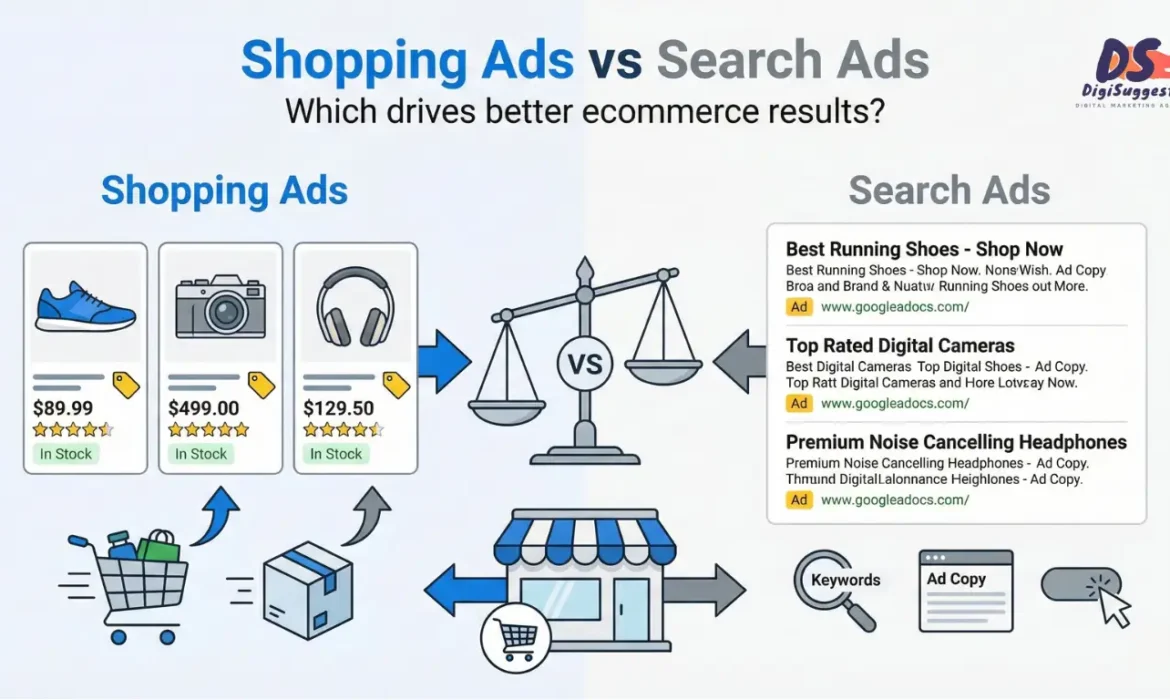
Google Shopping Ads vs Search Ads: What’s Better for Ecommerce?
Shopping Ads Chalayen Ya Search Ads?
If you’re running Google Ads for ecommerce, you’ve definitely asked this:
- “Shopping ads better hoti hain ya search ads?”
- “Search ads mein CPC zyada lagta hai”
- “Shopping ads mein control kam hota hai”
- “Sirf ek chalani chahiye ya dono?”
And most answers online are vague:
- “Test both.”
- “Depends on industry.”
- “Shopping ads are best for ecommerce.”
None of this helps when:
- Your ad budget is limited
- CPA is rising
- ROAS is unstable
- You need predictable sales
👉 The truth:
Google Shopping Ads and Google Search Ads are NOT competitors. They serve different roles in the ecommerce buying journey.
This blog will explain clearly and practically what works better, when, and why, specifically for Indian D2C brands.
- First, Understand the Core Difference
- How Indian Ecommerce Buyers Actually Behave
- What Are Google Shopping Ads Best At?
- Where Google Shopping Ads Fail
- What Are Google Search Ads Best At?
- Where Google Search Ads Struggle
- Shopping Ads vs Search Ads: Honest Comparison
- The Biggest Mistake Indian Ecommerce Brands Make
- The Ideal Google Ads Mix for Ecommerce (India)
- How Landing Pages Impact Both Ad Types
- Where Performance Max Fits
- How Digi Suggest Runs Google Ads for Ecommerce
First, Understand the Core Difference (Very Important)
Before comparing performance, you must understand how users interact with these ad types.
Google Search Ads
- Triggered by keywords
- Text-based
- Intent-driven
- User knows what they’re searching for
Example searches:
- “buy whey protein isolate”
- “best face serum for oily skin”
- “running shoes under 5000”
Google Shopping Ads
- Triggered by product feed
- Visual (image, price, brand)
- Discovery + intent
- User is browsing & comparing
Example behavior:
- User searches “protein powder”
- Sees multiple products
- Compares price, brand, reviews
- Clicks the most attractive option
Know how Shopping ads work directly from Google.
👉 Search Ads capture intent.
👉 Shopping Ads shape intent.
Confused about your Ads Strategy?
Get a custom Profit-Focused Plan for your Ecommerce Brand.
How Indian Ecommerce Buyers Actually Behave on Google
Indian ecommerce behavior is unique. Most buyers:
- Don’t always know exact brand names
- Compare prices heavily
- Look for visual validation
- Are cautious (trust, COD, reviews)
This means:
- Shopping Ads work well for discovery
- Search Ads work well for high-intent decisions
Understanding this is the key to profitability.
What Are Google Shopping Ads Best At?
Let’s start with Shopping Ads.
1️⃣ Shopping Ads Capture Non-Brand Demand at Scale
Shopping Ads dominate searches like:
- “protein powder”
- “face serum”
- “office chair”
- “running shoes”
These searches:
- Are high volume
- Are non-brand
- Represent early-to-mid buying intent
Shopping Ads allow your product to
- Appear visually
- Show price upfront
- Compete without brand recall
👉 This is extremely powerful for new & growing Indian D2C brands.
2️⃣ Shopping Ads Drive Higher CTR for Ecommerce
Because Shopping Ads show:
- Product image
- Price
- Brand name
- Reviews (if enabled)
Users click more confidently.
In many Indian accounts:
- Shopping Ads CTR > Search Ads CTR
- Especially for generic product searches
3️⃣ Shopping Ads Scale Faster Than Search Ads
Shopping Ads:
- Don’t depend on keyword expansion
- Automatically match multiple queries
- Scale easily with budget
This makes them ideal for:
- Large catalogs
- Seasonal pushes
- Festival sales
- Inventory clearance
4️⃣ Shopping Ads Work Best When Price Is Competitive
Indian buyers are price-conscious. Shopping Ads show price upfront, which means:
- Competitive pricing = higher clicks
- Overpriced products = low traction
If your pricing is reasonable, Shopping Ads can be very cost-effective. However, a discount-only marketing strategy can hurt your brand long-term.
Where Google Shopping Ads Fail (Reality Check)
Despite the hype, Shopping Ads are NOT perfect.
❌ Low Control Over Search Queries
You cannot:
- Target exact keywords
- Control query intent tightly
- Exclude irrelevant searches easily
Result:
- Some wasted spend
- Traffic that doesn’t convert
- CPA fluctuations
❌ Feed Quality Can Make or Break Performance
Most Indian ecommerce brands:
- Upload feeds and forget them
- Use weak product titles
- Ignore attributes
- Don’t optimize descriptions
Bad feed = bad Shopping Ads.
Shopping Ads success depends heavily on:
- Product titles
- Category mapping
- Images
- Pricing accuracy
❌ Shopping Ads Struggle for High-Intent Brand Searches
For searches like:
- “Minimalist salicylic acid serum”
- “Nike Pegasus 40”
- “Boat headphones price”
Search Ads usually outperform Shopping Ads for these specific queries.
What Are Google Search Ads Best At?
Now let’s talk about PPC Search Ads.
1️⃣ Search Ads Capture Bottom-Funnel Buyers
Search Ads dominate searches like:
- “buy ___ online”
- “___ price in india”
- “___ official website”
These users:
- Know what they want
- Are ready to buy
- Convert at higher rates
👉 Search Ads usually have higher conversion rates than Shopping Ads.
2️⃣ Search Ads Give Maximum Control
With Search Ads, you control:
- Keywords
- Match types
- Ad copy
- Landing pages
This makes Search Ads ideal for:
- Brand terms
- High-intent keywords
- Competitor targeting
- Offer-based campaigns
3️⃣ Search Ads Are Essential for Brand Protection
If you don’t run Search Ads on your brand name:
- Competitors can bid on it
- Marketplaces can hijack traffic
- You lose cheap conversions
This is why you need a strong brand strategy.
Brand Search Ads:
- Have very low CPC
- Very high ROAS
- Very high intent
Every ecommerce brand should run them.
Brand Search Ads: Have very low CPC, Very high ROAS, Very high intent. Every ecommerce brand should run them.
Where Google Search Ads Struggle
❌ Search Ads Are Limited by Keyword Volume
You can only scale as much as:
- Search demand allows
- Keywords exist
Once keywords are exhausted:
- Growth slows
- CPC rises
- Scaling becomes difficult
❌ CPCs Can Get Expensive in India
For competitive niches:
- Fashion & Lifestyle
- Supplements
- Electronics
- Fashion
Search CPCs can rise fast due to:
- Marketplaces
- Aggregators
- Heavy competition
Without optimization, Search Ads can quickly become expensive, leading to common PPC errors that kill ROI.
Don't let high CPCs eat your profit.
We optimize your ad spend for maximum ROI.
Shopping Ads vs Search Ads: Honest Comparison
| Factor | Shopping Ads | Search Ads |
|---|---|---|
| Buyer stage | Discovery + comparison | Decision |
| Visual appeal | High | Low |
| Keyword control | Low | High |
| Scaling ability | High | Medium |
| Conversion rate | Medium | High |
| CPC stability | Medium | Can be high |
| Best for | Generic searches | High-intent searches |
| Feed dependency | Very high | None |
👉 Shopping Ads bring volume.
👉 Search Ads bring quality.
The Biggest Mistake Indian Ecommerce Brands Make
They choose one and ignore the other.
Mistake 1: “Sirf Shopping Ads Chalao”
- Volume comes
- CPA fluctuates
- Control is weak
Mistake 2: “Sirf Search Ads Chalao”
- Good ROAS
- Limited scale
- Growth plateaus
👉 The winning strategy is combination + sequencing.
The Ideal Google Ads Mix for Ecommerce (India)
Stage 1: New / Testing Phase
- 60–70% Shopping Ads
- 30–40% Search Ads (brand + high intent)
Goal: Discover demand, Identify winners, Generate early sales.
Stage 2: Scaling Phase
- 50% Shopping Ads
- 40% Search Ads
- 10% Remarketing Ads
Goal: Stabilize CPA, Increase ROAS, Capture full funnel.
Stage 3: Mature Brand
- Shopping + Search + Performance Max
- Search protects brand & intent
- Shopping drives volume
Goal: Predictable revenue, Lower blended CPA.
How Landing Pages Impact Both Ad Types
Many brands ignore this. Shopping Ads and Search Ads:
- Bring different mindset users
- But land on same pages
If landing pages: Load slow, Lack trust, Don’t match intent. You must focus on checkout page optimization to ensure traffic actually converts.
Both ad types fail if the page fails.
👉 Ads don’t fix bad pages.
👉 Pages fix ads.
Where Performance Max Fits (Quick Note)
Performance Max uses Shopping + Search + Display + YouTube. It can amplify results, but can also burn money.
PMax works best:
- After Shopping & Search are stable
- With strong feed & high-converting creatives
- With clear conversion tracking
You can read more about Performance Max campaigns on Google's official guide.
So… What’s Better for Ecommerce?
Here’s the honest answer:
👉 Shopping Ads are better for scale.
👉 Search Ads are better for efficiency.
The brands that win don’t ask: “Which is better?”
They ask: “How do we use both profitably?”
How Digi Suggest Runs Google Ads for Ecommerce
At Digi Suggest, we don’t push one ad type blindly. We build profit-focused Google Ads systems.
Our Approach:
- Shopping Ads for demand capture
- Search Ads for intent & efficiency
- Feed optimization for performance
- Keyword-level control where needed
- Continuous CPA & ROAS improvement
🎯 Our goal is not clicks.
🎯 Our goal is profitable ecommerce growth.
🚀 Confused Between Shopping Ads & Search Ads?
If your Google Ads spend isn’t translating into consistent profits, you don’t need guesses - you need strategy.
👉 Get profitable Google Ads managed by Digi Suggest.
👉 Book a free Google Ads audit and see what’s actually holding your account back.
Final Thought
Google Shopping Ads and Search Ads are tools. Neither is “better” on its own.
Profit comes from:
- Using the right tool
- At the right time
- For the right intent
- With the right structure
Do that and Google Ads becomes a growth engine, not an expense.
FAQs
In 2026, Google Shopping Ads are better for scale and discovery, while Search Ads perform better for high-intent and brand-driven purchases. Most ecommerce brands need both.
Shopping Ads will remain dominant for ecommerce discovery, but Search Ads will continue to be essential for bottom-funnel and brand protection in 2026.
Yes. Due to increased competition and marketplace bidding, Search Ads CPCs are rising in 2026, making Shopping Ads more important for volume efficiency.
No. Relying only on Shopping Ads reduces control and increases CPA volatility. A balanced Search + Shopping strategy is safer in 2026.
In 2026, profitable ecommerce brands use Shopping Ads for demand capture and Search Ads for intent protection and efficiency.
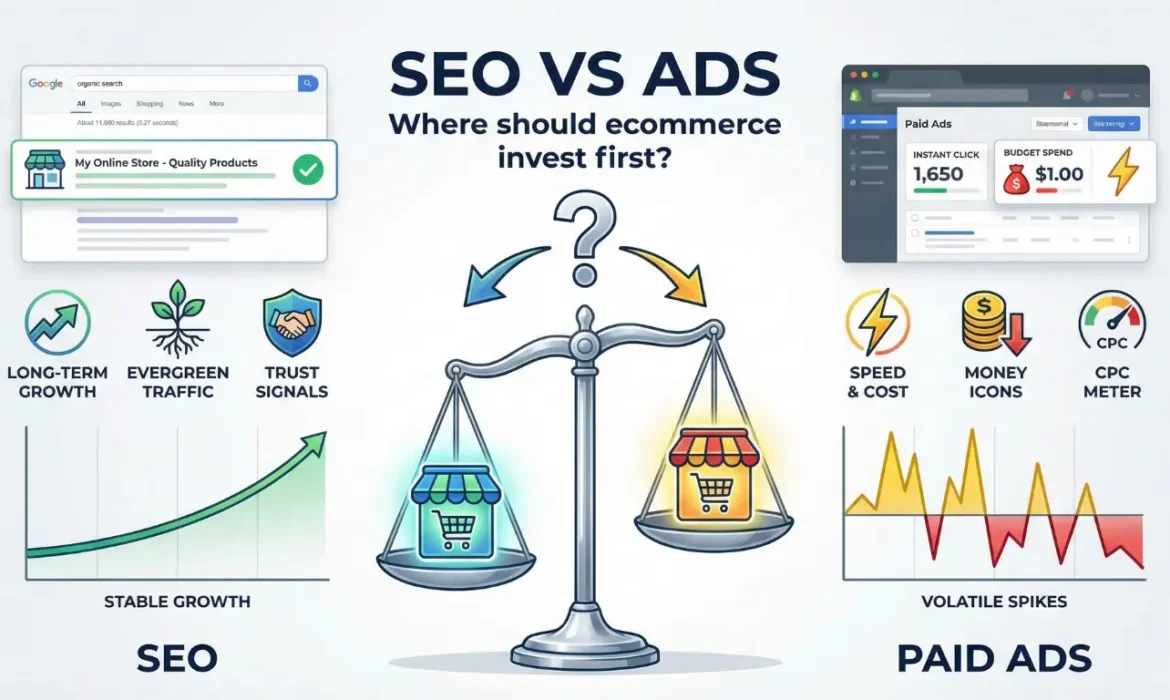
SEO vs Ads for Ecommerce: What Should You Invest In First?
Question Every Ecommerce Founder Eventually Asks
At some point in every ecommerce founder’s journey, this question becomes unavoidable:
- “SEO karein ya ads?”
- “Ads se sales aa rahi hain, SEO ka wait karein?”
- “Limited budget hai - pehle kya invest karein?”
- “Long term ke liye kya better hai?”
And the internet makes it worse.
One side says: “SEO is dead. Run ads.”
Another side says: “Ads are expensive. Only SEO works.”
The truth is:
👉 Both are wrong when taken in isolation.
For ecommerce brands especially in India - SEO vs Ads is not a debate. It’s a sequencing problem.
This blog gives you a clear, practical, stage-wise answer, not generic theory.
- First, Understand the Fundamental Difference
- Why This Question Is So Important for Indian Brands
- Stage 1: New Ecommerce Brand (0–6 Months)
- Stage 2: Early Traction Brand (6–18 Months)
- Stage 3: Scaling Brand (18+ Months)
- The Biggest Mistake
- SEO vs Ads: Cost Reality
- How SEO and Ads Actually Work Best Together
- Common Myths Indian Founders Believe
- How to Decide What to Invest in First
- What Happens When You Delay SEO Too Much
- The Ideal Ecommerce Growth Strategy (India)
- How Digi Suggest Helps Brands Balance SEO & Ads
First, Understand the Fundamental Difference (Very Important)
Before deciding where to invest, you must understand what SEO and Ads actually do.
What Ads Do Well
- Generate traffic instantly
- Bring quick sales
- Validate products fast
- Scale quickly (if profitable)
What Ads Don’t Do
- Build long-term equity
- Reduce CAC over time
- Create organic demand
- Scale profitably forever
What SEO Does Well
- Builds long-term traffic
- Reduces dependency on ads
- Creates compounding growth
- Improves brand trust
What SEO Doesn’t Do
- Give instant sales
- Work without patience
- Deliver results in weeks
- Replace ads early-stage
👉 Ads are a switch. SEO is an asset.
Confused about where to invest your budget?
Get a custom sequencing strategy for your brand.
Why This Question Is So Important for Indian Ecommerce Brands
Indian ecommerce has unique realities:
- Price-sensitive customers
- High COD usage
- High RTO rates
- Rising ad costs
- Increasing competition
- Thin margins
A wrong investment decision can:
- Burn cash
- Kill runway
- Stall growth
So let’s answer this properly based on stage, not opinion.
Stage 1: New Ecommerce Brand (0–6 Months)
Typical Situation
- New website
- No brand recognition
- No organic traffic
- Limited data
- Need sales quickly
Should You Invest in SEO First?
❌ No.
Here’s why:
- Google doesn’t trust new domains immediately
- SEO takes time to compound
- You don’t even know which products sell best yet
What Ads Do Better at This Stage
- Test product-market fit
- Identify winning SKUs
- Understand buyer behavior
- Generate early cash flow
Recommended Strategy
- 70–80% Ads
- 20–30% SEO foundation
SEO focus should be:
- Technical setup
- Category structure
- Keyword research
- Basic content (not aggressive)
👉 At this stage, ads validate, SEO prepares.
Stage 2: Early Traction Brand (6–18 Months)
This is where most Indian D2C brands are.
Typical Situation
- Ads are working, but CAC is rising
- Sales depend heavily on paid traffic
- Margins feel tight
- Organic traffic is low or inconsistent
This is where founders start saying: “Ads pe hi business chal raha hai.”
The Hidden Danger Here
If you rely only on ads:
- You pay for every customer
- Scaling becomes expensive
- Profits stagnate
- One bad month can hurt badly
This Is Where SEO Becomes Critical
- Reduces dependency on ads
- Brings “free” traffic over time
- Supports ads with brand trust
- Improves ROAS indirectly
Recommended Strategy
- 50% Ads
- 50% SEO
SEO focus should now be:
- Category page SEO
- Buyer-intent content
- Product page optimization
- Internal linking
- Technical fixes
👉 This is the most important transition phase. Brands that skip SEO here struggle later.
Is your CAC rising every month?
Start building your SEO asset to lower acquisition costs.
Stage 3: Scaling Brand (18+ Months)
Typical Situation
- Ads bring consistent sales
- Brand has some recognition
- Budget is larger
- Founder thinks about sustainability
At this stage, ads alone start to feel risky.
Why?
- CPMs fluctuate
- Platforms change rules
- Competition increases
- Scaling ads gives diminishing returns
SEO at This Stage Becomes a Growth Engine
SEO now:
- Brings predictable traffic
- Improves LTV
- Supports brand searches
- Lowers blended CAC
Recommended Strategy
- 40% Ads
- 60% SEO
Some mature brands even go:
- 30% Ads
- 70% SEO
👉 At scale, SEO protects your business.
The Biggest Mistake: Choosing One and Ignoring the Other
Many Indian brands make extreme choices:
Mistake 1: “Sirf Ads Chalate Hain”
- Fast growth
- No asset creation
- Constant pressure
- High burnout
This is often why many businesses struggle between Google and Facebook Ads without a base.
Mistake 2: “Sirf SEO Karte Hain”
- Slow growth
- Cash flow issues
- Missed opportunities
- Frustration
The winning brands do both, but in the right order.
SEO vs Ads: Cost Reality for Indian Ecommerce
Let’s talk numbers.
Ads Cost Reality
- You pay for every click
- Costs increase over time
- Competition raises CPC
- ROAS fluctuates
Ads are like rent. Stop paying → traffic stops.
SEO Cost Reality
- Fixed monthly investment
- Slow start
- Costs don’t increase per click
- ROI improves over time
SEO is like owning property. Slow to build → powerful later.
👉 SEO scales profit.
How SEO and Ads Actually Work Best Together
The smartest ecommerce brands don’t compare SEO vs Ads. They combine them strategically.
How Ads Help SEO
- Bring brand searches
- Improve engagement signals
- Test keyword intent
- Discover converting pages
How SEO Helps Ads
- Improves landing page quality
- Builds trust before clicks
- Increases conversion rates
- Lowers CPA over time
SEO + Ads together:
- Improve overall ROAS
- Reduce risk
- Build sustainable growth
Common Myths Indian Founders Believe (That Hurt Growth)
❌ “SEO free hota hai”
SEO is cheaper long-term, not free. It requires strategy, content, and patience.
❌ “Ads zyada fast hain, SEO slow hai”
Yes, but fast doesn’t mean sustainable.
❌ “Ek channel enough hota hai”
In 2026, single-channel dependency is dangerous.
How to Decide What to Invest in First (Simple Framework)
Ask yourself these questions:
- Do I need sales immediately? → Ads first
- Do I want lower CAC in 12 months? → SEO now
- Is my brand unknown? → Ads to build visibility, SEO to support
- Are ad costs hurting margins? → SEO urgently
- Do I want a long-term asset? → SEO is non-negotiable
Most brands don’t need a choice. They need balance.
What Happens When You Delay SEO Too Much
Many brands say: “Baad mein SEO kar lenge.”
What happens then:
- Competitors build authority
- Keywords get harder
- Catch-up cost increases
- Organic space shrinks
SEO rewards early movers. The earlier you start (even small), the bigger the advantage later.
The Ideal Ecommerce Growth Strategy (India)
For most Indian D2C brands:
- Use ads for speed & validation
- Build SEO in parallel
- Shift weight toward SEO over time
- Use SEO to stabilize growth
- Use ads to accelerate launches & peaks
This creates:
- Predictable revenue
- Lower blended CAC
- Higher business valuation
Want to balance SEO and Ads Correctly?
Get a stage-based growth strategy for your brand.
How Digi Suggest Helps Brands Balance SEO & Ads Correctly
At Digi Suggest, we don’t push one channel blindly. We design stage-based growth strategies for ecommerce brands.
What We Help With:
- Deciding SEO vs Ads mix
- Ecommerce SEO systems
- Performance ad optimization
- Landing page & CRO
- Blended CAC improvement
- Long-term growth planning
🎯 Our goal is not traffic.
🎯 Our goal is profitable, sustainable growth.
Need Clarity on SEO vs Ads?
🚀 Need an Ecommerce SEO Agency?
If you’re confused about where to invest first or how to balance SEO and ads you don’t need opinions. You need a strategy.
👉 Need an ecommerce SEO agency? Digi Suggest helps brands scale organically.
👉 Book a free strategy call and get a clear growth roadmap.
Final Thought
Ads can grow your business fast.
SEO can protect your business long-term.
The smartest ecommerce brands don’t choose one. They sequence and combine both intelligently.
If you want quick wins - start ads.
If you want lasting success - start SEO.
If you want to win big - do both, the right way.
FAQs
It depends on the brand stage. New brands should start with ads for validation while building SEO foundations in parallel.
Ads are better for quick sales, but SEO is better for long-term profitability and reducing customer acquisition costs.
Short-term yes, long-term no. Rising ad costs and competition make ad-only growth risky without SEO support.
SEO should start as early as possible, even with a small budget, because it compounds over time and becomes harder to catch up later.
Most Indian D2C brands benefit from using ads for short-term growth and SEO for long-term stability, gradually shifting more investment toward SEO.

Common Ecommerce SEO Mistakes That Kill Organic Sales
SEO Chal Raha Hai… Par Business Kyun Nahi Badha?
This is one of the most confusing and frustrating phases for an ecommerce founder.
On paper, everything looks fine:
- Blogs are being published regularly
- Keywords are being tracked
- Search Console shows impressions
- SEO reports are sent every month
But when you check the numbers that actually matter:
- Organic sales are negligible
- Product pages don’t rank
- Category pages barely get traffic
- Paid ads are still doing all the heavy lifting
At this point, most founders think: “SEO ka ROI hi nahi hota ecommerce mein.”
The truth is uncomfortable but important:
👉 Ecommerce SEO is happening, but it’s happening in a way that cannot generate sales.
Most ecommerce SEO failures in India are not due to Google updates or competition. They are due to structural and strategic mistakes that silently block organic revenue.
Let’s break them down in detail.
- Mistake 1: Treating Ecommerce SEO Like Normal Blog SEO
- Mistake 2: Completely Ignoring Category Page SEO
- Mistake 3: Thin or Duplicate Product Descriptions
- Mistake 4: Targeting the Wrong Keywords
- Mistake 5: Competing Directly with Amazon & Flipkart
- Mistake 6: No Internal Linking Strategy
- Mistake 7: Weak Technical SEO Foundation
- Mistake 8: Expecting SEO Results Too Fast
- Mistake 9: No Clear SEO Funnel
- Mistake 10: Treating SEO as a One-Time Project
- How to Fix Ecommerce SEO the Right Way
- How Digi Suggest Fixes Ecommerce SEO Properly
Mistake 1️⃣ Treating Ecommerce SEO Like Normal Blog SEO
This is the single biggest reason ecommerce SEO fails. Most Indian ecommerce brands start SEO like this:
- Hire a content writer or SEO agency
- Publish 2–4 blogs every month
- Focus on “informational keywords”
- Measure success by traffic only
This approach works for:
- News websites
- Affiliate blogs
- Service businesses
It does NOT work for ecommerce.
Why This Kills Organic Sales
Blogs usually target:
- Early-stage awareness
- Users who are researching, not buying
- Queries with no purchase intent
So you end up with:
- Traffic that doesn’t convert
- Time spent without revenue
- SEO reports without business impact
Reality Check
Google does not rank ecommerce brands because they write blogs. Google ranks ecommerce brands because:
- Their category pages match buying intent
- Their product pages help decision-making
- Their site structure clearly guides users toward purchase
👉 Blogs should support ecommerce SEO, not replace it.
Stop Wasting Budget on Traffic That Doesn't Convert.
Shift from "Blog SEO" to Revenue-First Ecommerce SEO.
Mistake 2️⃣ Completely Ignoring Category Page SEO
Category pages are the most powerful SEO assets for ecommerce.
Yet most Indian D2C brands treat them as:
- Simple product listing pages
- Pages with no content
- Pages that exist only for navigation
From Google’s perspective, such pages add no value.
Why Category Pages Matter So Much
Category pages target searches like:
- “best face serum for oily skin india”
- “protein powder for beginners india”
- “men t shirts online india”
These searches have:
- High volume
- Clear buying intent
- Strong conversion potential
If your category pages don’t rank, your ecommerce SEO cannot generate scale.
What Most Brands Do Wrong
- Add 2–3 keyword-stuffed lines at the bottom
- Hide content using accordions only for SEO
- Copy content across categories
Google sees this instantly.
What Actually Works
In 2026, ranking category pages:
- Explain the category clearly
- Guide buyers on how to choose
- Address Indian buyer concerns
- Include FAQs and internal links
- Are written for humans, not bots
👉 Category pages are no longer “list pages”. They are SEO landing pages.
Mistake 3️⃣ Thin or Duplicate Product Descriptions
Let’s be honest. Most Indian ecommerce product pages:
- Use manufacturer content
- Reuse the same description across variants
- Have 3–4 generic bullet points
From Google’s perspective:
- There is no uniqueness
- There is no expertise
- There is no reason to rank this page
Why This Kills Product Rankings
Google wants product pages to:
- Help users decide
- Reduce hesitation
- Answer objections
If your product page doesn’t explain:
- Who the product is for
- Why it’s better
- How it’s used in Indian conditions
- What happens if the user doesn’t like it
…Google has no incentive to rank it.
What Ranking Product Pages Do Differently
High-performing product pages:
- Have 400–800 words of unique content
- Include FAQs (COD, delivery, returns)
- Show reviews, UGC, and trust badges
- Focus on benefits, not just features
👉 Product SEO is about decision support, not keyword insertion.
Mistake 4️⃣ Targeting the Wrong Keywords (Traffic Without Buyers)
This mistake is subtle but deadly. Many ecommerce SEO campaigns target keywords like:
- “what is skincare”
- “benefits of protein powder”
- “types of shoes”
These keywords bring:
- Students
- Researchers
- Casual browsers
They do not bring buyers.
Why This Happens
Because:
- These keywords are easy to rank
- They show traffic growth
- They look good in reports
But traffic ≠ revenue.
Buyer-Intent Keywords Look Like:
- “best ___ for ___”
- “___ price in india”
- “buy ___ online”
- “___ vs ___”
If your SEO keywords don’t match buying intent, organic sales will always remain low, no matter how much traffic you get.
Mistake 5️⃣ Competing Directly with Amazon & Flipkart
This is a very common Indian D2C mistake. Brands try to rank for:
- “protein powder”
- “face cream”
- “buy shoes online”
They are competing with:
- Amazon
- Flipkart
- Nykaa
- Myntra
This is not SEO strategy. It is a wishful thinking.
Why You Will Lose
Marketplaces have:
- Massive domain authority
- Huge brand trust
- Millions of backlinks
- User behavior advantage
What Smart Brands Do Instead
They:
- Target long-tail keywords
- Focus on specific problems
- Own micro-categories
- Build topical authority slowly
Example:
❌“protein powder”
✅“protein powder for beginners india”
👉 Ecommerce SEO is about smart positioning, not brute force.
Struggling to beat the giants? Own your micro-category first.
Mistake 6️⃣ No Internal Linking Strategy
Internal linking is one of the most underused SEO levers. Most ecommerce websites:
- Publish blogs
- Publish products
- Publish categories
- But don’t connect them properly
As a result:
- Pages remain orphaned
- Authority doesn’t flow
- Google doesn’t know what matters
What Proper Internal Linking Looks Like
- Blogs → Category pages
- Category pages → Top products
- Product pages → Supporting blogs
- FAQs → Relevant collections
This creates:
- Clear topical relationships
- Faster indexing
- Stronger rankings
👉 Internal linking is a ranking accelerator, not a nice-to-have.
Mistake 7️⃣ Weak Technical SEO Foundation
No amount of content can fix poor technical SEO. Common Indian ecommerce issues:
- Slow mobile speed
- Heavy Shopify themes
- Too many apps/plugins
- Duplicate URLs from filters
- Poor Core Web Vitals
Remember: More than 75% of ecommerce traffic in India is mobile. If your site is slow:
- Users bounce
- Google notices
- Rankings drop quietly
Technical SEO is not optional. It is the foundation of ecommerce SEO.
Mistake 8️⃣ Expecting SEO Results Too Fast
This is a mindset issue. Many founders expect:
- Rankings in 30–60 days
- Sales immediately
- ROI like paid ads
SEO does not work like ads.
Realistic Ecommerce SEO Timeline
- 0–3 months: Fixes & foundation
- 3–6 months: Early traction
- 6–12 months: Compounding growth
- 12+ months: Predictable organic sales
Brands that quit early never see SEO’s real power.
Mistake 9️⃣ No Clear SEO Funnel
Most ecommerce SEO looks random:
- Random blogs
- Random keywords
- Random backlinks
There is no funnel.
What a Proper Ecommerce SEO Funnel Looks Like
- Top funnel → problem-based content
- Mid funnel → comparison & buying guides
- Bottom funnel → category & product pages
If SEO doesn’t guide users toward products, it cannot generate sales.
Mistake 🔟 Treating SEO as a One-Time Project
SEO is not:
- “3 mahine ka kaam”
- “Once done, forget”
SEO is:
- Continuous improvement
- Content updates
- UX optimization
- Internal linking refinement
Brands that win treat SEO as a long-term growth asset, not a one-time task.
Why These Mistakes Are So Common in India
Because:
- Most agencies do service SEO
- Ecommerce SEO expertise is rare
- Founders get generic advice
- SEO is oversimplified online
Ecommerce SEO is harder than it looks, but far more rewarding when done right.
How to Fix Ecommerce SEO the Right Way
To generate organic sales, your SEO must focus on:
- Category-first strategy
- Buyer-intent keywords
- Strong internal linking
- Conversion-ready product pages
- Technical SEO hygiene
- Consistency over time
SEO doesn’t need hacks. It needs clarity and discipline.
How Digi Suggest Fixes Ecommerce SEO Properly
At Digi Suggest, we specialize in ecommerce-first SEO, not generic SEO.
What We Actually Do:
- Ecommerce SEO audits
- Category & product page optimization
- Buyer-intent keyword mapping
- Technical SEO fixes
- Internal linking architecture
- SEO strategies aligned with revenue
🎯 Our goal is not traffic.
🎯 Our goal is organic sales growth.
🚀 Need an Ecommerce SEO Agency?
Digi Suggest helps brands scale organically. Book a free ecommerce SEO audit and uncover what’s blocking your growth.
Final Thought
Most ecommerce SEO failures are not because of Google. They’re because:
- Strategy is wrong
- Intent is ignored
- Structure is missing
Fix the fundamentals. Align SEO with buyers. Build systems, not shortcuts.
That’s when ecommerce SEO starts printing revenue.
FAQs
Ecommerce SEO fails due to wrong keyword targeting, weak category pages, thin product content, poor internal linking, and technical SEO issues.
Yes. Traffic without sales usually means the SEO strategy targets informational keywords instead of buyer-intent searches.
No. Blogs can support SEO, but category pages and product pages drive actual ecommerce revenue.
Slow mobile speed, duplicate URLs, poor Core Web Vitals, and indexing issues can silently block rankings even if content is good.
By auditing category pages, fixing technical issues, targeting buyer-intent keywords, improving internal linking, and aligning SEO with conversions.
How to Rank Shopify Stores on Google (Step-by-Step)
“Shopify SEO Friendly Hai… Phir SEO karwane ki kya jarurat hai?”
Almost every Indian Shopify store owner believes this:
“Shopify SEO-friendly platform hai, toh ranking apne aap aa jaani chahiye.”
But reality looks like this:
- Products don’t rank
- Category pages don’t show up
- Blogs bring traffic but no sales
- Google Search Console shows impressions but no clicks
So what’s wrong?
👉 Shopify is SEO-friendly, but it is NOT SEO-optimized by default.
Ranking a Shopify store in 2026 requires:
- Proper structure
- Category-first SEO
- Buyer-intent content
- Technical control
- Internal linking discipline
This guide walks you through exactly how Indian D2C brands should do Shopify SEO step by step, without fluff or outdated tactics.
Struggling to Rank Your Shopify Store in India?
- Step 1️⃣: Fix Shopify SEO Foundations
- Step 2️⃣: Build SEO-Ready Shopify URL Structure
- Step 3️⃣: Category (Collection) Page SEO
- Step 4️⃣: Product Page SEO That Actually Ranks & Converts
- Step 5️⃣: Shopify Blog SEO That Supports Sales
- Step 6️⃣: Internal Linking – The Hidden Multiplier
- Step 7️⃣: Technical SEO Fixes Specific to Shopify
- Step 8️⃣: Build Brand Signals Alongside SEO
- Step 9️⃣: Realistic Shopify SEO Timeline (India)
- Common Shopify SEO Mistakes Indian Brands Make
- How Digi Suggest Helps Shopify Stores Rank & Scale
- Final Thought
Step 1️⃣: Fix Shopify SEO Foundations
First (Non-Negotiable)
Before writing content or chasing keywords, your Shopify foundation must be solid.
1.1 Set Up Google Tools Correctly
You must have:
- Google Search Console
- Google Analytics (GA4)
- Bing Webmaster Tools (optional but useful)
Ensure:
- Sitemap is submitted
- No critical coverage errors
- Important pages are indexed
👉 If Google can’t crawl or understand your store, nothing else matters.
1.2 Choose the Right Shopify Theme (Speed > Design)
Indian Shopify brands often pick:
- Heavy themes
- Fancy animations
- Multiple sliders
This kills:
- Mobile speed
- Core Web Vitals
- Rankings silently
What Works Best:
- Lightweight themes
- Mobile-first layouts
- Minimal scripts
Remember: 75%+ Indian ecommerce traffic is mobile. If your store is slow on mobile, Google pushes you down.
Read more about how page speed affects ecommerce sales.
1.3 Remove SEO-Killing Apps
Common Shopify mistakes:
- Too many popup apps
- Review apps loading heavy scripts
- Page builder apps everywhere
Audit apps and remove:
- Anything unused
- Anything slowing page load
- Anything duplicating content
SEO hates clutter.
Step 2️⃣: Build SEO-Ready Shopify URL Structure
Shopify creates URLs like:
- /collections/
- /products/
- /pages/
This is fine but how you use them matters.
Best Practices:
- Clean, readable slugs
- No keyword stuffing
- No date-based URLs
- Avoid unnecessary nesting
Example:
❌ /products/best-organic-natural-ayurvedic-hair-oil-2026
✅ /products/ayurvedic-hair-oil
Short, clear URLs perform better.
Step 3️⃣: Category (Collection) Page SEO – The Biggest Ranking Lever
This is where most Shopify stores fail. Most collection pages have:
- Only product grids
- No content
- No keywords
- No context
Google sees them as filter pages, not ranking pages.
3.1 Optimize Collection Page Structure
Each collection page must have:
- One clear H1
- SEO-friendly title & meta description
- Introductory content (above or below products)
- Internal links
- FAQs
Example Collection Page Content:
- What products are included
- Who this category is for
- How to choose the right product
- Why your brand is trustworthy
Target keywords like:
- “men t shirts online india”
- “face serum for oily skin india”
- “protein powder for beginners india”
3.2 How Much Content Is Enough?
In 2026:
- 500–1000 words per collection page works well
- Content should be helpful, not filler
- Don’t repeat product descriptions
👉 Collection pages are SEO landing pages now.
Step 4️⃣: Product Page SEO That Actually Ranks & Converts
Product SEO is not about keywords. It’s about decision support.
4.1 Write Product Descriptions for Humans First
Most Indian Shopify stores use:
- Manufacturer copy
- Generic bullet points
- Repetitive text
This doesn’t rank and doesn’t convert.
High-Ranking Product Pages Include:
- Clear product benefits
- Who it’s ideal for
- Indian usage context
- FAQs (delivery, COD, returns)
- Trust elements
Aim for:
- 400–800 words for top products
- Unique content per SKU
4.2 Optimize Product Page Elements
Every product page must have:
- Optimized title tag
- Unique meta description
- Structured H1
- Schema (Product, Review, FAQ)
- Optimized images (alt text)
Don’t forget: Reviews & UGC boost both SEO and conversion. See our tips on checkout page optimization.
Need a comprehensive audit for your Product and Collection pages?
Step 5️⃣: Shopify Blog SEO That Supports Sales (Not Vanity Traffic)
Blogs are support tools, not traffic goals.
Blog Types That Work for Shopify SEO:
- “Best ___ for ___”
- “___ vs ___”
- “How to choose ___”
- “Is ___ worth buying?”
Each blog should:
- Link to relevant collections
- Push users toward products
- Solve a buying problem
❌ Writing informational blogs only wastes time.
Step 6️⃣: Internal Linking – The Hidden Shopify SEO Multiplier
Internal linking tells Google:
- What pages matter
- How topics connect
- Where authority flows
Ideal Shopify Internal Linking:
- Blog → Collection
- Collection → Products
- Product → Blog
- FAQs → Related collections
Most Shopify stores:
- Don’t do this at all
- Leave pages orphaned
👉 Internal linking is one of the fastest SEO wins.
Step 7️⃣: Technical SEO Fixes Specific to Shopify
Shopify has some known SEO issues you must control.
7.1 Control Duplicate URLs
- Use canonical tags properly
- Prevent filter URLs from indexing
- Avoid duplicate collections
7.2 Improve Core Web Vitals
- Compress images
- Reduce third-party scripts
- Lazy-load images
- Minimize JS where possible
7.3 Implement Schema Properly
Important schemas:
- Product
- Review
- FAQ
- Breadcrumb
This improves:
- Rich results
- Click-through rate
- Trust signals
Step 8️⃣: Build Brand Signals Alongside SEO
In 2026, brand trust affects rankings.
Brand signals include:
- Branded searches
- Mentions
- Reviews
- Engagement
Ways to boost brand SEO signals:
- Consistent brand messaging
- PR mentions
- Influencer collaborations
- Strong social proof
SEO and branding now overlap.
Step 9️⃣: Realistic Shopify SEO Timeline (India)
Set expectations correctly.
- Month 0–2: Foundation & fixes
- Month 3–4: Collection pages start ranking
- Month 5–6: Traffic growth visible
- Month 6–12: Organic sales compound
Shopify SEO is not instant. But when it works, it scales beautifully.
Common Shopify SEO Mistakes Indian Brands Make
- Relying only on blogs
- Ignoring collection pages
- Copying product descriptions
- Using too many apps
- Expecting fast results
- No internal linking
Avoid these, and you’re already ahead of 80% stores.
How Digi Suggest Helps Shopify Stores Rank & Scale
At Digi Suggest, we specialize in Shopify-first ecommerce SEO, not generic SEO.
What We Do:
- Shopify SEO audits
- Collection & product optimization
- Buyer-intent keyword mapping
- Technical SEO fixes
- Internal linking architecture
- Revenue-focused content strategy
🎯 Our goal is not just rankings.
🎯 Our goal is organic sales growth.
Check out our ecommerce sales growth case study.
🚀 Need an Ecommerce SEO Agency?
Digi Suggest helps brands scale organically. Book a strategy call and build Shopify SEO that compounds over time.
Final Thought
Shopify SEO is not hard. But it requires clarity, structure, and patience.
If you build:
- Strong collections
- Helpful product pages
- Buyer-intent content
- Clean technical foundation
And once organic traffic starts compounding, Shopify SEO becomes one of your most profitable growth channels.
FAQs
Yes, Shopify is SEO-friendly, but it requires proper optimization. By default, Shopify stores are not fully optimized for rankings.
Most Shopify stores fail due to weak collection pages, thin product descriptions, poor internal linking, slow mobile speed, and overuse of apps.
Collection pages are the most important SEO assets on Shopify because they target buyer-intent keywords and scale organic traffic.
Typically, 500–1000 words of helpful, buyer-focused content works best when combined with proper structure and internal links.
Shopify SEO usually shows early results in 3–4 months, with compounding organic sales growth after 6–12 months.
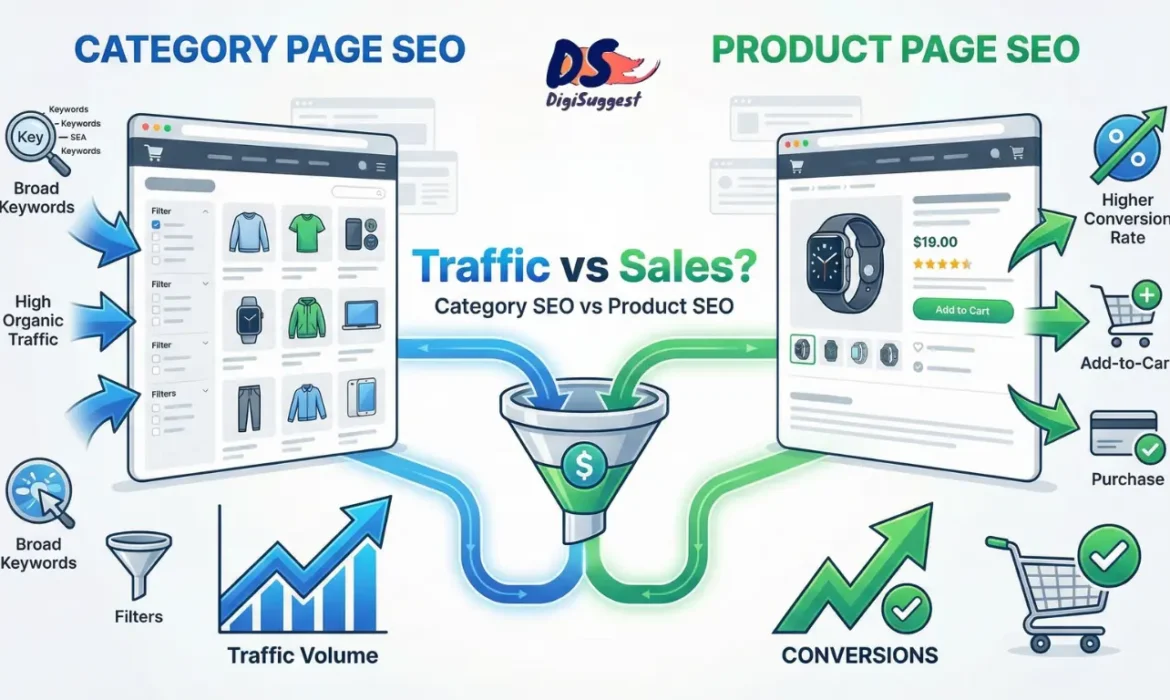
Category Page SEO vs Product Page SEO – What Drives More Sales?
“SEO Karna Hai… Par Kahan Focus Karein?”
Almost every Indian ecommerce founder asks this at some point:
- “Category pages optimize karein ya product pages?”
- “Blogs likhne se better product SEO hai?”
- “Limited budget hai, priority kya honi chahiye?”
And this confusion is valid. Because most SEO advice online is:
- Generic
- Blog-focused
- Not written for ecommerce businesses
The result?
Brands invest time and money in SEO but organic sales remain low. The truth is simple but uncomfortable:
👉 Both category page SEO and product page SEO matter.
But they do NOT contribute equally to sales. This blog breaks down:
- The real difference between category and product page SEO
- How Google treats both in 2026
- What actually drives revenue for Indian D2C brands
- Where you should invest first (and why)
No theory. No fluff. Just ground reality ecommerce SEO.
Confused about where to start your Ecommerce SEO?
Get a clear roadmap tailored for your brand.
- First, Understand How Ecommerce Buyers Search on Google
- What Is Category Page SEO? (And Why Google Loves It)
- What Ranking Category Pages Look Like in 2026
- What Is Product Page SEO? (And Where It Truly Works)
- Category SEO vs Product SEO: Revenue Reality Check
- The Biggest SEO Mistake Indian Ecommerce Brands Make
- The Right SEO Priority for Indian D2C Brands
- When Product Page SEO Should Be Prioritized First
- How Internal Linking Connects Category & Product SEO
- India-Specific SEO Considerations
- So… What Actually Drives More Sales?
- How Digi Suggest Builds Revenue-Focused Ecommerce SEO
First, Understand How Ecommerce Buyers Search on Google
Before choosing what to optimize, you must understand search intent. Indian ecommerce buyers usually fall into 3 stages:
1️⃣ Exploration Stage
Searches like:
- “best skincare products”
- “protein powder for beginners”
- “shoes for office wear”
They’re not looking for one product. They want options.
👉 These searches favor category pages.
2️⃣ Comparison Stage
Searches like:
- “whey protein isolate vs concentrate”
- “minimalist vs plum serum”
- “best shoes for flat feet India”
They’re narrowing choices.
👉 These searches favor blogs + category/product hybrids.
3️⃣ Decision Stage
Searches like:
- “Minimalist salicylic acid serum price”
- “buy whey protein isolate 1kg”
- “Nike Air Zoom Pegasus size 9”
They know what they want.
👉 These searches favor product pages.
Now here’s the key insight:
Most ecommerce revenue comes from users in Stage 1 and 2 not Stage 3.
And that’s where most brands make the wrong SEO choice.
What Is Category Page SEO? (And Why Google Loves It)
Category pages are collection pages like:
- Men’s T-Shirts
- Face Serums
- Protein Powders
- Office Chairs
Traditionally, brands treated them as: “Just product listing pages”.
In 2026, Google treats optimized category pages as: High-intent landing pages.
Why Category Pages Drive More Organic Revenue
Let’s break this down realistically.
1️⃣ Category Pages Target High-Volume, Buyer-Intent Keywords
Examples:
- “men t-shirts online india”
- “best face serum for oily skin india”
- “protein powder for beginners india”
These keywords:
- Have high search volume
- Are commercial in nature
- Bring users ready to explore & buy
A single well-ranked category page can:
- Bring thousands of visitors/month
- Distribute traffic to multiple products
- Scale revenue automatically
👉 One category page can outperform 20–30 product pages combined.
2️⃣ Category Pages Capture Non-Brand Demand
Most Indian D2C brands don’t have:
- Strong brand searches initially
- High recall like Amazon or Nykaa
Category pages allow you to:
- Capture generic demand
- Introduce your brand
- Compete without brand bias
Example: A user searching: “best face serum for oily skin” Is open to discovering brands.
If your category page:
- Educates
- Builds trust
- Shows options clearly
You win the sale.
3️⃣ Category Pages Reduce Dependency on Single Products
Product-focused SEO has a risk:
- One product goes out of stock
- Product demand drops
- SEO traffic collapses
Category pages are resilient:
- New products can be added
- Old products removed
- SEO value remains intact
👉 Category SEO is scalable SEO.
What Ranking Category Pages Look Like in 2026
High-performing category pages in 2026 include:
- 500–1000 words of useful content
- Clear H1 + subheadings
- Buying guidance (how to choose)
- Filters handled via canonical tags
- FAQs answering buyer doubts
- Internal links to blogs & subcategories
- Mobile-first layout
They are written for humans first, SEO second.
Is your site structure hurting your sales?
We build technical SEO foundations that support scale.
What Is Product Page SEO? (And Where It Truly Works)
Product pages target searches like:
- “buy minimalist salicylic acid serum”
- “whey protein isolate 1kg price”
- “nike pegasus 40 india”
These users are:
- Highly intent-driven
- Close to purchase
- Often brand-aware
Product page SEO works best when:
- The brand already has demand
- The product is unique or popular
- Trust is already established
Why Product Page SEO Converts Well (But Scales Poorly)
1️⃣ Product Pages Capture Bottom-Funnel Searches
These users:
- Know what they want
- Are comparing prices, delivery, reviews
- Convert at higher rates
Conversion rate is high. Traffic volume is low.
👉 Product SEO = high intent, low scale.
2️⃣ Product SEO Depends Heavily on Brand Trust
In India, buyers ask:
- “Is this brand legit?”
- “COD milega?”
- “Returns honge?”
If your brand is unknown: Even ranking product pages won’t guarantee sales. Product SEO works best after category pages and brand signals are built.
3️⃣ Product Pages Are Harder to Rank at Scale
Challenges with product SEO:
- Duplicate content across variants
- Similar descriptions across SKUs
- Products frequently change
- Stock issues affect rankings
Optimizing 100 product pages individually is:
- Time-consuming
- Expensive
- Less scalable
Category SEO vs Product SEO: Revenue Reality Check
Let’s compare honestly.
| Factor | Category Page SEO | Product Page SEO |
|---|---|---|
| Search volume | High | Low |
| Buyer stage | Exploration & comparison | Decision |
| Traffic scale | High | Limited |
| Conversion rate | Medium | High |
| Brand dependency | Low | High |
| SEO maintenance | Moderate | High |
| Revenue scalability | Very high | Limited |
👉 Category pages drive more total revenue. Product pages close the sale.
The Biggest SEO Mistake Indian Ecommerce Brands Make
They start with product SEO first. Why?
- Feels logical
- Looks closer to sales
- Easier to explain
But in reality:
- There’s no demand yet
- Brand trust is low
- Traffic is insufficient
Result: “Product pages optimize kar liye… par traffic nahi aa raha.”
Because Google doesn’t rank products in isolation easily. This is one of the most common ecommerce SEO mistakes we see.
The Right SEO Priority for Indian D2C Brands
Here’s the correct order for most ecommerce brands in India:
Phase 1: Category Page SEO (Foundation)
- Capture non-brand demand
- Build traffic
- Introduce brand
- Build internal authority
Phase 2: Buyer-Intent Content
- “Best ___ for ___”
- “___ vs ___”
- Comparison & guides (On-page SEO is crucial here)
- Link to categories & products
Phase 3: Product Page SEO
- Optimize top-selling products
- Strengthen bottom-funnel conversion
- Capture branded searches
This is how SEO compounds.
When Product Page SEO Should Be Prioritized First
There are exceptions. Focus on product SEO first if:
- You sell a patented or unique product
- You already have strong brand demand
- You’re launching limited SKUs
- You have influencer-led demand
Otherwise, category SEO should lead.
How Internal Linking Connects Category & Product SEO
Internal linking is what makes both work together. Correct structure:
- Blogs → Category pages
- Category pages → Top products
- Product pages → Supporting blogs
- FAQs → Related collections
This tells Google:
- What pages matter
- How topics connect
- Where authority should flow
Without internal linking, both category and product SEO underperform.
India-Specific SEO Considerations (Very Important)
1️⃣ Language & Search Patterns
Indian users search in:
- English
- Hinglish
- Regional variations
Category pages can be optimized for:
- Broader language intent
- Location-specific modifiers
Product pages are more rigid.
2️⃣ COD & Trust Signals
Category pages can:
- Explain COD
- Show trust badges
- Reduce risk perception
Product pages only reinforce.
3️⃣ Marketplace Competition
Competing with Amazon on product keywords is hard. Category pages allow:
- Niche targeting
- Long-tail domination
- Lower competition
So… What Actually Drives More Sales?
Let’s be very clear:
👉 Category page SEO drives more total sales volume.
👉 Product page SEO improves conversion and closes deals.
If you have limited resources: Start with category pages.
If you want to scale: Build both in the right order. Learn more about scaling in our ecommerce sales growth case study.
How Digi Suggest Builds Revenue-Focused Ecommerce SEO
At Digi Suggest, we don’t choose between category or product SEO blindly. We build full ecommerce SEO systems.
Our Approach:
- Category-first SEO architecture
- Buyer-intent keyword mapping
- Product page optimization for top SKUs
- Strong internal linking framework
- Technical SEO that supports scale
🎯 The goal is not rankings.
🎯 The goal is organic revenue.
Need an Ecommerce SEO Agency?
Digi Suggest helps brands scale organically. Book a strategy call and build SEO that actually drives sales.
Final Thought
If SEO feels confusing, it’s not your fault. Most people ignores ecommerce realities.
Remember this:
- Category pages build demand
- Product pages close demand
- SEO works when both are aligned
Build the foundation first. Sales follow naturally.
FAQs
Category pages are more important for traffic and scale, while product pages are critical for conversions. Category pages usually drive more total revenue.
Category pages target high-volume, non-brand buyer searches and offer multiple options, which matches how users search during the buying process.
It is difficult. Product pages usually rank better when supported by strong category pages and internal linking.
No. Most new brands should prioritize category page SEO first to capture demand and build authority before focusing heavily on product SEO.
Category pages attract traffic, while product pages convert it. Internal linking connects both to create a complete ecommerce SEO funnel.


