
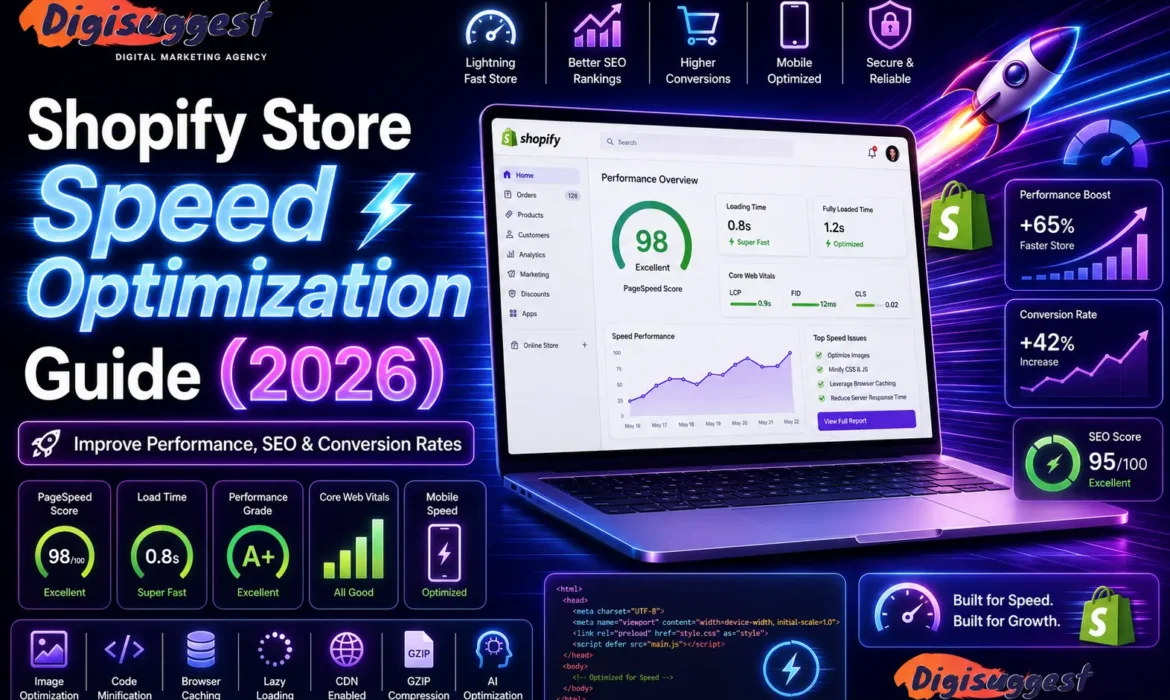
Shopify Store Speed Optimization Guide (2026)
In 2026, Indian shoppers are more impatient than ever. With 5G becoming the standard in cities like Delhi and Mumbai, a store that takes more than 2.5 seconds to load is considered "slow." If your website hangs while a customer is trying to view a product, they won't wait - they’ll swipe back to Instagram or head to a competitor.
As a specialized Shopify website development agency in Delhi India, we know that speed is not just a "tech metric" - it is a core part of your SEO and Conversion Rate Optimization (CRO). Here is your ultimate 1,600-word guide to optimizing your Shopify store for lightning-fast performance.
- Why Speed is the "Silent Killer" of Conversions
- Step 1: The Image Overhaul (The 70% Win)
- Step 2: App Audit (Less is More)
- Step 3: Choose a Lightweight Theme
- Step 4: Advanced Technical Fixes
- Monitoring Your Progress: The Tools
- The "Desi" Perspective: Speed in Rural India
- Related Shopify Blogs
- Conclusion: Speed = Revenue
- FAQs
Why Speed is the "Silent Killer" of Conversions
Before we get into the "How," let’s look at the "Why." In the Indian e-commerce landscape:
- The 1-Second Rule: Studies in 2026 show that a 1-second delay in page load time can reduce conversions by up to 20%.
- Google’s Core Web Vitals: Google now uses metrics like LCP (Largest Contentful Paint) and INP (Interaction to Next Paint) as major ranking factors. If your site is slow, Google will push you to Page 2, no matter how good your products are. Learn more about Core Web Vitals: LCP, CLS and INP.
- Mobile Dominance: 90% of your Delhi-NCR traffic comes from mobile. Mobile processors are slower than desktops, making optimization even more critical. Read why Mobile-First Design is Crucial for Indian Businesses.
Need a Faster Shopify Store?
Improve your website speed and keep customers engaged with a lightning-fast shopping experience.
Step 1: The Image Overhaul (The 70% Win)
Images usually make up the bulk of a webpage’s weight. If you are uploading raw 5MB photos from a DSLR, you are killing your store.
A. Switch to WebP Format
In 2026, WebP is the gold standard. It provides the same quality as JPEG or PNG but at a 30% smaller file size. Shopify now automatically converts many images to WebP, but it's best to upload them in this format initially.
B. Implement Lazy Loading
Lazy loading ensures that images only load when the user scrolls down to them. This means the "Above the Fold" content (what you see first) loads instantly. Pura page ek saath load karne ki zaroorat nahi hai.
C. Resize Before You Upload
If your product image is displayed as a 400x400 square on mobile, don't upload a 4000x4000 image. Use tools like Squoosh or TinyPNG to resize and compress before the file ever hits your Shopify media library.
For more ecommerce optimization tips, check out How Page Speed Affects Ecommerce Sales.
Step 2: App Audit (Less is More)
Every Shopify app you install adds a piece of JavaScript to your store. Even if you "disable" the app, the code often stays in your theme.
- The Rule of 20: Try to keep your total app count under 20.
- Identify the "Speed Killers": Massive chat widgets, complex page builders, and "Recent Sale" pop-ups are the heaviest.
- The Audit: Use Google PageSpeed Insights to see which third-party scripts are taking the longest to execute. If an app isn't bringing in direct revenue, usey delete kariye!
You can also explore our guide on Must-Have Shopify Apps for Growth in India 2026.
Want to Optimize Your Shopify Apps?
Remove unnecessary app bloat and improve your store’s loading speed and performance.
Step 3: Choose a Lightweight Theme
Not all themes are created equal. Some are built for "Features" (and are very heavy), while others are built for "Performance."
- Online Store 2.0: Ensure your theme is compatible with Shopify’s OS 2.0. These themes use modern Liquid architecture that is much faster.
- Avoid "Theme Bloat": Don't pick a theme just because it has 50 different sliders and animations. Most of those just distract the customer and slow down the site. At Digi Suggest, we recommend themes like Dawn (for simplicity) or Prestige (for high-end retail).
If you're planning a redesign, compare Custom vs Theme-Based Shopify Development in India.
Step 4: Advanced Technical Fixes
For those who want to go the extra mile (or hire an agency to do it), these technical tweaks provide the "Pro" edge:
A. Minify CSS and JavaScript
This process removes unnecessary spaces and comments from your code, making the files smaller and easier for the browser to read.
B. Preload Key Assets
You can tell the browser to "Preload" your main hero banner or your brand’s logo. This ensures the most important parts of your site appear first, improving your LCP score.
C. Use Google Tag Manager (GTM)
Instead of hardcoding 10 different tracking pixels (Facebook, Google Ads, Pinterest) into your theme.liquid, move them all into GTM. This allows the scripts to load "asynchronously," meaning they won't block the rest of your site from loading.
Want better search rankings too? Explore our Shopify SEO Services and learn How to Rank Shopify Store on Google.
Need Advanced Shopify Optimization?
Boost your Core Web Vitals and improve SEO rankings with technical speed enhancements.
Monitoring Your Progress: The Tools
You can't fix what you can't measure. Use these three tools regularly:
- Shopify Speed Report: Found in your Shopify Admin under Online Store > Themes. It gives you a score relative to similar stores.
- Google PageSpeed Insights: The "Boss" of speed testing. It shows you exactly what Google thinks of your site.
- GTMetrix: Excellent for seeing a "Waterfall" chart of every single file that loads on your site.
The "Desi" Perspective: Speed in Rural India
If your brand is targeting Tier 2 or Tier 3 cities in India, speed is even more vital. Network speeds in these areas can be inconsistent. A "Lightweight" store ensures that a customer in a small town can still shop from your brand without their screen freezing. Speed sirf Delhi-NCR ke liye nahi, pure Bharat ke liye hai.
Also read: 10 Must-Have Features for Every Shopify Store in India.
Related Shopify Blogs
- 10 Must-Have Features for Every Shopify Store in India
- Top Shopify Apps for Growth in India 2026
- Shopify Store Speed Optimization Guide 2026
- How to Rank Shopify Store on Google
- Common Ecommerce SEO Mistakes
- Why Your Ecommerce Store Gets Traffic But No Sales
Conclusion: Speed = Revenue
In 2026, a fast store is no longer a luxury - it is a basic requirement. Speed optimization is a continuous process. Every time you add a new product or install a new app, you should check your speed.
Don't let a slow website be the reason your "Dhanda" stays small. As a professional Shopify website development agency in Delhi India, Digi Suggest can perform a deep technical audit of your store and fix the bottlenecks that are holding you back.
Ready to fly? Connect with Digi Suggest and let's get your store to a 90+ PageSpeed score!
Next Blog in our 40-Part Series: "Shopify SEO 2026: The Ultimate Guide to Ranking #1."
FAQs
While a 100/100 is nearly impossible for a functional store, you should aim for a mobile score of 70+ and a desktop score of 90+ on Google Page Speed Insights.
Yes! Speed optimization mostly happens in the “Back-end” (code optimization, image compression, script deferral). Your store will look exactly the same, but it will feel much “snappier” to the user.
Yes. Shopify uses a world-class CDN (Content Delivery Network), which means your site’s data is stored on servers all over the world. When a customer in Delhi opens your site, the data is served from the nearest server in India, making it very fast.
Yes, but only if you also remove the “leftover” code. Many apps leave behind snippets in your theme.liquid file. You might need a developer from Digi Suggest to clean up this “Ghost Code.”
We recommend a monthly speed audit. Also, always check your speed after a major design change or after installing a new marketing app.
Top 10 Shopify Apps for Growth in India (2026)
The Indian e-commerce ecosystem is experiencing an unprecedented boom, but with that massive growth comes fierce competition. In 2026, simply having a beautiful Shopify store isn’t enough to guarantee success. Indian shoppers are unique, they demand lightning-fast page speeds, seamless WhatsApp communication, hyper-localized payment options and ironclad trust before they hit "Buy Now."
To scale a direct-to-consumer (D2C) brand in India today, you need an ecosystem of apps that solve local market challenges. We are talking about reducing the notorious Cash on Delivery (COD) RTO (Return to Origin) rates, automating customer support where Indians actually hang out, and offering frictionless one-click checkouts that compete with the country's top marketplaces.
If you want to transition from a surviving storefront to a thriving, high-growth brand, your tech stack needs an upgrade. From AI-driven marketing tools to hyper-efficient logistics plugins, here are the top 10 Shopify apps specifically optimized to supercharge your growth, maximize your ROI, and dominate the Indian market in 2026.
As a leading Shopify website development agency in Delhi India, we’ve tested hundreds of tools. Here is our guide to the must-have Shopify apps for growth in 2026.
- The "Trust & Communication" King: WhatsApp Marketing
- The "Loss Prevention" Tool: COD Verification
- The "Social Proof" Builder: Reviews & UGC
- The "SEO & Speed" Booster: Site Optimization
- The "Average Order Value" (AOV) Increaser: Upselling
- The "Customer Retention" Engine: Loyalty Programs
- The "Logistics" Guru: Shipping Aggregators
- The "Urgency" Creator: Countdown Timers
- The "Customization" Specialist: Product Options
- Summary: The "Essential" Startup App Stack
- Avoid "App Fatigue": The Digi Suggest Warning
- Related Shopify Blogs
- Conclusion
- FAQs
The "Trust & Communication" King: WhatsApp Marketing
In India, email marketing has a low open rate compared to the West. But WhatsApp? Everyone checks it within minutes. To grow in Delhi, Mumbai, or small-town India, you need a WhatsApp API partner.
Must-Have App: Interakt or WATI
- Why it’s essential: These apps allow you to send automated "Abandoned Cart" reminders, order confirmations, and tracking links directly to the customer’s WhatsApp.
- The Growth Hack: Use WhatsApp to send "Flash Sale" alerts to your existing customers. Desi customers love a direct deal!
- ROI: High. A single abandoned cart recovery via WhatsApp can pay for the app’s monthly subscription.
Also read: 10 Must-Have Features for Every Shopify Store in India.
Want Better Customer Communication?
Integrate WhatsApp automation into your Shopify store and recover more abandoned carts.
The "Loss Prevention" Tool: COD Verification
Cash on Delivery (COD) accounts for nearly 60-70% of e-commerce orders in India. The biggest nightmare for a Delhi wholesaler or a D2C brand is RTO (Return to Origin)—when a customer orders but doesn't accept the parcel. You lose money on shipping both ways.
Must-Have App: Shiprocket (Early COD) or Otter
- Why it’s essential: These apps automatically call the customer or send an OTP via WhatsApp to "Confirm" the order. If the customer doesn't confirm, you don't ship.
- The Growth Hack: You can set rules to block customers who have a history of frequent returns across the Shopify network. Faltu orders se bachiye!
For better conversion optimization, check out Ecommerce Conversion Rate Optimization Guide.
The "Social Proof" Builder: Reviews & UGC
Indian shoppers are skeptical. Before buying from a new brand like Avry1 Pretty, they will scroll down to see "Review kya hai?" (What is the review?).
Must-Have App: Judge.me or Loox
- Why it’s essential: These apps send automated emails/texts asking customers for reviews. More importantly, they allow customers to upload photos.
- The Growth Hack: Display "Photo Reviews" on your homepage. Seeing a real person in Delhi wearing your brand’s saree or using your skincare product builds 10x more trust than a professional model’s photo.
Need More Social Proof?
Increase customer trust with authentic photo reviews and user-generated content.
The "SEO & Speed" Booster: Site Optimization
Since you are working with Digi Suggest, you know we are obsessed with ranking on Page 1 of Google. A slow site with unoptimized images will never rank.
Must-Have App: Avada SEO or Booster SEO
- Why it’s essential: These apps automatically compress your high-resolution images without losing quality. They also fix "Broken Links" and optimize your "Meta Tags" for better visibility.
- The Growth Hack: Use the "Image Alt Text" feature to ensure your products show up in Google Image Search.
Learn more from our Shopify Store Speed Optimization Guide 2026.
The "Average Order Value" (AOV) Increaser: Upselling
If a customer is buying a ₹500 face wash, why not suggest a ₹300 moisturizer to go with it? This is called "Upselling" and "Cross-selling."
Must-Have App: ReConvert or Vitals
- Why it’s essential: Vitals is an "All-in-One" app that includes 40+ small tools like "Frequently Bought Together" bundles, "Stock Countdown," and "Recent Sales Pop-ups."
- The Growth Hack: Use a "Post-Purchase Upsell." Once the customer clicks "Buy Now," show them a one-time 20% discount offer for a related product. Customer mana nahi kar payega!
You may also like: Why Your Ecommerce Store Gets Traffic But No Sales.
Want Higher Average Order Value?
Boost your revenue with smart upselling and cross-selling Shopify apps.
The "Customer Retention" Engine: Loyalty Programs
Getting a new customer is 5x more expensive than keeping an old one. You need to reward your loyal "Delhi-NCR" fans.
Must-Have App: Smile.io or Joy
- Why it’s essential: It allows you to create a "Points System." Customers earn points for every purchase, which they can later redeem for discounts.
- The Growth Hack: Give points for "Social Shares." If a customer shares your store on their Instagram story, give them 50 points. Free marketing mil jayegi!
The "Logistics" Guru: Shipping Aggregators
You can't manually go to a courier office for every order. You need a system that "talks" to your Shopify store.
Must-Have App: Shiprocket
- Why it’s essential: It connects your store to Delhivery, BlueDart, Ecom Express, and 20+ other couriers. It automatically pulls the customer's address and prints shipping labels in bulk.
- The Growth Hack: Use their "NDR" (Non-Delivery Report) panel to proactively call customers if a delivery attempt fails.
Need better mobile optimization too? Read Why Mobile-First Design is Crucial for Indian Businesses.
The "Urgency" Creator: Countdown Timers
Indian shoppers often "think about it" for too long. You need to give them a reason to buy NOW.
Must-Have App: Sales Rocket or Essential Countdown
- Why it’s essential: It shows a small timer on the product page saying "Sale ends in 02:45:10."
- The Growth Hack: Use a "Low Stock" alert. "Only 3 items left in our Delhi warehouse!" This creates a "Fear of Missing Out" (FOMO).
The "Customization" Specialist: Product Options
If you sell customized gifts, jewelry with initials, or cakes with messages, you need more than the standard Shopify options.
Must-Have App: Hulk Product Options or Infinite Options
- Why it’s essential: It allows customers to upload their own photos for printing, type in custom text, or pick from 50 different color swatches.
- The Growth Hack: Charge a small "Customization Fee" (e.g., ₹100) directly through the app.
Explore more ecommerce SEO strategies here: Common Ecommerce SEO Mistakes.
Summary: The "Essential" Startup App Stack
If you are a small business in Delhi starting out, here is your Budget App Stack:
- WhatsApp: Interakt (approx ₹1,500/mo)
- Reviews: Judge.me (Free version is great)
- Shipping: Shiprocket (Pay as you go)
- All-in-One: Vitals (approx ₹2,500/mo - replaces 20+ apps)
- SEO: Avada SEO (Free version available)
Total Monthly App Expense: approx ₹4,000.
Avoid "App Fatigue": The Digi Suggest Warning
As a professional Shopify website development agency in Delhi India, we have one major piece of advice: Don't overdo it.
- Speed Issues: Every app adds a small piece of code to your site. Too many apps will make your store slow. Site bhari ho jayegi.
- Cost Issues: Those "$9.99/month" fees add up quickly. Always check if a feature can be "coded" into your theme instead of using an app.
- Conflict Issues: Sometimes two apps don't like each other and can break your checkout.
At Digi Suggest, we help you audit your apps. We identify which ones are actually bringing in revenue and which ones are just slowing you down.
Related Shopify Blogs
- 10 Must-Have Features for Every Shopify Store in India
- Shopify Store Speed Optimization Guide 2026
- How to Rank Shopify Store on Google
- Custom vs Theme-Based Shopify Development in India
- How Page Speed Affects Ecommerce Sales
Conclusion
In 2026, Shopify apps are the bridge between a "basic store" and a "sales machine." By choosing the right mix of WhatsApp marketing, COD verification, and social proof, you can compete with the biggest brands in India.
Ready to optimize your app stack? Connect with Digi Suggest and let our experts build a high-performance, app-optimized store for you.
Next Blog in the Series: Shopify SEO: How to Rank Your Delhi-Based Store on Google's First Page.
FAQs
Most apps are designed to work with “Online Store 2.0” themes. However, if you are using a very old or highly customized theme, some apps might need manual “Liquid” code adjustment by an agency like Digi Suggest.
Yes, but be careful! Many apps leave “ghost code” behind even after uninstallation, which can slow down your site. Always check your theme code or ask a developer to clean up after removing a major app.
For beginners, an all-in-one app like Vitals is better and cheaper. For larger brands doing high volume, specialized apps (like Loox for reviews and Klaviyo for email) offer deeper features and better results.
You can use tools like Google PageSpeed Insights or GTMetrix. Test your site speed before and after installing an app. If the “Time to Interactive” increases significantly, the app might be too heavy.
The core functionality is the same, but you should prioritize apps that integrate with Indian APIs (like Razorpay for payments or WhatsApp for communication), as international ones might not support local “Desi” requirements.
10 Key Features Every Shopify Store Must Have in 2026
The e-commerce landscape isn’t just changing; it has fundamentally transformed. What worked for a Shopify store a few years ago or even last year is no longer enough to capture the attention of today’s ultra-connected, highly intentional shoppers. In 2026, building a successful online store requires moving past basic templates and static product pages.
Today’s consumers expect deeply personalized experiences, frictionless checkouts and immersive tech that bridges the gap between digital browsing and reality. If your store feels like a generic catalog, you are leaving revenue on the table and losing customers to more agile competitors.
Whether you are launching a brand-new storefront or optimizing an established brand, staying ahead of the curve is non-negotiable. From next-gen AI integrations to sustainable logistics options, here are the 10 absolute must-have Shopify features you need to implement in 2026 to boost conversions, build bulletproof customer loyalty, and scale your business.
As a leading Shopify website development agency in Delhi India, Digi Suggest helps brands build high-converting ecommerce experiences optimized for the Indian market.
- 1. Mobile-First Responsive Design
- 2. Localized Payment Gateways (UPI is King)
- 3. Robust Cash on Delivery (COD) Management
- 4. WhatsApp Business Integration
- 5. High-Quality Visuals and Video Content
- 6. Advanced Search and Filters
- 7. SEO-Optimized Product Pages
- 8. Social Proof and Reviews
- 9. Simple and Transparent Return Policy
- 10. Security and Trust Signals
- Summary: The "Perfect" Shopify Store Checklist
- Related Shopify Blogs
- Conclusion
- FAQs
1. Mobile-First Responsive Design
In India, over 80% of e-commerce orders happen on a mobile device. Whether your customer is traveling in a Delhi Metro or relaxing at home, your store must load perfectly on a smartphone.
- Thumb-Friendly Navigation: Buttons should be large enough to click easily.
- Sticky "Add to Cart": As the user scrolls down a long product description, the "Buy Now" button should stay visible at the bottom of the screen.
- Fast Loading: Mobile users are impatient. If your site takes more than 3 seconds to load on a 4G/5G connection, customer bhag jayega.
Read our detailed guide on Why Mobile-First Design is Crucial for Indian Businesses.
Need a Mobile-Friendly Shopify Store?
Build a responsive Shopify website that delivers a seamless experience across all devices.
2. Localized Payment Gateways (UPI is King)
If you don't offer UPI (GPay, PhonePe, Paytm), you are losing at least 50% of your potential sales.
- Integration: Use Indian gateways like Razorpay, PayU or Cashfree.
- One-Click Checkout: In 2026, many Indian shoppers prefer "Direct UPI" where they don't have to enter card details.
- Trust Badges: Display logos of verified payment partners near the "Checkout" button to build instant "Bharosa."
Learn how faster checkout improves sales in our Ecommerce Conversion Rate Optimization Guide.
3. Robust Cash on Delivery (COD) Management
Despite the rise of digital payments, India still runs on COD. However, for a small business, "Fake Orders" can kill your profits.
- COD Verification: Your store must have an automated system (via WhatsApp or SMS) that asks the customer to confirm their order before you ship it.
- COD Fees: Many Shopify stores now add a small "COD Handling Fee" (e.g., ₹50) to encourage customers to pay online.
- Pincode Checker: A feature on the product page where users can enter their Delhi or Mumbai pincode to see if COD is available in their area.
Also explore Top Shopify Apps for Growth in India 2026 for COD and logistics automation.
Want Smarter COD Management?
Reduce fake orders and improve customer trust with advanced COD verification systems.
4. WhatsApp Business Integration
In India, WhatsApp is not just an app; it’s a way of life. Your Shopify store is incomplete without it.
- Chat Widget: A floating WhatsApp button so customers can ask, "Bhaiya, size chart milega?" (Can I get a size chart?).
- Order Updates: Automatically send order confirmations and tracking links via WhatsApp.
- Abandoned Cart Recovery: If someone leaves an item in their cart, send a gentle nudge on WhatsApp with a 10% discount code. Yeh conversion badhane ka sabse best tareeka hai!
5. High-Quality Visuals and Video Content
In 2026, static images are not enough. Indian shoppers want to "feel" the product virtually.
- Product Videos: A 10-second video showing the fabric of a dress or the working of a gadget is worth 100 photos.
- Zoom Feature: High-resolution images that allow users to see the intricate details.
- User-Generated Content (UGC): Show photos of real customers using your products. Real photos dekh kar trust zyada banta hai.
Website speed also impacts visual experience. Read our Shopify Store Speed Optimization Guide 2026.
Need Better Product Presentation?
Boost conversions with engaging visuals, videos and customer-generated content.
6. Advanced Search and Filters
If you have more than 50 products, a basic search bar won't cut it.
- Predictive Search: As the user types "Red," the search bar should suggest "Red Kurti" or "Red Lipstick."
- Smart Filters: Allow users to filter by Price, Size, Color, and "In Stock" status.
- Regional Keywords: Optimize your search to understand common Indian terms (e.g., searching for "Jutti" should show your footwear collection).
7. SEO-Optimized Product Pages
Since you are a client of Digi Suggest, you know that "Free Traffic" from Google is the goal.
- Meta Titles & Descriptions: Every product should have a unique SEO title.
- Schema Markup: This helps Google show your product price and star ratings directly in search results.
- Descriptive URLs: Use yourstore.com/products/blue-cotton-saree instead of yourstore.com/products/prod123.
Improve your rankings with our Shopify SEO Services and learn How to Rank Shopify Store on Google.
8. Social Proof and Reviews
Indian customers rarely buy anything without checking "Review kya hai?"
- Star Ratings: Clearly visible on the product and collection pages.
- Photo Reviews: Encourage customers to upload photos of their purchase.
- Testimonials: A dedicated section on the homepage showing "Happy Customers from Delhi-NCR" or other cities.
You may also like: Why Your Ecommerce Store Gets Traffic But No Sales.
9. Simple and Transparent Return Policy
A complicated return policy is a major "Sales Killer."
- Easy Access: Keep your "Return & Refund Policy" link in the footer.
- Self-Service Portal: Allow customers to login and request a return/exchange themselves without calling your support.
- Clear Timelines: Mention clearly "7 Days Easy Returns" or "No Questions Asked Exchange."
10. Security and Trust Signals
With so many online scams, your site needs to look "Safe."
- SSL Certificate: This is standard with Shopify, showing the "Lock" icon in the browser.
- HTTPS: Ensure your site always loads on a secure connection.
- Official Address: Mentioning your Delhi-based office address and GST number in the footer builds massive credibility.
Also explore Custom vs Theme-Based Shopify Development in India.
Summary: The "Perfect" Shopify Store Checklist
| Feature | Importance | Benefit for Indian Market |
|---|---|---|
| WhatsApp Chat | Critical | Instant customer support & trust. |
| UPI Payments | High | Fast checkout, no card needed. |
| COD Verification | High | Reduces RTO and fake orders. |
| Mobile Speed | Critical | Keeps users engaged on 5G/4G. |
| Product Videos | Medium | Increases "Visual Trust." |
Related Shopify Blogs
- Top Shopify Apps for Growth in India 2026
- Shopify Store Speed Optimization Guide 2026
- Why Mobile-First Design is Crucial for Indian Businesses
- How to Rank Shopify Store on Google
- Common Ecommerce SEO Mistakes
Conclusion: Don't Build Just a Website, Build a Brand
Building a Shopify store is easy, but making it "Feature-Rich" requires a strategic approach. If you skip these features, you are leaving money on the table. Customers in 2026 expect a frictionless experience, and these features provide exactly that.
Need help integrating these advanced features? As a specialized Shopify website development agency in Delhi India, Digi Suggest can turn your basic store into a high-converting machine. We understand the nuances of the Indian shopper and the technical power of Shopify.
Ready to grow your ecommerce business? Contact Digi Suggest today.
Frequently Asked Questions (FAQs)
Yes, if you use too many “Heavy Apps,” your site speed will drop. At Digi Suggest, we recommend using themes with “Built-in Features” or custom coding to keep the site lightweight and fast.
For small businesses, Wati or Interakt are excellent choices. They provide official API access, allowing you to send automated messages for abandoned carts and order status.
Bilkul! In India, RTO (Return to Origin) can be as high as 30%. Verifying the order via a simple WhatsApp bot or an OTP call can reduce this to less than 10%, saving you thousands in shipping costs.
Add a real physical address, a working phone number, clear social media links, and plenty of customer reviews with photos. Desi customers trust real people, not just logos.
Many basic features are easy to set up, but for “Advanced Logic” like custom COD rules or high-end SEO schema, it’s best to consult a professional Shopify website development agency in Delhi India
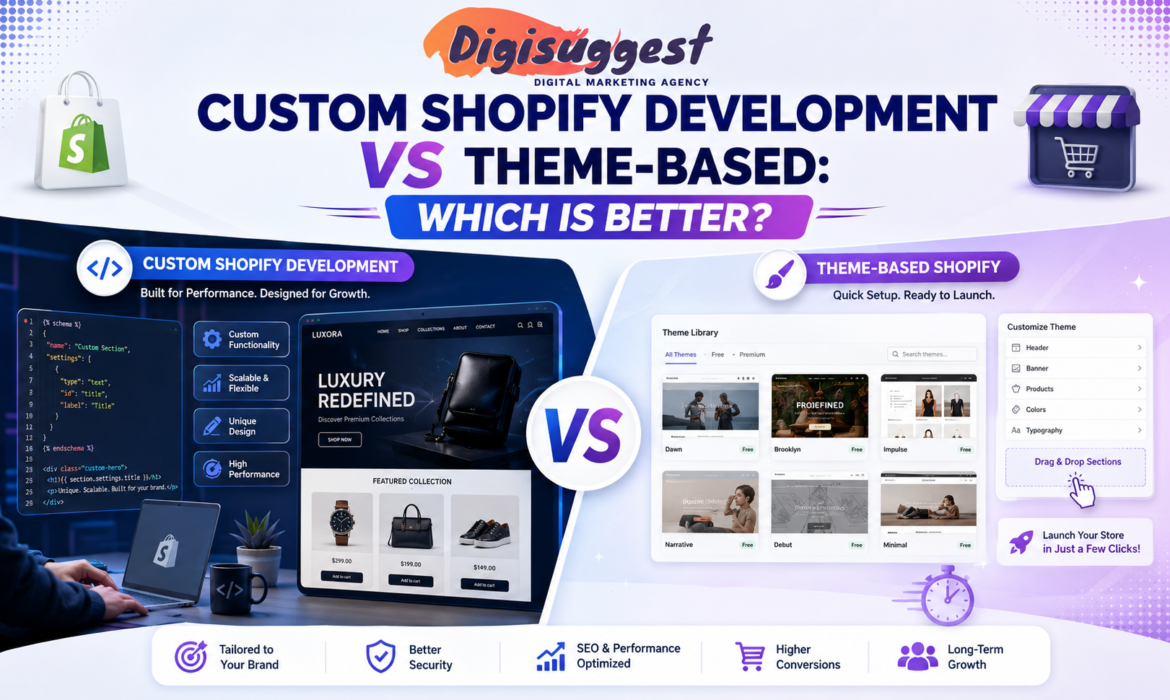
Custom Shopify Development vs Theme-Based: Which is Better?
In the competitive Indian e-commerce market of 2026, the look and functionality of your store can make or break your brand. Choosing between custom Shopify development and a theme-based Shopify store is one of the biggest decisions for any online business. Both options have their own benefits, depending on your budget, business goals and the features you need. A theme-based store is faster, affordable and perfect for small businesses or startups that want to launch quickly. On the other hand, custom Shopify development gives you complete control over design, functionality and user experience, making it ideal for growing brands that need unique features and better scalability. In this blog, we’ll compare both options in simple terms to help you decide which one is better for your business.
- The Great Debate: Themes vs. Custom Code
- Speed and Performance: The 2026 Reality
- Design and Branding: Stand Out or Blend In?
- Cost Comparison: The "Paisa" Perspective
- Flexibility and Scalability
- SEO and Marketing Control
- Which One is Right for YOUR Business?
- The "Middle Path" (Hybrid Approach)
- Conclusion
- FAQs
The Great Debate: Themes vs. Custom Code
Before we dive into the details, let's simplify the concepts for a "Non-Techie" business owner.
What is Theme-Based Development?
Imagine buying a fully furnished apartment in a luxury complex in Gurgaon. The walls are painted, the lights are fixed, and the layout is set. You can change the furniture (logo/images) and the wall colors, but you can't easily move the kitchen to the balcony.
Shopify Themes: You go to the Shopify Theme Store, pick a professional layout like Dawn, Impulse or Prestige, and customize it with your brand assets.
What is Custom Shopify Development?
This is like buying a plot of land and hiring an architect to build a "Dream Home" from scratch. Every corner, every tile, and every room is designed specifically for your lifestyle.
Custom Development: Developers use Shopify Liquid, HTML, CSS and JavaScript to build a unique storefront (often called "Headless Commerce" or "Custom Storefront") that doesn't follow any template.
Want a Professional Shopify Store?
Launch your online business with a modern and conversion-focused Shopify website.
Speed and Performance: The 2026 Reality
In India, where 5G is booming but network stability can still vary in smaller towns, Page Speed is everything.
- Theme-Based: Modern Shopify 2.0 themes are incredibly fast. However, if you install too many heavy apps to get features that the theme doesn't have, your site will slow down. Too many apps can negatively impact performance and user experience.
- Custom Development: Since the code is written specifically for your needs, there is no unnecessary bloatware. You only include the scripts you need. This results in lightning-fast load times, which Google values highly for SEO.
Design and Branding: Stand Out or Blend In?
Brand image and customer experience play a huge role in the Indian market.
- Theme-Based: Thousands of stores use the same themes. While your store can still look professional, it may feel familiar to frequent online shoppers. Achieving a completely unique design can be difficult.
- Custom Development: This is perfect for premium brands and businesses that want a unique visual identity. If you need custom animations, advanced product pages or special features like virtual try-ons, custom development is the better option.
Need a Unique Brand Experience?
Create a Shopify store that truly reflects your brand identity and stands out in the market.
Cost Comparison: The "Paisa" Perspective
Budget is one of the biggest deciding factors for Indian businesses.
| Feature | Theme-Based Setup | Custom Development |
|---|---|---|
| Initial Cost | ₹30,000 - ₹80,000 | ₹2 Lakhs - ₹10 Lakhs+ |
| Theme Price | $0 - $360 (One-time) | ₹0 (Built from scratch) |
| Time to Launch | 7 - 14 Days | 2 - 4 Months |
| Maintenance | Low (DIY Friendly) | High (Requires Developer Support) |
- Theme-Based Development: An affordable and reliable option for startups and small businesses.
- Custom Development: A long-term investment suitable for established brands generating high monthly revenue.
Flexibility and Scalability
- Theme-Based: You are limited by the features provided by the theme developer. If you need advanced functionalities like bulk discounts or custom B2B portals, you may need third-party apps with recurring monthly costs.
- Custom Development: You can build anything you want. From custom loyalty programs to advanced product builders and API integrations, the possibilities are virtually endless.
SEO and Marketing Control
SEO is essential for long-term growth and visibility.
- Themes: Most premium Shopify themes are SEO-friendly, but they have a fixed structure. Certain advanced SEO customizations can be limited.
- Custom Development: You get complete control over metadata, schema markup and site architecture. This can give your business a strong advantage in highly competitive niches.
Want Better SEO Performance?
Build a Shopify store optimized for higher rankings, traffic and conversions.
Which One is Right for YOUR Business?
Choosing between theme-based and custom Shopify development depends on your business stage and goals.
Choose Theme-Based Development IF:
- You are a Startup: You want to validate your product idea without making a huge investment.
- Speed is Important: You need to launch quickly before the next festive season or sales campaign.
- You Have a Small Team: You want a store that is easy to manage without technical expertise.
- You Sell Standard Products: Your products do not require advanced customization features.
Choose Custom Development IF:
- You are an Established Brand: You want to upgrade your customer experience and brand value.
- You Have Complex Requirements: You need subscriptions, wholesale systems or advanced product customizers.
- You Expect High Traffic: You need a highly optimized store for performance and scalability.
- You View Your Website as a Long-Term Asset: You want complete ownership and flexibility for future growth.
The "Middle Path" (Hybrid Approach)
Many businesses choose a hybrid approach. This means starting with a premium Shopify theme and then adding custom Liquid code and design improvements.
- You get the stability and speed of a professional theme.
- You also get custom features and branding improvements.
- This approach provides excellent value without the high cost of complete custom development.
Conclusion
Whether you choose a theme-based Shopify store or complete custom development, the ultimate goal is business growth and sales. If you are just starting, a premium Shopify theme is often the smartest choice because it is fast, affordable and easy to manage. As your business grows, you can always upgrade to a fully custom Shopify experience.
The key is to focus on your brand, customer experience and marketing strategy instead of getting stuck in endless technical decisions.
Ready to build your Shopify store? Connect with Digi Suggest today and transform your business into a successful online brand.
Frequently Asked Questions (FAQs)
Yes, absolutely! Many brands start on a theme to save costs and move to a custom “Headless” or “Liquid-heavy” store once they hit a certain revenue milestone. Your product and customer data will remain safe during the move.
Yes, slightly. While you can still add products easily, changing the layout of a custom store often requires a developer. In a theme, you can use the “Visual Editor” to move sections around.
It requires hundreds of hours of manual coding, testing, and UI/UX design. You aren’t just paying for a “site”; you are paying for an exclusive piece of software built for your brand.
If you buy a theme from the official Shopify Theme Store, you get free updates for life. However, if we have customized the code of that theme, “Auto-updates” might break some custom features, so professional help is needed.
Custom development offers more control, but for 95% of businesses, a well-optimized Shopify 2.0 theme (like Dawn) combined with good content strategy from Digi Suggest is more than enough to rank #1.
Is Shopify Good for Small Businesses in Delhi
In the heart of India’s economic engine, Delhi’s entrepreneurs are known for their "Jugaad," their grit and their ability to scale businesses from small shops to global empires. Whether you are running a boutique in South Extension, a wholesale business in Sadar Bazar or a modern D2C startup in Gurgaon/Okhla, the digital shift is no longer optional it is the lifeline of your business.
But with so many options like WooCommerce, Magento and local developers offering "cheap" websites, the million-dollar question remains: Is Shopify actually good for small businesses in Delhi?
As a premier Shopify website development agency in Delhi India, we at Digi Suggest have helped hundreds of local brands navigate this transition.
In this blog, Digi Suggest will analyze why Shopify is the undisputed king for Delhi’s SMBs (Small and Medium Businesses) in 2026.
- The "Delhi Entrepreneur" Reality Check
- Why Shopify is the "Digital Showroom" Delhi Needs
- The Local Advantage: Shopify + Delhi Ecosystem
- Breaking the Cost Barrier: Is it "Mehenga" for SMBs?
- Mobile Commerce: The King of Delhi’s Streets
- Scalability: From Gandhi Nagar to the World
- The "Trust" Factor (Bharosa)
- Why Hire a Delhi-Based Shopify Agency?
The "Delhi Entrepreneur" Reality Check
Delhi’s business ecosystem is unique. Unlike the tech-heavy vibe of Bangalore or the corporate structure of Mumbai, Delhi thrives on trading, manufacturing and high-speed retail. As a digital marketing agency in delhi, we understand these local dynamics closely.
The Challenges of Delhi SMBs:
- High Competition: If you sell leather bags in Karol Bagh, there are 50 others doing the same. You need a website that stands out instantly.
- Logistics Maze: Shipping from the narrow lanes of Old Delhi to the high-rises of Noida requires a robust system.
- Trust Deficit: Indian shoppers, especially in North India, are wary of new websites. They look for signs of "Asli" (Authenticity).
- Limited Technical Staff: Most small business owners in Delhi don't want to hire a full-time "IT wala banda" to manage a website.
Shopify solves every single one of these problems.
Why Shopify is the "Digital Showroom" Delhi Needs
Imagine you are renting a shop in Select Citywalk, Saket. You don't worry about the roof leaking, the electricity wiring, or the security guards—the mall handles that. You just decorate your windows and sell.
Shopify is that luxury mall for your website. Our website development agency ensures your store is built for high conversions.
A. No Coding, No "Jhanjhat"
Most Delhi business owners are experts in their products, not in "HTML" or "Servers." Shopify is a drag-and-drop platform. You can upload products, change prices, and run discounts as easily as you send a WhatsApp message. This independence is what makes it perfect for a small team in Pitampura or Rohini.
B. Speed and Performance
In 2026, Google’s ranking algorithm is obsessed with speed. If your site takes more than 2 seconds to load on a mobile phone in a crowded Delhi Metro, you’ve lost a customer. Shopify’s servers are world-class. They ensure that even during a heavy Diwali Sale, your site stays up and running.
The Local Advantage: Shopify + Delhi Ecosystem
Delhi is the logistics hub of North India. Using Shopify here gives you a "Home Ground" advantage.
Integrated Logistics (The Shiprocket Connection)
Most major Indian logistics aggregators like Shiprocket, Delhivery, and Ecom Express are either headquartered in or have their largest hubs in the Delhi-NCR region.
- Shopify integrates directly with these platforms.
- When a customer in Vasant Kunj places an order, your Shopify store automatically alerts the courier.
- Because you are in Delhi, you can often provide "Same Day Delivery" or "Next Day Delivery" within NCR a feature that can triple your sales.
Hyper-Local Payment Options
Delhiites are the biggest users of UPI in India. Shopify’s integration with Razorpay and PayU means your customers can pay via Paytm, PhonePe, or GPay in seconds. For those who still prefer the old-school way, Shopify’s Cash on Delivery (COD) settings are highly customizable. To reach these customers, many brands utilize facebook marketing agency services.
Ready to start your store?
Get a professional Shopify setup and launch your brand today.
Breaking the Cost Barrier: Is it "Mehenga" for SMBs?
A common "Sikka" (Coin) of thought in Delhi is that Shopify is expensive because of the monthly dollar-equivalent fees. Let’s do the Desi Math.
The "Cheap" Custom Website Cost:
- Development: ₹25,000 (One time)
- Hosting: ₹800/month
- SSL Certificate: ₹1,500/year
- Security Updates: ₹2,000/month (Developer fee)
- Total Year 1: approx ₹60,000 + Constant Headache.
The Shopify Basic Plan Cost:
- Subscription: approx ₹24,000/year
- Security/Hosting/SSL: Included (FREE)
- Maintenance: 0 (You do it yourself)
- Total Year 1: approx ₹24,000 + Peace of Mind.
For a small business in Lajpat Nagar, saving that mental energy and redirecting it into "Marketing" is worth more than any small fee difference. Many brands also invest in google ads agency to drive immediate traffic.
Mobile Commerce: The King of Delhi’s Streets
Walk into any metro station in Delhi, and you will see everyone on their smartphones. In 2026, 85% of e-commerce traffic in Delhi is mobile-driven. This is why why mobile first design is crucial for indian businesses.
Shopify’s themes are "Mobile-First." This means the checkout process is optimized for a thumb.
- Large "Buy Now" buttons.
- Auto-fill addresses.
- Fast-loading images.
- WhatsApp Integration: You can add a floating WhatsApp button so customers from Chandni Chowk can "Chat and Buy" exactly how they like to shop offline.
Scalability: From Gandhi Nagar to the World
Many of our clients at Digi Suggest started as wholesalers in Gandhi Nagar (Asia's biggest textile market). They used Shopify to launch a D2C brand.
- Step 1: Sell in Delhi-NCR.
- Step 2: Use Shopify’s SEO to rank across India.
- Step 3: Use Shopify Markets to sell globally.
Shopify allows you to change your currency to USD, calculate international shipping, and handle customs duties automatically. Your small Delhi business can become an international brand without you having to change your website platform. You can explore more best digital marketing strategies for d2c brands to scale further.
The "Trust" Factor (Bharosa)
In a city where "duplicate" products are a concern, building trust is the hardest part of e-commerce.
- Professional Look: A Shopify store looks "International."
- Security Icons: Customers feel safe entering their card details because Shopify is PCI-compliant.
- Order Tracking: Automated SMS and Email updates make the customer feel that their money is safe.
Need more sales from your site?
Build a conversion-focused Shopify site with Digi Suggest.
Why Hire a Delhi-Based Shopify Agency?
You might think, "I can do this myself." And you can! But hiring a Shopify website development agency in Delhi India like Digi Suggest gives you a strategic edge:
- Local Market Insight: We know what appeals to a Delhi shopper. We know which colors work for a festive season and which language (Hinglish) converts better.
- Technical SEO: We don't just build a site; we make sure it ranks for keywords like "Best Ethnic Wear in Delhi" or "Online Gift Delivery in NCR." For stores in Noida, we also act as a digital marketing agency in noida.
- App Optimization: We prevent you from overspending on useless apps. We suggest only the "Zaruri" ones that increase profit.
- Face-to-Face Support: Sometimes, a Zoom call isn't enough. Being in Delhi, you can visit us at our office to discuss your growth strategy.
Case Study: The "Chandni Chowk" Transformation
Recently, we worked with a traditional saree wholesaler who had been in business for 40 years. They were hesitant about Shopify. We built them a "Mobile-First" store, integrated a WhatsApp-based "Personal Shopper" app, and optimized their local SEO. Check out our our works for more success stories.
Result: Within 6 months, their online revenue surpassed their offline shop revenue. They are now shipping to NRIs in Canada and Australia directly from Delhi.
Conclusion: Should You Go for It?
If you are a small business in Delhi and you are serious about 2026 and beyond, Shopify is not just "good" it is essential. It levels the playing field. It allows a small shop in Janakpuri to look as professional as a brand in a London high street. For local visibility, don't forget the power of a local seo agency.
Stop worrying about the technical "jhanjhat" and start focusing on your brand story. Let the experts handle the code while you handle the customers.
Ready to dominate the Delhi market? Connect with Digi Suggest today and let’s turn your local business into a national sensation.
👉 Contact Digi Suggest Today!
Get a Free Website Audit & Consultation for your business.
Frequently Asked Questions (FAQs)
Yes, for 99% of small businesses. A local developer might build you a site, but maintaining it, keeping it secure, and updating it for new mobile phones is a constant struggle. Shopify handles all of that for a small monthly fee.
RTO (Return to Origin) is a reality. We recommend using apps like Shiprocket’s Early COD or automated WhatsApp confirmation bots. These apps “call” or “message” the customer to confirm their address before you ship the product, reducing returns by up to 40%.
Yes! You can easily translate your store into Hindi or any other language using Shopify apps. However, most Delhi brands prefer a “Hinglish” or English approach as it’s widely understood by the online shopping demographic.
Absolutely. One of Shopify’s best features is its “Social Integration.” You can sync your products with your Instagram Shop, allowing Delhi’s social-media-savvy crowd to buy directly from your posts.
The first step is a Consultation. Analyze your product niche and your target audience in Delhi-NCR. Once you have a plan, you can start the Shopify trial or contact Digi Suggest for a professional setup.
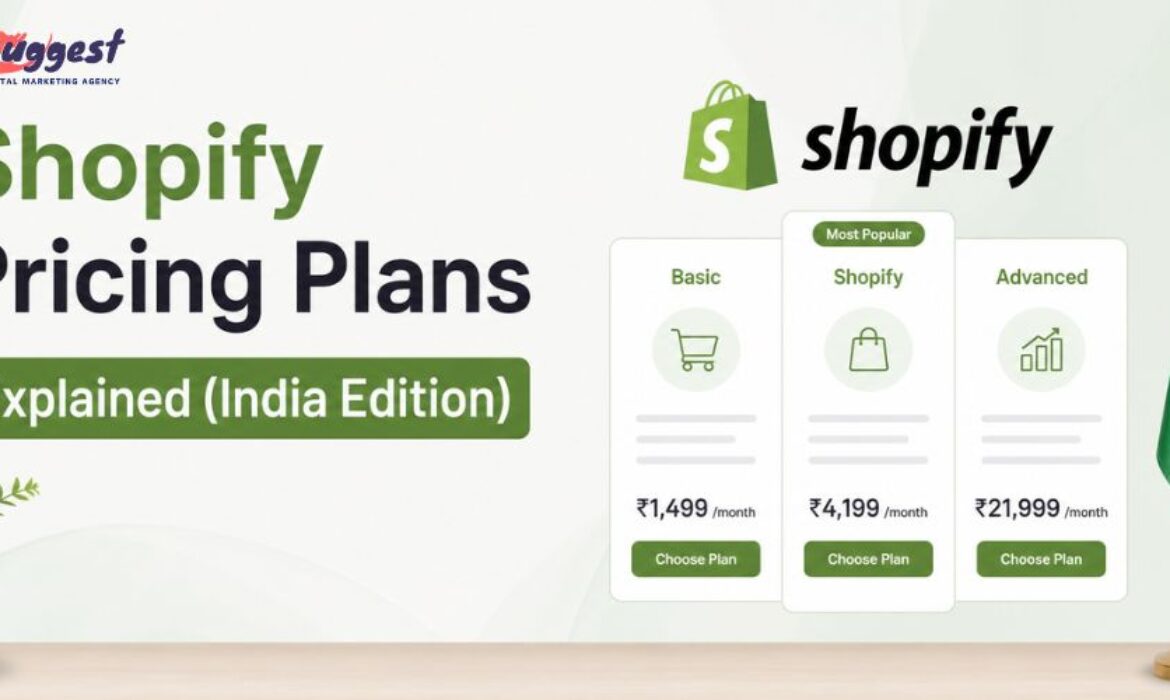
Shopify Pricing Plans Explained (India Edition)
Choosing the right Shopify plan is like choosing the right "shop" in a busy Indian market. If you pick a space too small, your customers will feel crowded; if you pick one too big, you’ll end up paying "extra" rent without needing all that space.
In 2026, Shopify has introduced several India-specific features and localized pricing to help D2C brands grow. But with so many options Basic, Shopify, Advanced and Plus how do you know which one fits your budget?
As a leading Shopify website development agency in Delhi India, we at Digi Suggest have decoded the entire pricing structure in this blog.
The 2026 Shopify Pricing Landscape in India
Before we dive into the plans, remember that Shopify prices in India are usually displayed in INR (Indian Rupees), making it much easier for us to calculate GST and monthly outflows without worrying about USD conversion rates daily.
1. Shopify Starter Plan: The "Social Seller" Choice
Cost: Approx ₹400/month.
This isn't a full website plan. It’s for people who want to sell products through WhatsApp, Instagram, or TikTok without building a complete online store.
- What you get: A "Link in Bio" style page, product links, and a simple checkout.
- Best for: Influencers, hobbyists, or people testing a single product.
- The Catch: You don't get a proper "Storefront" (Home page, About us page, etc.). Yeh sirf ek 'Digital Thela' hai.
2. Basic Shopify: The "Startup" Favorite
Cost: Approx ₹1,994/month (when billed annually).
This is the most popular plan for new Indian brands. Whether you are selling skincare from Avry1 Pretty or electronic gadgets, this plan gives you a full-fledged professional website.
- Key Features: Unlimited products, 2 staff accounts, 24/7 support and basic reports.
- Transaction Fee: 2.0% (if not using Shopify Payments).
- Best for: New businesses doing ₹50,000 to ₹2 Lakhs in monthly sales.
Ready to start your store?
Get a professional Shopify setup and launch your brand today.
3. Shopify Plan: The "Growing Brand" Standard
Cost: Approx ₹5,947/month (when billed annually).
Once your business picks up speed and you have a small team managing orders, the Basic plan might feel a bit limited especially the reporting part. This is where ecommerce SEO services and better data become crucial.
- Key Features: 5 staff accounts, professional reports and lower transaction fees (1.0%).
- Why Upgrade? The "Professional Reports" allow you to see which products are being abandoned in carts and which city in India is giving you the most sales.
- Best for: Brands doing ₹2 Lakhs to ₹10 Lakhs in monthly revenue.
4. Advanced Shopify: The "Scale-Up" Engine
Cost: Approx ₹22,630/month (when billed annually).
This is for serious players who need deep data and custom control to scale ecommerce sales effectively.
- Key Features: 15 staff accounts, Custom Report Builder and the lowest transaction fees (0.5%).
- The Big Advantage: It includes Duties and Import Taxes calculation for international shipping perfect if you are an Indian brand selling to the US or UK.
- Best for: Businesses doing ₹10 Lakhs+ monthly revenue.
5. Shopify Plus: The Enterprise Giant
Cost: Starts at approx ₹1.75 Lakhs/month.
When you reach the level of big brands, you need Shopify Plus. It’s not just a plan; it’s an ecosystem that often requires expert Shopify SEO services to maintain dominance.
- Key Features: 9 expansion stores, unlimited staff accounts, custom checkout (Shopify Functions) and a dedicated Account Manager.
- Wholesale/B2B: It allows you to run a separate B2B store where you can give different prices to wholesalers.
The "Hidden" Costs: It’s Not Just the Subscription
Many Indian entrepreneurs calculate only the monthly plan cost, but as a Shopify website development agency, we always advise our clients at Digi Suggest to look at the "Total Cost of Ownership."
A. Transaction Fees (The Percentage Game)
If you use third-party gateways like Razorpay or PayU (which is almost mandatory in India for UPI support), Shopify charges a "Transaction Fee" on every sale.
- Basic: 2%
- Shopify: 1%
- Advanced: 0.5%
Calculations: If you sell products worth ₹10 Lakhs on the Basic plan, you pay ₹20,000 extra to Shopify. At this point, upgrading to the "Shopify Plan" (1% fee) saves you ₹10,000!
B. Payment Gateway Charges
Gateway providers like Razorpay usually charge 2% + GST on every transaction. So, on a Basic Plan, your total transaction cost is roughly 4%. Using a Meta ads agency can help improve ROI to cover these costs.
C. App Subscriptions (The Recurring Burden)
To make your store "Indian Market Ready," you will likely need:
- WhatsApp Marketing: ₹1,500/month.
- COD Verification: ₹800/month.
- Review Apps: ₹1,200/month. Total additional: ₹3,500/month.
Need more sales from your site?
Build a conversion-focused Shopify site with Digi Suggest.
How to Choose the Right Plan for Your Indian Business?
Ask yourself these three "Desi" questions:
- What is my monthly revenue? If it's under ₹2 Lakhs, stay on Basic. If it's over ₹5 Lakhs, the math says the Shopify Plan is cheaper because of lower transaction fees.
- Do I need advanced reports? If you are running heavy Google/FB ads, you need to know exactly where your money is going. Understanding Google Ads vs FB Ads is key here.
- Do I sell internationally? If 30% of your sales come from outside India, the Advanced Plan is better because it handles currency conversion and international duties automatically.
Pro Tip: Save Money with Annual Billing. Shopify offers a 25% discount if you pay for the whole year upfront. For an Indian startup, this "Bachat" is huge. Instead of paying ₹2,500/month (including taxes), you could be paying effectively ₹1,900/month. This is one of the many SEO tips for ecommerce brands to manage budgets.
Also, keep an eye out for Shopify’s "₹20 for 3 months" offer, which they frequently run for the Indian market to encourage new entrepreneurs. Check our ecommerce case study to see how brands scale from these early stages.
Why Hire Digi Suggest for Your Plan Setup?
Setting up the right plan is just the beginning. At Digi Suggest, we help you:
- Optimize App Usage: We suggest "All-in-one" apps so you don't pay 10 different subscriptions.
- Payment Integration: We help you negotiate better rates with Indian gateways.
- Tax Configuration: We set up your GST (CGST/SGST/IGST) so you are legally compliant from Day 1.
As the top Shopify website development agency in Delhi India, we ensure that your store is not just beautiful, but also cost-effective. We focus on conversion rate optimization to ensure your plan pays for itself.
👉 Contact Digi Suggest Today!
Get a Free Website Audit & Consultation for your business.
Frequently Asked Questions (FAQs)
Looking for more advice? Learn how to rank Shopify store on Google or explore our D2C marketing strategies.
No, Shopify does not have a “forever free” plan. It offers a 3-day free trial. However, they often have promotional offers like “1 month for ₹20” to help beginners get started without a huge investment.
Yes, bilkul! You can upgrade or downgrade your plan at any time from your Shopify admin settings. If you upgrade in the middle of a month, Shopify will simply charge you a pro-rated amount.
No. You have to buy your domain separately. You can buy it through Shopify (approx ₹1,200/year) or from providers like GoDaddy/Namecheap and connect it to Shopify.
The transaction fee is a charge Shopify takes for using their platform’s checkout. In India, since “Shopify Payments” is not yet available for everyone, you usually have to pay this 0.5%–2% fee. The only way to reduce it is by upgrading to a higher plan.
Shopify plans are subject to 18% GST in India. Make sure to add your GSTIN in the Shopify billing section so you can claim Input Tax Credit (ITC) for your business.
Shopify Website Development Cost in India (2026 Guide)
When it comes to starting an e-commerce business, the first question every Indian entrepreneur asks is: "Bhai, kharcha kitna lagega?" (Brother, what will be the cost?).
While Shopify is known for its ease of use, the total investment required to build a professional, high-converting store can vary significantly. Are you a small startup working from a home office or a scaling brand looking for a Shopify website development agency in Delhi India?
In this blog, we at Digi Suggest will break down the "paisa-paisa" of Shopify development in India for 2026. From monthly subscriptions and theme costs to developer fees and hidden marketing expenses, we have got it all covered.
- The Three Pillars of Shopify Costs
- 1. Fixed Platform Costs (The Shopify Rent)
- 2. Design and Theme Costs
- 3. Development Fees: Hiring an Agency vs. Freelancer
- 4. The "Hidden" App Costs (The Features)
- 5. Payment Gateway & Transaction Fees
- 6. Shipping and Logistics (The Delivery)
- 7. Total Budget Breakdown: Three Tiers
- How to Save Money on Shopify Development?
The Three Pillars of Shopify Costs
To understand the total budget, we need to divide the expenses into three main categories:
- 1. Fixed Platform Costs: What you pay directly to Shopify.
- 2. Development & Design Costs: What you pay to an agency or freelancer.
- 3. Operational & Growth Costs: The "running" costs like shipping, payments, and apps.
1. Fixed Platform Costs (The Shopify Rent)
Shopify is a SaaS platform, meaning you pay a monthly "rent" to keep your shop running. As of 2026, here are the standard plans in India:
A. Basic Plan (For New Startups)
- Cost: Approx ₹1,994/month (billed annually). (Check Shopify Pricing)
- Best for: Solopreneurs and small businesses with a limited range of products.
- Features: Basic reports, 2 staff accounts, and 24/7 support.
B. Shopify Plan (For Growing Brands)
- Cost: Approx ₹5,947/month (billed annually).
- Best for: Businesses seeing consistent daily sales.
- Features: Better reporting, 5 staff accounts, and lower transaction fees.
C. Advanced Plan (For Scaling Enterprises)
- Cost: Approx ₹22,630/month (billed annually).
- Best for: High-volume stores that need custom reports and lower credit card rates.
D. Shopify Plus (The Big League)
- Cost: Starts around ₹1.75 Lakhs/month.
- Best for: Mega-brands like boAt or Mamaearth.
2. Design and Theme Costs (The "Mukhda" of Your Store)
In the world of online shopping, Jo dikhta hai, woh bikta hai. Your store’s design determines your brand value.
- Free Themes: Shopify offers excellent free themes (like Dawn or Craft). If you are on a tight budget, these are great. Cost: ₹0.
- Premium Themes: These cost between $180 to $360 (approx ₹15,000 to ₹30,000). They come with built-in features like mega menus, quick buy buttons, and better mobile optimization.
- Custom UI/UX Design: If you want a unique look that no one else has, you will need a designer. This can cost anywhere from ₹20,000 to ₹1 Lakh depending on the complexity. Check our UI/UX services.
Need a high-converting store?
Get a professional Shopify setup and scale your brand today.
3. Development Fees: Hiring an Agency vs. Freelancer
This is where the biggest price variation happens. If you are looking for a reliable Shopify website development agency in Delhi India, here is what you can expect:
The Freelancer Route (Budget-Friendly)
Hiring a freelancer on platforms like Upwork or Fiverr might cost you between ₹15,000 to ₹40,000.
- Pros: Cheap, direct communication.
- Cons: Often lacks long-term support; might not understand Indian SEO or payment nuances. Baad mein dikkat aa sakti hai.
The Agency Route (Professional & Scalable)
A professional agency like Digi Suggest typically charges between ₹50,000 to ₹2.5 Lakhs for a complete setup.
- What you get: Strategic layout, technical SEO, speed optimization, Indian payment gateway integration, and a mobile-first experience.
- Pros: Team of experts (Designer + Developer + SEO Guru), timely delivery, and professional support. Compare Shopify vs WordPress.
4. The "Hidden" App Costs (The Features)
Shopify is like a smartphone; the basic features are fine, but you need "Apps" to make it powerful. For the Indian market, you almost always need:
- WhatsApp Automation (Wati/Interakt): Approx ₹2,000/month.
- Reviews & Trust Badges (Judge.me/Loox): Free to ₹2,500/month.
- COD Verification Apps: To reduce RTO (Returns). Approx ₹1,000/month.
- Advanced SEO Tools: Approx ₹1,500/month.
Total Monthly App Budget: Expect to spend ₹3,000 to ₹8,000/month on essential apps.
5. Payment Gateway & Transaction Fees (The Taxman)
In India, you need to factor in the cost of every transaction.
- Gateway Charges: Razorpay or PayU typically charge 2% per transaction.
- Shopify Transaction Fees: If you are on the Basic plan, Shopify takes an additional 2% fee if you aren't using their internal payment system (which is still rolling out in parts of India).
- COD Charges: Courier companies often charge an extra ₹40-₹60 for handling Cash on Delivery orders.
6. Shipping and Logistics (The Delivery)
You cannot sell if you cannot ship.
- Integration: Most Indian sellers use Shiprocket or Delhivery.
- Cost: Shipping a 500g parcel within India costs between ₹45 to ₹90.
- RTO (Return to Origin): This is a hidden cost. In India, 20-30% of COD orders are returned. You lose the shipping cost both ways. Yeh loss pehle se hi calculate kar lena chahiye.
Want more sales from your site?
Build a conversion-focused Shopify store with Digi Suggest.
7. Total Budget Breakdown: Three Tiers
To make it easy for you, here is a summary of the total setup cost in 2026:
| Item | Startup (DIY) | Professional (Agency) | Enterprise (Custom) |
|---|---|---|---|
| Shopify Plan (1 yr) | ₹24,000 | ₹24,000 | ₹70,000+ |
| Theme | ₹0 (Free) | ₹25,000 (Premium) | ₹60,000 (Custom) |
| Development Fee | ₹0 (Self) | ₹60,000 - ₹1.5L | ₹3L - ₹10L |
| Essential Apps | ₹15,000/yr | ₹40,000/yr | ₹1L+/yr |
| Total Setup | ₹39,000 - ₹50,000 | ₹1.5L - ₹3L | ₹5L - ₹15L+ |
How to Save Money on Shopify Development?
Desi nuskhe to keep your costs down:
- 1. Start with a Free Theme: Shopify’s "Dawn" theme is better than many paid themes if customized correctly by an expert.
- 2. Limit Your Apps: Don’t install 20 apps. It slows down your site and increases your monthly bill. Zitni zarurat hai, utna hi download karein.
- 3. Annual Billing: Pay for your Shopify plan annually to save 25%.
- 4. Focus on SEO: Instead of spending Lakhs on ads, invest in high-quality content and SEO through Digi Suggest to get free organic traffic.
Conclusion: Is the Investment Worth It?
Bilkul! Building a Shopify store is like buying real estate on the internet. While the initial cost of Shopify website development in India might seem high, the ROI (Return on Investment) is massive. A well-built store works for you 24/7, selling your products even while you sleep.
Don't settle for a "sasta" website that crashes during a sale. Partner with a professional Shopify website development agency in Delhi India and build a brand that lasts.
👉 Contact Digi Suggest Today!
Get a Free Website Audit & Consultation for your business.
FAQs (Frequently Asked Questions)
Shopify is a managed service. You are paying for speed, security, and 24/7 support. With WordPress, you save on monthly fees but often spend more on developers to fix bugs or security leaks. Yahan sukoon ki keemat hai.
Yes! As a specialized Shopify website development agency in Delhi India, we provide end-to-end solutions from UI design and custom coding to payment gateway setup and SEO.
The main hidden charges are “App Subscriptions” and “Transaction Fees.” Always check the monthly cost of an app before installing it, and factor in the 2% gateway fee.
You can start the trial and buy a domain, but to make a “professional” impact, you’ll need a budget for inventory, marketing, and the basic subscription. A realistic starting budget for a serious business is ₹30,000 – ₹50,000.
Excluding marketing, your monthly “running cost” (Plan + Apps) will be around ₹4,000 to ₹7,000. If you hire an agency for monthly maintenance/SEO, that would be an additional professional fee.
Step-by-Step Shopify Store Setup Guide
Setting up an online store in 2026 is no longer about just "having a website" - it’s about creating a seamless, high-speed shopping experience that works perfectly on a smartphone. If you are an entrepreneur in India looking to tap into the e-commerce boom, Shopify is your best friend.
But where do you start? Basic settings se lekar payment integration tak, there is a lot to cover. As a leading Shopify website development agency in Delhi India, we at Digi Suggest have simplified the process into this ultimate step-by-step guide.
Phase 1: Pre-Launch Preparation (The Homework)
Before you even click "Sign Up," you need a clear roadmap. Running a successful Shopify store in India requires a bit of "Desi" planning.
1. Find Your Niche
Don’t try to be the next Amazon. In 2026, the trend is D2C (Direct-to-Consumer). Whether it’s organic A2 Ghee, customized iPhone covers, or sustainable fashion, pick one thing and do it better than anyone else. You can explore the best digital marketing strategies for D2C brands to get a head start.
2. Business Registration & GST
While you can start a trial without it, you will need a GST number to integrated Indian payment gateways like Razorpay or PayU. GST ke bina business grow karna mushkil hai, as you won't be able to claim input tax credits on your shipping and marketing costs.
Phase 2: Technical Foundation (The "Dukaan" Setup)
Step 1: Sign Up and Store Naming
Go to Shopify.com. Use an email address dedicated to your business (e.g., info@yourbrand.com).
- The Name: Choose a name that is catchy and easy to spell. Avoid long, complicated names.
- The Domain: Buy a .in or .com domain immediately. A store named brandname.myshopify.com looks unprofessional. Connect your custom domain in Settings > Domains.
Step 2: The Shopify Dashboard Tour
Once you log in, don't get overwhelmed. The sidebar is your command center:
- Orders: Where the magic happens (sales!).
- Products: Your digital inventory.
- Analytics: To see how many "visitors" are coming to your site. For advanced tracking, consider Google Analytics services.
- Online Store: This is where you design the "look and feel."
Phase 3: Designing Your Store (The Interior Decor)
In 2026, speed is the most important design element. If your site takes more than 3 seconds to load, customer dusri site pe chala jayega. Learn how page speed affects ecommerce sales directly.
Step 3: Choosing a Mobile-First Theme
Go to the Shopify Theme Store. It is crucial to understand why mobile-first design is crucial for Indian businesses in today's market.
- Free Themes: Themes like Dawn or Sense are excellent for beginners. They are clean and very fast.
- Premium Themes: If you want a "Luxury" vibe, go for paid themes like Impulse or Prestige.
- Customization: Use the "Theme Customizer" to upload your logo, change brand colors, and set up your homepage banners. Ensure your banners have a clear CTA (Call to Action) like "Shop Now" or "Get 20% Off." Avoid common homepage mistakes that reduce conversions.
Want a High-Converting Shopify Store?
Get a professional design that turns visitors into customers today.
Step 4: Creating Essential Pages
A professional store needs more than just product pages. You need "Trust Pages":
- About Us: Tell your story. Aapne yeh business kyun shuru kiya? You can read about us to see how we tell ours.
- Contact Us: Provide an email and a professional WhatsApp number. Contact us for any technical help.
- Policies: Shipping Policy, Refund Policy, and Privacy Policy. Shopify has templates for these, but customize them for the Indian context. See our privacy policy for an example.
Phase 4: Inventory and Product Management
Step 5: Adding Products (The Right Way)
Don’t just upload a photo and a price. To rank on Google, follow this SEO-friendly structure. Our ecommerce SEO agency experts swear by this:
- Title: Use keywords. Instead of "Blue Shirt," use "Premium Men’s Slim Fit Cotton Blue Shirt."
- Description: Write for the customer. Use bullet points. Explain the fabric, the fit, and why they need it.
- Media: Use at least 4-5 high-resolution photos. In 2026, Product Videos or 360-degree views are a must-have for high conversions.
- Pricing: Show a "Compare at price" (the MRP) and the "Sale Price" to show the discount. Indian customers love a good deal!
Step 6: Creating Collections
Organize your products into "Collections" (e.g., "Best Sellers," "Winter Wear," "New Arrivals"). This makes navigation easy for the user. Remember to optimize website architecture for SEO while doing this.
Phase 5: Payments, Taxes, and Shipping (The Logistics)
Step 7: Setting Up Payment Gateways
For an Indian Shopify store, you need a mix of Prepaid and COD. Use checkout page optimization tips to reduce drops.
- Razorpay/PayU: The most popular choices. They support UPI, Netbanking, and Credit Cards.
- Manual Payments (COD): In the "Payments" section, add a manual payment method for "Cash on Delivery." India mein 60-70% orders COD hote hain, so don't skip this.
Struggling with Payment Setup?
Let Digi Suggest handle your technical integrations smoothly.
Step 8: Configuring GST
Go to Settings > Taxes and Duties.
- Select India.
- Set the GST rates (usually 5%, 12%, or 18% depending on your product).
- Decide if your prices already include GST or if it will be added at checkout. We recommend "Price includes tax" for a smoother checkout experience.
Step 9: Shipping Settings
Shipping can make or break your profit margins.
- Standard Shipping: Set a flat rate (e.g., ₹99).
- Free Shipping: A great marketing tactic. "Free Shipping on orders above ₹999" is a proven way to increase your AOV (Average Order Value).
- Delivery Partners: Integrate apps like Shiprocket or NimbusPost. They sync your Shopify orders and allow you to print labels easily.
Phase 6: The Must-Have "Desi" Apps for 2026
Your Shopify store is like a smartphone, it needs the right apps to be smart.
- WhatsApp Marketing (Interakt or Wati): Send automated order confirmations. As a WhatsApp marketing agency, we see this converting 3x better than email.
- Product Reviews (Loox or Judge.me): Show photos of happy customers. Social proof is the key to brand loyalty.
- COD Verification: Use an app that confirms COD orders to reduce RTO.
- SEO Optimizer: Since you are working with Digi Suggest, use tools to fix common ecommerce SEO mistakes.
Phase 7: Testing and Launch (The Grand Opening)
Step 10: The "Trial Run"
Before going live, place a test order.
- Check if the discount codes are working.
- See if the "Thank You" email looks good.
- Check the mobile version of your site multiple times.
Step 11: Remove the Password
Go to Online Store > Preferences and disable the "Store Password." Congratulations! Your "Dukaan" is now open to the world. Now learn how to get organic traffic for your ecommerce store without ads.
Why Choose an Agency for Setup?
While you can follow this guide and build a store, a professional Shopify website development agency in Delhi India like Digi Suggest brings something extra: Strategy. You can see our works for reference.
We don't just "input data." We optimize the UI/UX, set up advanced tracking through Meta ads and Google ads, and ensure your technical SEO is perfect. Check our full range of services.
Conclusion
Want to focus on your business and leave the technical headache to us?
👉 Check our Shopify Development Packages and secure your store today.
👉 Contact Digi Suggest Today!
Get a Free Website Audit & Consultation for your business.
FAQs (Frequently Asked Questions)
If you have your product photos and content ready, a basic store can be set up in 2-3 days. However, for a fully optimized, professional store with all integrations and SEO, it usually takes 7-10 days.
Yes! Shopify is the best platform for international selling. You can use Shopify Markets to show prices in USD, GBP, or Euros and integrate international couriers like DHL or FedEx via Shiprocket.
You need a mix of Paid Ads (Instagram and Google Shopping Ads) and Organic SEO. Since you are building this for your website, blogging and SEO will help you get free traffic in the long run.
On Amazon, you are just a seller; on Shopify, you are a Brand. With Shopify, you own your customer data (emails/phone numbers) and don’t have to pay high marketplace commissions (which can be 15-30%).
The main costs are:
- Shopify Subscription (approx ₹2,000)
- Domain (₹800/year)
- Essential Apps (approx ₹1,500 – ₹3,000)
- Marketing/Ads budget.
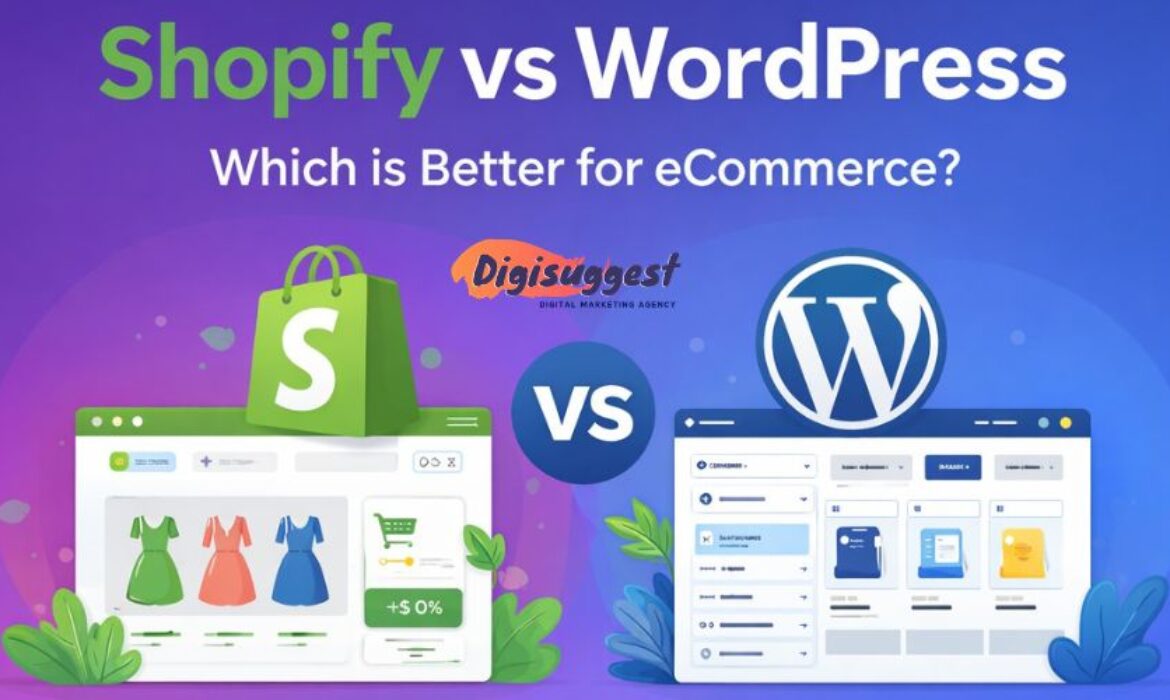
Shopify vs WordPress Which is Better for eCommerce
Building a successful e-commerce empire in India starts with one critical question: Shopify vs WordPress - kaunsa platform best hai?
If you are an entrepreneur in Delhi, Mumbai or anywhere in India, you know that the digital market is booming. But choosing the wrong foundation can lead to technical headaches, slow loading speeds and lost sales. As a premier Shopify website development agency in Delhi India, we at Digi Suggest have seen businesses thrive on both.
In this blog, Digi Suggest will break down every single detail from pricing and SEO to ease of use and Indian payment integrations to help you make the right choice for your brand.
- The Core Philosophy: SaaS vs. Open Source
- Ease of Use: Hand-Holding vs. DIY
- Design and Aesthetics: The "Look" of Your Brand
- The Cost Factor: Budget vs. Value
- E-commerce Features for the Indian Market
- SEO & Organic Traffic: Google Pe Ranking
- Security: Safe and Sound?
- Scalability: Growing Your Business
The Core Philosophy: SaaS vs. Open Source
Before we jump into the features, let us understand the "DNA" of these two platforms.
What is Shopify? (The Managed Solution)
Shopify is a SaaS (Software as a Service) platform. It is a "closed-loop" system. This means Shopify provides the hosting, the security, the checkout engine and the interface. You pay a monthly subscription to use their "software."
Example: It’s like living in a luxury apartment complex. You pay a maintenance fee, and the builder takes care of the lift, the security and the water supply. You just move in with your furniture (products).
What is WordPress + WooCommerce? (The Self-Hosted Solution)
WordPress is an open-source Content Management System (CMS). To make it an e-commerce store, you install a free plugin called WooCommerce. This is relevant for WordPress website design services in Delhi India.
Example: This is like building your own independent house on a plot of land. You own the land (hosting), but you are responsible for the plumbing, the wiring and the security. If the roof leaks (site crashes), you have to fix it yourself or hire a mistri (developer).
Ease of Use: Hand-Holding vs. DIY
Shopify: The "Non-Techie" Paradise
Shopify is famous for its "Onboarding." Once you sign up, it walks you through adding products, setting up payments, and picking a theme.
- No Coding: You don't need to know HTML, CSS or PHP.
- Centralized Dashboard: Everything orders, analytics, inventory and marketing is in one clean sidebar.
- Mobile App: You can manage your entire Indian business from the Shopify mobile app while sitting in a metro.
WordPress: The Learning Curve
WordPress wasn't originally built for selling; it was built for blogging. While WooCommerce is powerful, it feels like an "add-on."
- Setup Complexity: You have to buy hosting (Bluehost, Hostinger, etc.), install WordPress, install WooCommerce and then configure SSL certificates.
- Plugin Conflict: Sometimes, one plugin doesn't like another plugin and your site might show a "Critical Error." Yahan thoda technical dimaag lagana padta hai.
Design and Aesthetics: The "Look" of Your Brand
In India, "Jo dikhta hai, woh bikta hai" (What looks good, sells).
Shopify Themes
Shopify has a curated Theme Store. Whether you use a free theme like Dawn or a premium one, they are all:
1. Mobile-Responsive: Crucial because 80% of Indian shoppers buy on mobile.
2. Conversion Optimized: The buttons are placed where people naturally click.
3. Speedy: Shopify themes are generally lightweight and fast.
WordPress Customization
This is where WordPress wins. You have access to builders like Elementor, Divi or Beaver Builder.
- You can change the header, footer, and product page layout exactly how you want.
- If you want a very unique, artistic website that doesn't look like a standard "store," WordPress gives you 100% design freedom.
Want a stunning online store?
Get a professional e-commerce website designed for your business today.
The Cost Factor: Budget vs. Value
Let's talk about the "Paisa" part. Indian businesses are value-conscious, and rightfully so.
Shopify Pricing (Monthly Burn)
- Basic Plan: Approx ₹1,994/month.
- Apps: Most good apps (for WhatsApp marketing or advanced discounts) cost an extra $10–$30/month.
- Transaction Fees: If you don't use Shopify’s own payment system (not fully out in India), you pay a 2% fee to Shopify on every sale, plus what your payment gateway (Razorpay/PayU) charges.
WordPress Pricing (Upfront & Maintenance)
- Hosting: You can get decent hosting for ₹400–₹800/month.
- WooCommerce: Free.
- No Transaction Fees: You only pay the 2% gateway fee. There is no "extra" tax from the platform.
- Developer Cost: While you save on monthly fees, you might spend more on hiring a developer to fix bugs or speed up the site. Check our WordPress website maintenance checklist.
E-commerce Features for the Indian Market
India has specific requirements: GST, UPI and COD.
Payment Gateways
- Shopify: Integrates seamlessly with Razorpay, PayU, Cashfree and Stripe. Setting them up is a 5-minute job.
- WordPress: Also supports these, but sometimes setting up the "Webhook" or "API Key" can be tricky for a beginner.
Cash on Delivery (COD)
- Shopify: Has a basic COD option. To prevent fake orders, you usually need a third-party app (like Shiprocket or Otter) to verify the phone number via OTP.
- WordPress: Has a built-in COD option. You can also find free plugins to add a "COD Verification" step.
GST Compliance
- Shopify: You can set "Tax inclusive" or "Tax exclusive" prices easily. Apps like Order Printer help generate GST-ready invoices.
- WordPress: Requires a bit more configuration. You’ll need a specific GST plugin to ensure your invoices show CGST, SGST and IGST correctly based on the customer's state.
Need help with GST & Payments?
Our experts set up your store with all Indian payment integrations perfectly.
SEO & Organic Traffic: Google Pe Ranking
Since this blog is on Digi Suggest, the home of SEO experts, let’s get serious about ranking.
WordPress: The SEO King
WordPress is widely considered the best platform for SEO. This is crucial for any business SEO agency.
- URL Structure: You can customize every part of the URL.
- Plugins: Tools like Rank Math or Yoast SEO give you a "checklist" for every product page.
- Blogging: Since it started as a blogging platform, managing a content strategy on WordPress is much smoother.
Shopify: The SEO Simplified
Shopify is good, but rigid. Many E-commerce SEO agency specialists find its speed impressive.
- Hardcoded URLs: You cannot remove /products/ or /collections/ from your URLs. (e.g., mysite.com/products/blue-shirt).
- Speed: Because Shopify manages the servers, your site is usually fast "out of the box," which Google loves.
- Technical SEO: Shopify handles your Sitemap and Robots.txt automatically. Aapko tension lene ki zaroorat nahi.
Security: Safe and Sound?
Shopify (Fort Knox)
Shopify is PCI-DSS Level 1 compliant. This is a big deal. It means your customers' credit card data is safe under world-class security. You don't have to worry about hackers or data leaks. Shopify also provides a free SSL certificate.
WordPress (Your Responsibility)
WordPress is the most hacked platform in the world mostly because people don't update their plugins. This is why website development agency experts focus on security.
- You have to install security plugins like Wordfence.
- You must take regular backups.
- You have to ensure your hosting is secure.
- Security ka poora bojh aapke upar hota hai.
Scalability: Growing Your Business
What happens when you go from 10 orders a day to 1,000 orders a day? This matters for E-commerce digital marketing.
- Shopify: It’s built for scale. Big brands like boAt, Sugar Cosmetics and Mamaearth use Shopify (specifically Shopify Plus). You don't have to worry about the site "crashing" during a Diwali Sale.
- WordPress: To handle massive traffic, you will need to upgrade your hosting to a VPS or Dedicated Server. If not managed properly, the database can become slow when you have thousands of products.
The Final Verdict: Kaun Jeeta?
Choose Shopify IF:
- You are a D2C brand or a startup looking to launch quickly.
- You want a "Set it and forget it" technical experience.
- You focus more on Instagram/Facebook Ads than blogging.
- You want a smooth, professional checkout experience for your customers.
- You want the best Shopify website development agency in Delhi India to manage it for you.
Choose WordPress (WooCommerce) IF:
- You are on a very tight monthly budget.
- You are a tech-savvy person or have a dedicated developer.
- Your business is Content-Heavy (huge blog, lots of guides).
- You need "out of the box" custom features that Shopify apps can't provide.
Conclusion
In the battle of Shopify vs WordPress, there is no "one size fits all" answer. However, for most Indian entrepreneurs who want to focus on Marketing and Sales rather than Coding and Servers, Shopify is the clear winner. It allows you to focus on your "Dhanda" while the software handles the "Data."
At Digi Suggest, we help you navigate this journey. From choosing the right platform to designing a store that actually converts, we are your growth partners. This is essential for Fashion Lifestyle digital marketing.
Ready to start your Shopify journey? Check out our Shopify Development Services and let’s build something amazing together!
👉 Contact Digi Suggest Today!
Get a Free Website Audit & Consultation for your business.
FAQs
Yes! Whether you buy a domain from GoDaddy, Namecheap or Google, you can connect it to both platforms. Having a custom .com or .in domain is essential for building brand trust in India.
The plugin is free, but the “ecosystem” isn’t. You still have to pay for hosting, SSL and often premium plugins for features like advanced shipping or specific Indian payment gateway integrations.
Shopify is the undisputed king of dropshipping. With apps like DSers or Roposo Clout, you can import products and fulfill orders with just a few clicks. WordPress can do it too, but the workflow is much more manual and “jugaad” based.
If you use a third-party gateway (which is the case for most Indian sellers), Shopify charges a “Transaction Fee” ranging from 0.5% to 2% depending on your plan. This is on top of the gateway’s own charges.
With a professional agency like Digi Suggest, a Shopify store can be ready for launch in 5–7 days. A WordPress/WooCommerce store usually takes 15–20 days because of the custom configurations and testing required.
What is Shopify & How It Works in India
In today’s digital era, starting an online business is no longer a dream but it’s a necessity. If you are an entrepreneur in India, you have likely heard the name Shopify.
Whether you want to sell handmade jewelry, trendy clothes or organic skincare, Shopify is the "go-to" platform. But exactly Shopify kya hai and how does it work in the Indian market?
If you are looking for a reliable Shopify website development agency in Delhi India, this guide will help you understand why this platform is a game-changer for your brand.
What is Shopify? (Shopify Kya Hai?)
In simple words, Shopify is an all-in-one e-commerce platform that allows you to create an online store without needing any advanced coding or technical skills. Imagine it as a "ready-to-move-in" showroom for your products. You don't need to build the bricks and mortar; you just need to decorate the interiors (choose a theme) and stock your products.
Shopify is a SaaS (Software as a Service) platform. This means you don't need to worry about web hosting, servers, or security patches. Shopify takes care of the technical "jhanjhat," so you can focus entirely on selling and growing your business.
How Shopify Works in India: A Step-by-Step Breakdown
India’s e-commerce landscape is unique. From Cash on Delivery (COD) preferences to WhatsApp-led customer support, a platform needs to adapt to Indian "sanskar" and buying habits. Here is how Shopify works specifically for the Indian market:
1. Setting Up Your Store (The Basics)
To start, you simply sign up on Shopify.com. You get a 3-day free trial, and often, Shopify runs a promotion where you can use the platform for just ₹20 per month for the first three months. This is a great "sasta and tikau" way to test your business idea.
2. Choosing an Indian-Friendly Theme
Over 75% of Indian shoppers use their mobile phones to buy things. Shopify offers "Mobile-First" themes that look great on smartphones. Whether you are a fashion brand or a tech startup, you can pick a professional look and customize it with your logo and colors.
3. Payment Gateways: Sabse Zaruri Baat
In India, "Trust" is everything. While international sellers use Shopify Payments, in India, we integrate local heroes like Razorpay, PayU, or Cashfree.
- These gateways support UPI (GPay, PhonePe, Paytm), which is the heartbeat of Indian digital payments.
- They also handle Credit/Debit cards and Netbanking seamlessly.
Ready to start your store?
Get a professional Shopify setup and launch your brand today.
4. The Power of COD (Cash on Delivery)
Let’s be honest: India mein COD chalta hai! Even today, many customers prefer paying only when the parcel reaches their doorstep. Shopify allows you to easily enable the "Cash on Delivery" option. You can also use apps to "verify" COD orders via an automated phone call or WhatsApp to reduce RTO (Return to Origin) losses.
5. Shipping and Logistics
Once an order is placed, how does it reach the customer in Bangalore or a small village in Bihar? Shopify integrates with Indian logistics aggregators like Shiprocket, Delhivery, and NimbusPost. These apps automatically sync your orders, generate shipping labels, and send tracking links to your customers.
Why Shopify is Perfect for Indian Sellers
If you are thinking, "Why not just use a free plugin or build a custom site?", here is why Shopify wins:
- 1. GST Integration: Shopify makes it easy to calculate GST. You can set up tax rules for different states (IGST, CGST, SGST) and generate GST-compliant invoices using simple apps.
- 2. No Technical Headache: You don't need to hire a full-time "IT wala banda." The interface is as simple as using Facebook or Instagram.
- 3. App Store Ecosystem: Want to add a WhatsApp chat button? There’s an app. Want to show "Recent Purchase" pop-ups to build trust? There’s an app. The Shopify App Store has thousands of tools specifically designed to boost sales.
- 4. Security: Shopify is PCI-DSS compliant, meaning your customers' payment data is 100% safe. Customer ka bharosa bana rehta hai.
Shopify Pricing in India (2026 Estimates)
Pricing is a major factor for any "desi" businessman. Here is a quick look at the monthly costs (when billed annually):
💰 Shopify Plans (India 2026)
| Plan | Monthly Cost (Approx) | Yearly Billing (Per Month) | Best For | Key Features |
|---|---|---|---|---|
| Starter | ₹399 | Same | Social sellers | Sell via WhatsApp/Instagram, no full website |
| Basic | ₹1,994 | ₹1,499 | Beginners | Full website, unlimited products, basic reports |
| Shopify | ₹7,000 – ₹7,500 | ~₹5,500 – ₹6,000 | Growing businesses | Better reports, lower fees, more staff accounts |
| Advanced | ₹22,000 – ₹30,000 | ~₹20,000+ | Scaling brands | Advanced analytics, third-party shipping rates |
| Plus | ₹1.7L – ₹1.9L | Custom pricing | Enterprises | Custom checkout, automation, dedicated support |
⚠ Additional Costs (Important)
| Cost Type | Price Range | Notes |
|---|---|---|
| Transaction Fees | 0.5% – 2% per order | Depends on payment gateway (India me Shopify Payments nahi hai) |
| Themes | ₹0 – ₹35,000 (one-time) | Free & paid themes available |
| Apps | ₹2,000 – ₹8,000+/month | Depends on features (COD, WhatsApp, reviews, etc.) |
| Domain | ₹800 – ₹1,500/year | Custom domain |
| Store Setup | ₹50,000 – ₹3,00,000+ | If hiring developer |
Note: For large enterprises, there is Shopify Plus, which starts at around ₹1.75 Lakh per month.
Need more sales from your site?
Build a conversion-focused Shopify site with Digi Suggest.
Essential Steps to Launch Your Shopify Store in India
If you are ready to start, follow this checklist:
- Register Your Business: While you can start as an individual, having a GST number is beneficial for claiming input tax credit and professional tie-ups with payment gateways.
- Select Your Niche: Don't try to sell everything like Amazon. Be a specialist. Sell "Handmade Soy Candles" or "Oversized Anime T-shirts."
- Domain Name: Buy a professional domain (like .in or .com). It looks much more "authentic" than yourbrand.myshopify.com.
- Content and SEO: Write clear product descriptions. Use high-quality photos (clean background is better). Since you are reading this on Digi Suggest, you know that SEO is the "secret sauce" for free traffic.
- Marketing: Use Instagram Reels and Facebook Ads to drive traffic. In India, "Influencer Marketing" works wonders for Shopify stores.
How Digi Suggest Helps You Grow
Setting up a store is easy, but making it "successful" requires a professional touch. At Digi Suggest, we don't just build websites; we build brands. As a leading Shopify website development agency in Delhi India, we help you with:
- Custom Store Design: Making sure your store doesn't look like a "copy-paste" job.
- Speed Optimization: Because no one waits for a slow website to load. Customer bhag jayega!
- App Integrations: Setting up the best Indian payment and shipping apps.
- SEO & Marketing: Helping your products appear on the first page of Google.
Conclusion: Is Shopify Worth It?
Bilkul! If you are serious about building a long-term brand, Shopify is the most stable and scalable platform available today. It takes away the technical stress and gives you a professional "vibe" that converts visitors into loyal customers.
Starting an e-commerce journey can feel overwhelming, but you don't have to do it alone. Whether you are a small boutique or a large manufacturer, Shopify has a solution for you. Ready to take your business online? Stay tuned for more blogs in this 40-part series where we will dive deep into Shopify SEO, Marketing, and Success Stories.
For professional assistance, check out our Shopify Development Services and let’s turn your business idea into a "Superhit" online store!
👉 Contact Digi Suggest Today!
Get a Free Website Audit & Consultation for your business.
Frequently Asked Questions (FAQs)
Yes, definitely! Shopify is very successful in India because it has adapted to the local market. It supports UPI payments (Google Pay, PhonePe), local shipping partners like Shiprocket and essential features like Cash on Delivery (COD). Many famous Indian D2C brands use Shopify because it’s stable and handles high traffic during “Big Sale” seasons without crashing.
Shopify offers a 3-day free trial to explore the dashboard. After that, they often run a “Start for ₹20/month” offer for the first three months. While the platform itself is a paid service, the investment is worth it because you don’t have to pay separately for hosting or high-end security. Basically, technical tension khatam!
Technically, you can start as a “sole proprietor” without GST for a short time, but it is highly recommended to have one. Most Indian payment gateways (like Razorpay) and shipping partners require a GST number to activate your account. Plus, GST helps you claim “Input Tax Credit,” which saves you money in the long run.
Shopify has a built-in “Manual Payment” method for COD. For better control, most Indian sellers use apps like Cabbages or shiprocket to send an automated OTP or WhatsApp confirmation to the customer before shipping. This helps in reducing RTO (Returns), which is a common “dard-e-sar” for Indian e-commerce owners.
While anyone can open a basic store, a professional Shopify website development agency in Delhi like Digi Suggest ensures your store is optimized for speed, SEO, and conversions. We handle complex liquid coding, API integrations, and custom UI/UX design so that your brand looks “Premium” and loads instantly helping you convert visitors into paying customers faster.


