
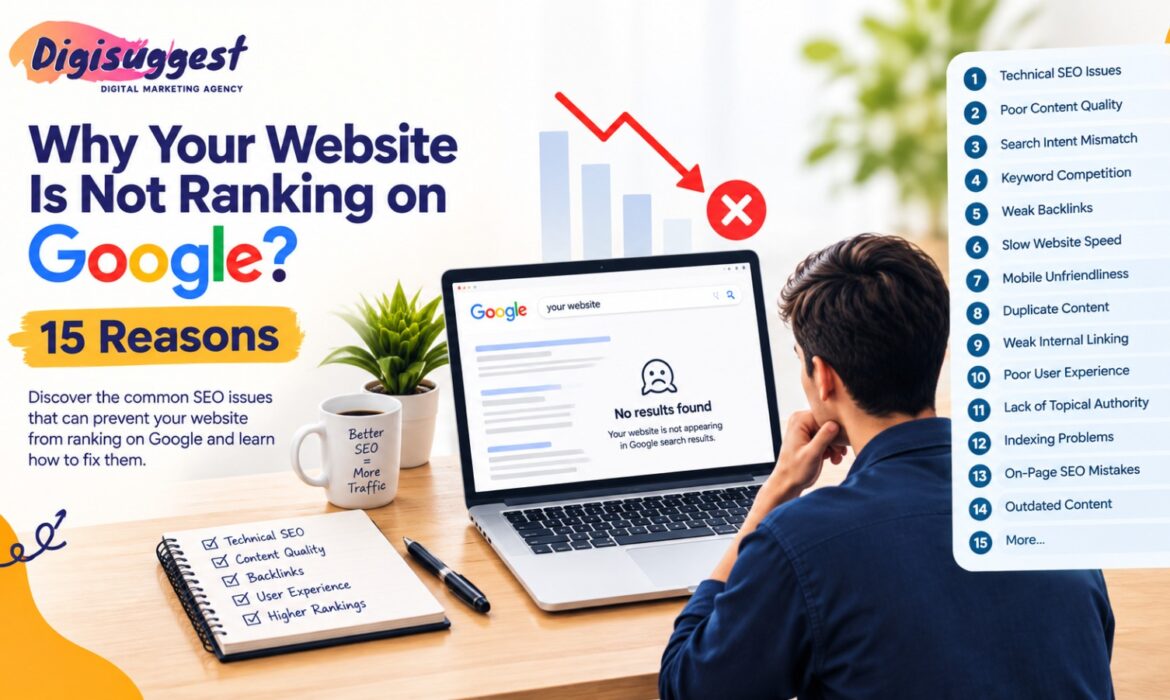
Why Your Website Is Not Ranking on Google: 15 Reasons
So you've built a website, launched some content, optimized your pages and waited for Google rankings – and yet your website is not ranking. If you're wondering why your website is not ranking on Google, you are not alone. Despite the time and money that goes into SEO, every day businesses find they are invisible on Google, even when they expect their content to rank.
Google ranking factors include technical SEO, user intent, website experience, authority, internal links, external links, indexing and website trust. Your website can be well optimized, have great content and be technically sound, but if Google cannot crawl your website, it cannot rank it. Equally, a technically robust website with great content may not rank if it doesn't satisfy users' search intent.
Today, ranking factors continue to evolve with AI, helpful content systems, structured data, semantic search, Core Web Vitals and changing search behavior. To rank, your website needs to be genuinely helpful, trustworthy and technically solid rather than simply adding more keywords.
If your website is not ranking on Google, don't immediately add more keywords. First identify the underlying problem, then improve the part of the website that needs attention.
Table of Contents
- Your Website Is Too New
- Your Website Is Not Indexed by Google
- Your Site Has Technical SEO Issues
- Content Is Misaligned With Search Intent
- Your Keywords Are Overly Competitive
- Your Content Lacks Depth or Originality
- There Is Duplicate Content on Your Website
- Your Internal Linking Lacks Strength
- Your Website Is Slow
- Your Website Is Not Optimized for Mobile
- Topic Authority Is Not Executed Properly
- There Are Few Quality Backlinks to Your Website
- On-Page SEO Is Not Great
- Your Website Is Not User Friendly
- Your Content Is Not Getting Updated
- How to Diagnose Poor Website Ranking
- Checklist for Improving Google Rankings
- Frequently Asked Questions
1. Your Website Is Too New
Many website owners believe that if they spend money getting a site built, it will rank highly right away. Google first has to find the site, crawl it, index it and assess it. A new website also needs time to build authority, backlinks, useful content and a search history.
This does not mean a new website cannot rank well. It simply means you should have realistic expectations and follow a consistent SEO process.
What You Can Do
- Use Google Search Console to submit your sitemap.
- Make sure high-value pages are crawlable and indexable.
- Publish useful content on a regular schedule.
- Build quality content around your core services.
- Create a strategy for earning relevant backlinks.
- Monitor Google Search Console regularly.
SEO is a process that takes time. Instead of trying to force rankings, work consistently and allow Google to see your website develop.
2. Your Website Is Not Indexed by Google
No index, no ranking.
Indexing is when Google finds and stores a page in its index. A page can exist on your website but still not appear in Google search results.
Potential Causes
- Noindex meta tag
- Misconfigured robots.txt file
- Crawl errors
- Lack of internal linking
- Incorrect canonical URL tags
- Server errors
- Thin content pages
- A new page that has not been crawled yet
Check Indexed Pages
The URL Inspection tool in Google Search Console can help you check whether individual pages have been indexed. You can also use the search operator site:yourwebsite.com to look for indexed pages.
Fix Indexing Issues
Ensure your important pages are crawlable and indexable, submitted to Google, linked from other pages, not blocked by robots.txt and free from crawl issues.
3. Your Site Has Technical SEO Issues
Technical SEO lays the groundwork for your organic search presence. You may create excellent content but receive little organic traffic if technical issues prevent Google from crawling and interpreting your website correctly.
Common Technical SEO Issues
- Dead links
- Wrong redirects
- Faulty URL structure
- Missing canonical tags
- Duplicate URLs
- XML sitemap errors
- Robots.txt problems
- HTTP status code errors
- JavaScript rendering issues
- Poor website architecture
Technical SEO Checklist
- Crawl and index capabilities
- XML sitemap
- Robots.txt
- Canonical tags
- HTTPS
- Structured data
- Core Web Vitals
- Dead links
- Redirects
- Mobile-friendliness
A regular SEO audit can help identify technical issues that may not be obvious during everyday website management.
4. Content Is Misaligned With Search Intent
A significant reason why websites fail to rank is misalignment with search intent. Search intent refers to the motivation behind a user's search.
For example, someone searching for “best digital marketing agency in Delhi” is likely looking for service providers, while someone searching for “what is digital marketing” is likely looking for informational content.
Creating an informational article for a keyword where Google primarily shows service pages may make it difficult for that article to rank.
Align Content With Search Intent
Before creating content, review the current search results for your target query. Check whether the results are:
- Articles
- Service pages
- E-commerce pages
- Comparison articles
- Guides
- Location pages
Then create content that satisfies the same underlying intent while adding useful value.
5. Your Keywords Are Overly Competitive
Targeting highly competitive keywords from the beginning can make SEO more difficult, particularly for a newer website.
Examples of broad competitive keywords include:
- Digital marketing
- SEO services
- Web development
- Online shopping
- Digital marketing agency
Instead, focus on more targeted long-tail keywords. For example:
- General: SEO services
- Specific: SEO services for small businesses in Delhi
- Long-tail: Cheap SEO services for small businesses in Delhi
Long-tail keywords can provide more targeted user intent.
Develop a Keyword Funnel
- Informational keywords
- Commercial investigation keywords
- Transactional keywords
- Local keywords
- Long-tail keywords
Once your website gains authority, you can gradually work toward more difficult keywords.
6. Your Content Lacks Depth or Originality
Simply publishing content does not guarantee rankings. If your material repeats the same information found across many other websites, it may not provide enough additional value.
Content That Lacks Depth May Include
- Extremely short articles without useful information
- Content heavily paraphrased from competitors
- Keyword-heavy writing
- Generic introductions
- Content without examples
- Pages created only for keyword targeting
- Content that does not fully answer the user's query
Create More Useful Content
- Unique viewpoints
- Examples
- Figures and data
- Practical advice
- Frequently asked questions
- Expert explanations
- Comparisons or tables
- Relevant images
- Internal links
- Clear headings
The goal is to provide a better answer to the user's question, not simply to create a longer article.
7. There Is Duplicate Content on Your Website
Duplicate content refers to nearly identical content appearing on multiple URLs. For example, an e-commerce product may be accessible through several URL variations.
Duplicate content can make it harder for search engines to determine which page should be treated as the relevant version.
Common Duplicate Content Situations
- Different URL versions
- Product filtering pages
- Printer-friendly pages
- HTTP and HTTPS versions
- WWW and non-WWW versions
- Duplicate category pages
- Pages covering very similar products
Possible Solutions
- Canonicalization
- 301 redirects
- Consistent URL structure
- Original content
- Better website organization
Technical SEO is especially important for e-commerce sites because many URLs can be created automatically.
8. Your Internal Linking Lacks Strength
Internal linking is the process of linking one webpage on your website to another page on the same domain. Strong internal links help users navigate your website and help search engines understand relationships between pages.
For example, a blog about Shopify SEO can naturally connect to Shopify SEO services, Shopify development, website speed optimization, e-commerce SEO and technical SEO resources.
Internal Linking Best Practices
- Link from high-authority pages to important pages.
- Use descriptive anchor text.
- Connect related blogs to one another.
- Connect informational content with relevant service pages.
- Avoid irrelevant or unnecessary links.
- Make sure important pages are not isolated.
For more information on page-level optimization, you can also read our guide on how on-page SEO improves website visibility and rankings.
9. Your Website Is Slow
Website speed affects user experience. A slow website can disappoint visitors, increase exits and create a poor customer experience.
Factors That Can Make a Website Slow
- Heavy images
- Too much JavaScript
- Unoptimized CSS
- Excessive plugins
- Third-party scripts
- Poor hosting
- Non-optimized themes
Website Speed Optimization Methods
- Compress images.
- Use modern image formats.
- Remove unnecessary scripts.
- Eliminate unused CSS and JavaScript.
- Optimize fonts.
- Enable browser caching.
- Improve server response time.
- Monitor Core Web Vitals.
You can also review our resource on Core Web Vitals, including LCP, CLS and INP, to understand key website performance metrics.
10. Your Website Is Not Optimized for Mobile
A significant proportion of users access websites through mobile devices. If your website is difficult to navigate on a phone, visitors may leave quickly or struggle to complete important actions.
Make Sure to Check
- Legibility
- Touchability of buttons
- Ease of navigation
- Image sizing
- Form functionality
- Page speed
- Avoidance of intrusive pop-ups
Mobile SEO Checklist
- Mobile phones
- Tablets
- Laptops and notebooks
- Desktop PCs
Responsive design is essential for modern websites. You can also explore our article on why mobile-first design is crucial for Indian businesses.
11. Topic Authority Is Not Executed Properly on Your Website
Google does not evaluate every webpage completely separately. Consistently demonstrating expertise around a subject can help build topical relevance.
For example, a website providing Shopify services can create a content cluster around Shopify SEO.
Example Topic Cluster
Pillar page: Ultimate Guide to Shopify SEO
- Shopify product page SEO
- Shopify technical SEO
- Shopify speed optimization
- Shopify collection page SEO
- Common Shopify SEO mistakes
- Shopify conversion optimization
- Shopify website structure
These pages can be naturally interlinked to create a connected content ecosystem.
Create Topic Clusters
- A pillar page
- Supporting blog posts
- Relevant service pages
- Case studies
- FAQs
- Industry-related content
This creates a stronger content ecosystem rather than a collection of unrelated articles.
12. There Are Few Quality Backlinks to Your Website
Backlinks are external links that point to your website. Links from relevant and reliable sources can help search engines discover your website and understand its authority.
However, acquiring large numbers of poor-quality backlinks is not an effective SEO strategy.
Think About Quality
- Industry publications
- Relevant business directories
- Guest posting
- Digital PR
- Expert contributions
- Original research
- Useful data
- Business partners
- Case studies
Your goal should be to earn links because your content is valuable, rather than acquiring links simply for SEO.
For a deeper explanation, read our guide to off-page SEO and its impact on search results.
13. On-Page SEO Is Not Great
On-page SEO helps search engines understand the content and purpose of a webpage.
Essential On-Page SEO Components
- SEO title
- Meta description
- H1 tag
- H2 and H3 tags
- URL
- Natural keyword placement
- Image alt text
- Internal linking
- Text formatting
- Schema markup
Instead of using a generic title such as “Home”, use a descriptive title such as “SEO Services in Delhi | Digi Suggest”.
Your title should help users understand what they will find on the page and align with relevant search queries. Avoid keyword stuffing and focus on clarity.
14. Your Website Is Not User Friendly
SEO is not just about keywords and links. Visitors should be able to find what they need without wasting time figuring out how your website works.
Poor UX Can Include
- Difficult navigation
- Too many pop-ups
- Complicated checkout
- Confusing CTAs
- Poor readability
- Distracting ads
- Non-working forms
- Messy layouts
- Difficult mobile navigation
Improve Your Website Experience
Ask yourself:
- Can a first-time visitor understand what the business does within a few seconds?
- Can visitors easily find your services?
- Can they read your content comfortably?
- Can they contact you easily?
- Can they make a purchase without unnecessary friction?
- Can they find the information they need?
A better website experience can support both engagement and conversion.
15. Your Content Is Not Getting Updated
SEO does not stop once you hit publish. Search results and user expectations change, and older pages can lose visibility if they are not kept current.
Make Sure Your Content Is Up to Date
- Statistics
- Screenshots
- Case studies
- Links
- 404 errors
- Headlines
- Meta tags
- Old information
- FAQs
- Images
You do not need to create a completely new article every time. Improving and refreshing useful existing content can also be part of an effective SEO strategy.
How to Diagnose the Reason for Poor Website Ranking
If your website does not rank well, avoid adding more keywords immediately. First identify the issue.
Step 1: Use Google Search Console
Analyze these five areas:
- Impressions
- Clicks
- Queries
- Average position
- Indexed pages
Step 2: Carry Out an SEO Technical Audit
- Crawlability
- Indexability
- Sitemap
- Robots.txt
- Canonicals
- Redirects
- Broken links
- Page speed
If you need professional help identifying technical problems, explore SEO services in Delhi.
Step 3: Analyze the Competition
Examine pages that currently rank for your target keywords and compare:
- Content depth
- Search intent
- Page structure
- Backlinks
- Internal links
- User experience
- FAQs
- Media
- Topic coverage
Step 4: Improve Content
Ask yourself: Does this page provide a better answer to the user's query than the pages currently ranking? If not, identify what is missing and improve the page.
Checklist for Improving Google Rankings
| SEO Area | What to Verify |
|---|---|
| Indexing | Have key web pages been indexed? |
| Technical SEO | Are there issues with crawling or indexing? |
| Keywords | Are you targeting realistic keywords? |
| Search intent | Does your content satisfy the query? |
| Content | Is the content unique and useful? |
| Internal linking | Have important pages been linked appropriately? |
| Speed | Are Core Web Vitals performing well? |
| Mobile | Is the website user-friendly on mobile? |
| Backlinks | Does the website have relevant quality links? |
| Website development | Are titles, headings and URLs optimized? |
| User experience | Can visitors find what they need easily? |
| Updating | Are older articles being refreshed? |
| Authority | Does the website demonstrate expertise in its field? |
What Is the Time Taken by a Website to Rank in Google?
There is no direct answer to how long it takes a website to rank in Google search results. Ranking time can depend on:
- Age of the website
- Level of competition
- Industry
- Keyword competition
- Website authority
- Content quality
- Technical SEO
- Backlink profile
- Search intent
- Consistency of SEO efforts
Some technical improvements can produce changes faster than others, while building authority and ranking for highly competitive keywords can take considerably longer.
The Importance of Consistency in SEO
SEO is not something you do only once. A website can lose visibility because competitors publish more useful content, search behavior changes, technical problems appear or existing content becomes outdated.
A Proper SEO Process Includes
- Technical monitoring
- Content creation
- Content maintenance
- Keyword research
- Link building
- Competitor analysis
- Backlink building
- Optimization
- Performance measurement
Consistent effort helps create and maintain a stronger organic search presence.
Conclusion
If your site is not appearing in Google's results, the problem may not simply be a lack of keywords. Your website can face technical SEO issues, poor content, search-intent mismatch, low authority, weak internal linking, slow performance, indexing problems or poor user experience.
The first step is to identify the root cause rather than creating more content without understanding the problem. SEO is a long-term process, and quality content, strong technical foundations, a useful website experience and genuine authority all contribute to sustainable organic visibility.
Want to Learn Why Your Site Does Not Rank?
At Digi Suggest, we help businesses address SEO problems from both technical and content perspectives.
Our SEO support can include SEO audits, technical SEO optimization, keyword research, on-page SEO, content strategy, internal linking, Core Web Vitals optimization, local SEO, e-commerce SEO and SEO performance monitoring.
Explore Digi Suggest SEO Services or contact Digi Suggest to discuss your website.
Frequently Asked Questions
Your website may not appear because of technical SEO problems, improper indexing, poor-quality content, strong keyword competition, search-intent mismatch, limited authority, poor backlinks, slow performance or weak internal linking.
There is no one-size-fits-all answer. New websites need time to be crawled, indexed, evaluated and build authority. The time can vary based on several SEO factors.
You can use the Google Search Console URL Inspection tool to check individual pages. You can also use the <strong>site:</strong> search operator to look for indexed pages.
Yes, a page can rank without backlinks, particularly for less competitive queries. Relevant backlinks can still support authority and discovery.
Website performance contributes to page experience, and Core Web Vitals are among the metrics used by Google in evaluating pages. Improving performance can also improve the visitor experience.


